
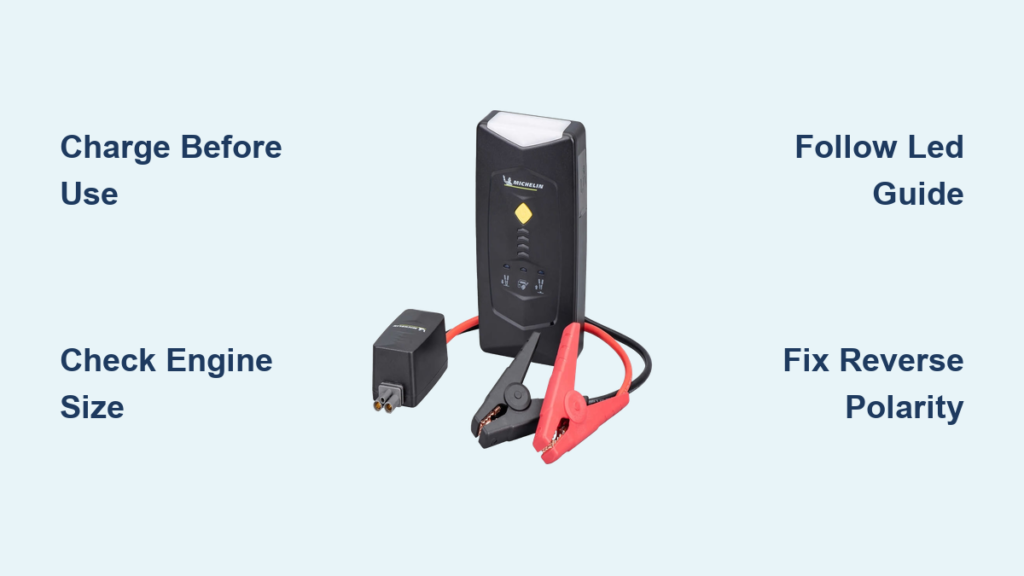
Imagine turning the key in an empty parking lot at night, only to hear nothing but a faint click. Your phone is fading, and no one is around to lend jumper cables. Learning how to use a Michelin jump starter gives you a way to restart your engine on your own.
This guide shows how to use the Michelin 12V Portable Jump Starter step by step. You will learn how to power it on, connect the clamps, follow the LED prompts, use the light, charge your devices, and keep the unit ready.
Charge and Power On Your Michelin Jump Starter First
A jump starter only helps if it has enough charge. Check the unit before you need it, not during a breakdown.
How Do You Confirm the Michelin Jump Starter Is Charged?
Recharge the unit through its USB-C port when the charge runs low. This port handles both input and output. Keep the unit charged so it is ready for the next trip.
Pro Tip: Check the charge before every long drive. A quick check now prevents a surprise later.
How Do You Power On the Intelli-Step LED Jump Guide?
- Power on the jump starter unit.
- Wait for the Intelli-Step LED Jump Guide to activate.
- Follow its prompts for each stage of the jump start.
Check Engine Size and Battery Compatibility Before Connecting
Not every vehicle works with every jump starter. Confirm your engine size before you begin.
Which Engines Does the Michelin Jump Starter Support?
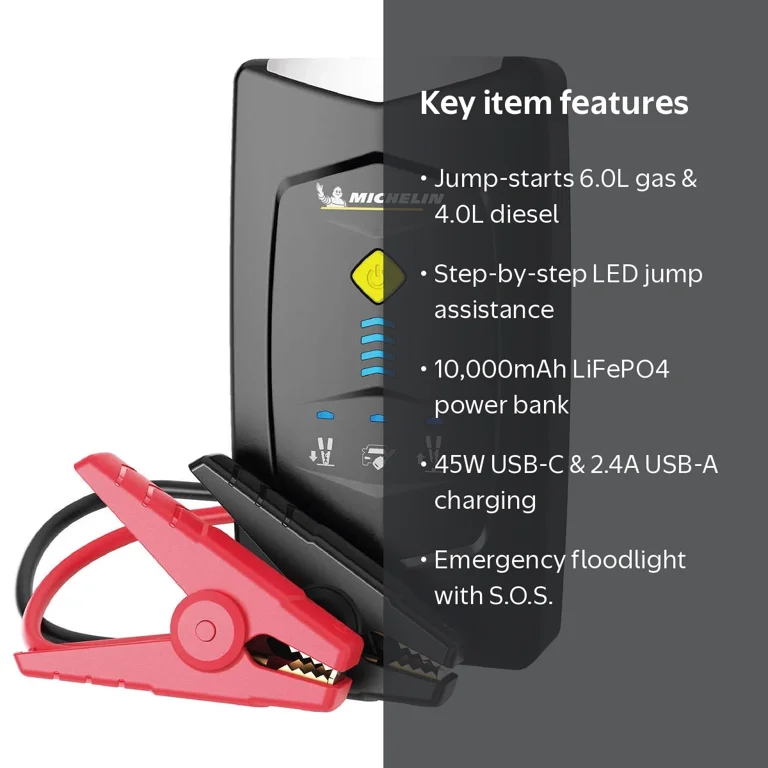
• Gas engines up to 6.0L
• Diesel engines up to 4.0L
The unit is designed for a 12V system. If you are unsure about your vehicle, check its specifications first.
What Does 500A Peak Current Mean for Your Car?
The Michelin jump starter delivers up to 500A of peak current. This is the power used to crank your engine. Compare this rating with your engine size before relying on the unit.
Connect Jumper Cables to Your Michelin Jump Starter and Battery
Proper cable placement protects your car’s electronics and the jump starter itself. Take your time with this step.
How Do You Attach the Clamps to the Battery?
- Connect the included jumper cables to the jump starter.
- Attach the cable clamps to your vehicle’s battery terminals.
- Follow the LED prompts as each connection is confirmed.
Pro Tip: Make sure each clamp sits firmly on its terminal. A loose clamp can interrupt the jump start.
What Happens If the Clamps Are Reversed?
Crossed clamps trigger the reverse polarity protection. This feature is designed to prevent sparks and electric shock. Correct the clamp placement before you continue.
Warning: Never ignore a reverse polarity alert. Fix the connection first, then move on.
Follow the Intelli-Step LED Guide Through Each Jump Start Step
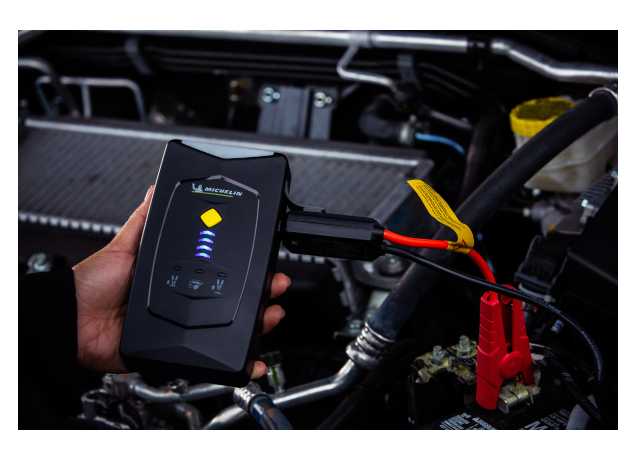
The Intelli-Step LED Jump Guide acts as a visual checklist during a stressful moment. It tells you what to do next.
How Does the LED Guide Keep You on Track?
Each prompt moves you to the next action. Follow the sequence instead of guessing. This approach reduces mistakes when you are under pressure.
What Are the Steps to Complete the Jump Start Sequence?
- Watch the LED guide for the next prompt.
- Complete each remaining prompt in order.
- Start the vehicle when the guide directs you to do so.
Start Your Vehicle and Disconnect the Cables Safely
Once the guide finishes its sequence, it is time to restart the engine. Then you can remove the cables.
How Do You Start the Engine After the Guide Confirms Connection?
Start the vehicle when the LED guide finishes its prompts. If the engine does not respond, review the LED guide and check your clamps.
Pro Tip: Pause between attempts and recheck the LED guide. Repeated cranking without checks rarely helps.
What Are the Steps to Disconnect and Power Off the Unit?
- Disconnect the jumper cables from the vehicle battery.
- Power off the jump starter unit.
- Store the cables and recharge the unit when you get home.
Common Mistake: Do not let the clamps touch each other while they are connected to the battery.
Use the LED Floodlight, Strobe, and S.O.S. Modes Roadside

The built-in LED floodlight is useful at night. It helps you check under the hood and see other parts of the vehicle.
How Do You Switch Between Light Modes?
• Standard floodlight for general visibility
• Strobe mode for a flashing light
• Hazard S.O.S. mode to signal for help
When Should You Use S.O.S. Mode?
Use S.O.S. mode when you are stranded and need assistance. The standard light works better for under-hood checks. Switch modes based on your situation.
Charge Phones and Devices Through the Michelin Jump Starter Ports
Your Michelin jump starter also works as a power source for your devices. This helps when your phone is running low during a breakdown.
Which Port Should You Use for Your Phone?
The USB-C port supports both input and output. It charges your devices and can also recharge the jump starter.
The USB-A port is output only. Use it to charge a second device, but not to recharge the unit.
Can You Charge Your Phone While Jump-Starting?
Yes. The unit has separate charging ports for mobile devices. You can charge your phone while you work through the jump start.
Protect the Michelin Jump Starter From Dust and Splashing Water
The unit carries an IP64 rating. This protection depends on keeping the ports closed.
Why Must You Keep the Port Covers Closed?
The IP64 protection applies only when the charging ports are closed. Open ports lose this protection. Close the covers after every use.
What Does IP64 Protection Cover?
IP64 means the unit is dust-tight and splash-resistant. It protects against dust and splashing water. It does not change how you should handle the unit in heavy rain or water.
Troubleshoot Common Michelin Jump Starter Problems
Start with these basic checks. For model-specific fixes, consult the official user manual.
What Should You Do If the Unit Does Not Turn On?
Recharge the unit through its USB-C port. Then power it on again and watch for the LED guide to activate.
What Should You Do If the LED Guide Stays Off?
Make sure the cables are fully inserted into the jump starter. If the guide still does not respond, contact Michelin customer support.
What Should You Do After a Reverse Polarity Warning?
Recheck the clamp placement on each battery terminal. Reconnect the clamps correctly before continuing with the jump start.
Find the Michelin Jump Starter User Manual and Support Options
Model-specific details live in the official documentation. Knowing where to find it saves time.
Where Can You Download the Michelin Jump Starter User Manual?
The user manual is available as a PDF on the official Michelin product page. Download it and save a copy on your phone.
How Do You Contact Michelin Customer Support?
Call (866) 294-9244, Monday to Saturday, 8:00 AM to 5:00 PM Pacific Time. Use the “Where to buy” section on the official website to find authorized retailers.
What Details Are Not Listed in the Product Information?
The available information does not include these details:
• Charging time
• Weight and dimensions
• Warranty coverage
• Operating temperature range
• Number of jump starts per charge
Check the user manual or contact support for these details.
Frequently Asked Questions About Using the Michelin Jump Starter
Can the Michelin Jump Starter Start a Diesel Engine?
Yes. The unit supports diesel engines up to 4.0L. It also supports gas engines up to 6.0L. Confirm your engine size before use.
What Happens If I Connect the Clamps Backward?
Reverse polarity protection activates. It is designed to prevent sparks and electric shock. Reconnect the clamps correctly before continuing.
How Do I Know Which Step to Follow?
The Intelli-Step LED Jump Guide displays prompts for each stage. Follow the lights in order until the sequence is complete.
Can I Charge My Phone While Jump-Starting My Car?
Yes. The unit has separate charging ports for mobile devices. You can use one of them to charge your phone during the process.
Is the Michelin Jump Starter Waterproof?
The unit is rated IP64, which means dust-tight and splash-resistant. This protection applies only when the charging ports are closed.
How Long Does the Michelin Jump Starter Take to Recharge?
Michelin does not list a charging time in the available product information. Call customer support at (866) 294-9244 for guidance.
Key Takeaways for Using Your Michelin Jump Starter Safely
Knowing how to use a Michelin jump starter keeps you moving when your battery fails. Three habits matter most:
• Charge the unit and power it on before you need it.
• Confirm your engine size: gas up to 6.0L, diesel up to 4.0L.
• Follow the LED guide closely and correct any reverse polarity alert before starting.
Your next step is simple. Download the user manual from Michelin’s official website today, then keep the unit in your vehicle where you can reach it quickly.
Note: Details not found in the source material, such as charging time, LED colors, and general maintenance intervals, were removed to keep the article accurate.





