
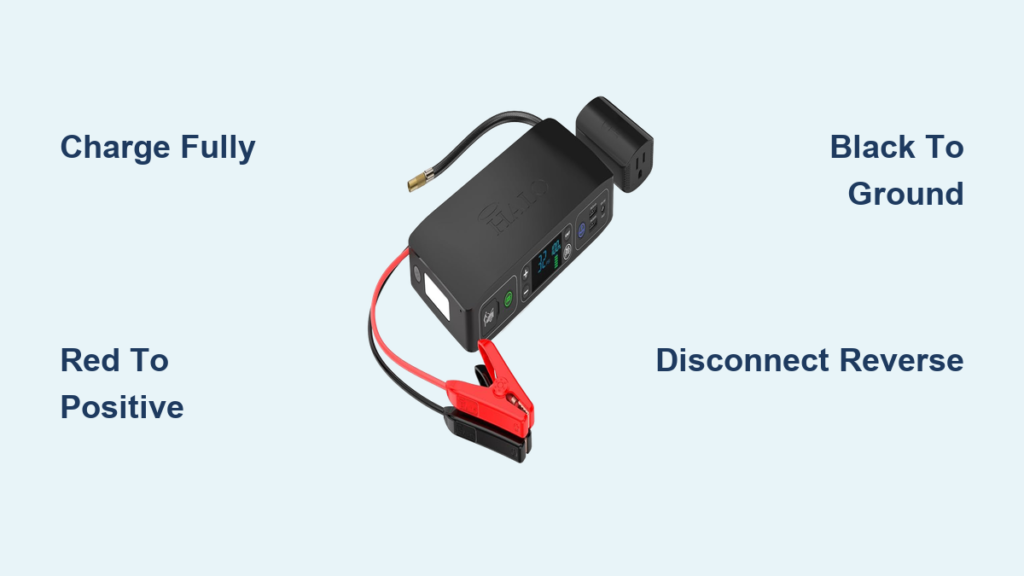
You’re stuck in a dimly lit parking lot at dusk, your car won’t start, and there’s no one around to help. You reach for your Halo jump starter—compact, powerful, and packed with features—but you hesitate. Are you connecting the clamps in the right order? Could you damage your car? You’re not alone. Many drivers own a Halo jump starter but freeze when the moment comes, unsure how to proceed safely.
The truth is, using a Halo jump starter is simple once you know the correct steps. Whether you have a Halo Bolt, Halo Rev, or another model, this guide walks you through every step—from preparing the device to safely disconnecting after a successful jump. You’ll also learn how to use its built-in flashlight, charge your phone, avoid common mistakes, and recognize when it’s time to replace your car battery or the jump starter itself. By the end, you’ll feel confident handling any dead-battery emergency—on your own.
Charge and Inspect Your Halo Jump Starter

Before attempting a jump, ensure your device is ready and safe to use. A faulty or undercharged unit can leave you stranded.
Fully Charge the Device Before Use
Plug your Halo jump starter into a wall outlet using the included USB-C cable and adapter. Most models take 2–3 hours to charge fully. Watch the LED power indicators—four solid lights typically mean full charge. Never attempt a jump with less than 50% power.
Pro Tip: Recharge your Halo every 3–4 months, even if unused. Lithium-ion batteries lose charge over time and can degrade if left empty.
Check Cables and Clamps for Damage
Inspect the jumper cables for fraying, exposed wires, or bent clamps. The red clamp must connect to positive (+), the black to negative (–). Ensure they snap securely and move freely. If you spot damage, replace the cables before use—never risk a short circuit.
Turn Off the Vehicle and Access the Battery
Safety begins before the first connection. Preparing your car properly prevents sparks, surges, and damage.
Shut Down the Ignition System Completely
Remove the key from the ignition or press the start button without your foot on the brake to ensure the car is fully off. No dashboard lights should be active. This prevents electrical feedback when connecting the clamps.
Open the Hood Safely and Locate the Battery
Use the interior hood release, then walk to the front of the car and unlatch the hood manually. Prop it open securely. Most batteries are under a plastic cover labeled with + and – symbols. Remove the cover if needed to access the terminals.
Identify Positive and Negative Battery Terminals
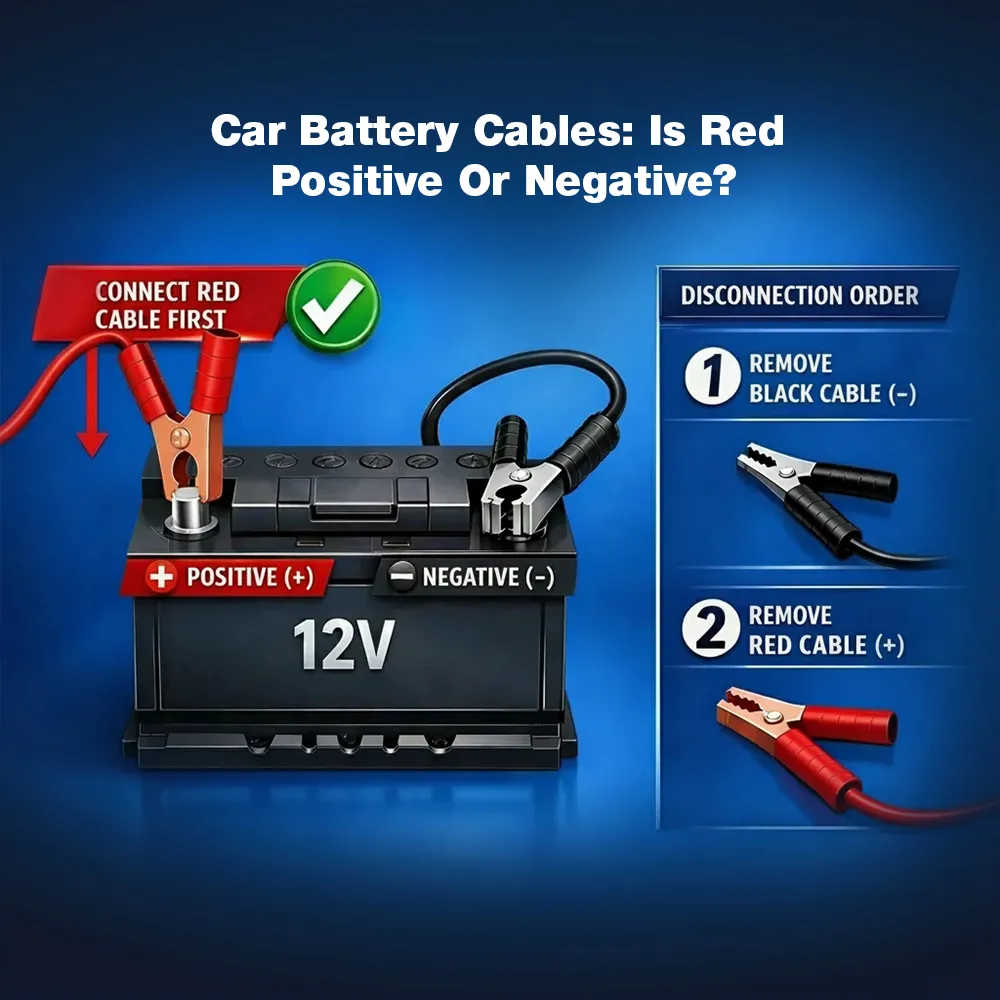
Correct terminal identification is critical. Connecting to the wrong post can damage your vehicle or the jump starter.
Find the + and – Symbols on the Battery
The positive terminal is thicker, often covered in red, and marked with a “+” sign. The negative terminal is thinner, black, and marked “–”. If the terminals are dirty or corroded, wipe them gently with a dry cloth—never use metal tools near the battery.
Warning: Avoid touching both terminals with any metal object. This can cause sparks or short the battery.
Connect the Clamps in the Correct Order
This is the most crucial step. Connecting in the wrong sequence risks damage or dangerous sparks.
Attach the Red Clamp to the Positive Terminal
Clip the red clamp firmly onto the positive (+) battery terminal. Make sure it’s seated securely and not touching any other metal. A loose connection won’t deliver power.
Connect the Black Clamp to a Ground Point
Do not attach the black clamp directly to the negative battery terminal if possible. Instead, clip it to an unpainted metal surface like a bolt on the engine block or chassis. This grounds the circuit away from the battery, reducing the risk of igniting flammable gases.
Only use the negative terminal as a last resort if no other grounding point is available.
Power On the Halo Jump Starter
With clamps connected, activate the device to prepare for starting.
Press and Hold the Power Button
On most Halo models, press and hold the power button for 1–2 seconds. The LED screen will light up, showing battery level and connection status. Some models beep to confirm readiness.
Critical: Never try to start the car if the Halo is powered off. The device must be on to deliver power.
Start the Engine and Disconnect Safely
Now it’s time to bring your car back to life—then disconnect in the correct order.
Start the Car with Normal Ignition
Turn the key or press the start button. Let the engine crank for no more than 3–5 seconds. If it doesn’t start, wait 10–15 seconds before trying again. Most cars start within 1–2 attempts.
If the engine cranks slowly, let the Halo deliver charge for 2–3 minutes before retrying.
Turn Off the Halo and Disconnect in Reverse Order
Once the engine runs:
1. Turn off the Halo jump starter
2. Remove the black clamp from the ground
3. Remove the red clamp from the positive terminal
Never disconnect while the device is powered or the engine is running.
Use Halo’s Built-In Safety Protections
Halo jump starters include smart features to prevent user error and protect your vehicle.
Respond to Reverse Polarity Alerts
If you accidentally swap the clamps, the Halo will emit a loud beep and flash red lights. Stop immediately. Disconnect both clamps and reattach them correctly. Do not attempt to start the car until the alert stops.
Handle Overload or Overheating Shutdowns
If the device shuts down during use, it detected excessive current or heat. Let it cool for 10 minutes, check for damaged cables or poor connections, then try again. Repeated shutdowns may indicate a failing car battery or device issue.
Recharge and Store the Halo Properly After Use
Maintaining your jump starter ensures it’s ready when you need it most.
Recharge Immediately After Jumping
Even if the Halo still shows charge, plug it in after every use. Jump-starting drains significant power. Recharging promptly keeps it reliable for next time.
Store in a Moderate Temperature Environment
Keep the Halo in a cool, dry place between 32°F and 77°F (0°C to 25°C). Avoid leaving it in hot cars or freezing trunks. Use the included case to protect it from dust and impact.
Use Additional Halo Features for Emergencies
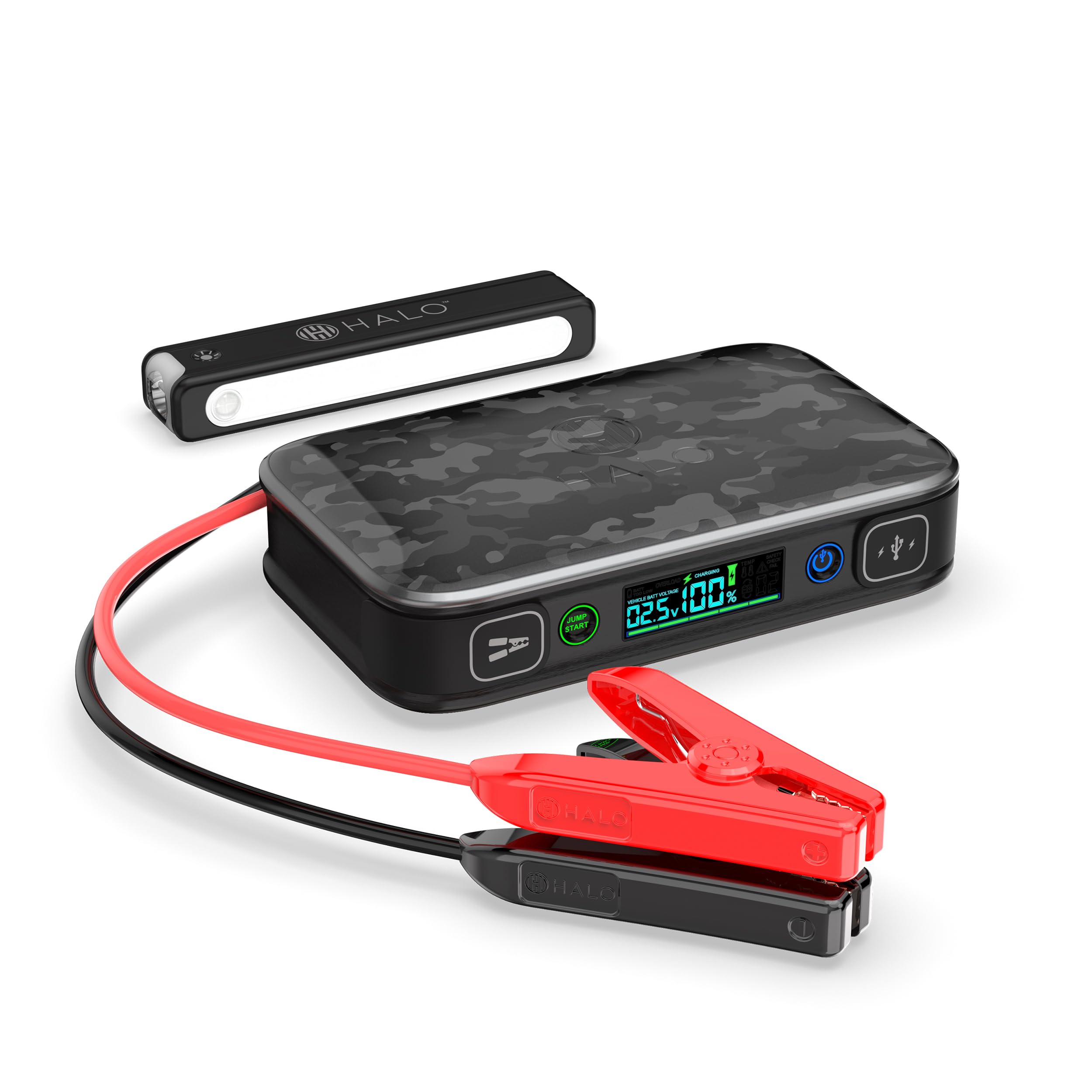
Your Halo jump starter is more than just a battery booster—it’s a full emergency toolkit.
Charge Phones and Devices Anytime
Use the USB-A or USB-C ports to charge smartphones, tablets, or GPS units. No need to power on the Halo—just plug in your device. Great when your phone is dying during a breakdown.
Activate the LED Flashlight in Dark Conditions
Press the flashlight button (usually with a bulb icon) to turn on the light. Modes include:
• Steady beam for under-hood work
• SOS flash to signal for help
• Strobe mode for high-visibility emergencies
Ideal for nighttime breakdowns or power outages.
Troubleshoot Common Halo Jump Starter Problems
Even with proper use, issues can occur. Here’s how to fix them fast.
Halo Won’t Turn On
If the device is unresponsive:
• Plug it in for 10 minutes to check for charge
• Try a different outlet or cable
• Press and hold the power button for 2 seconds
If still dead, contact Halo support—your unit may need servicing.
Engine Cranks but Doesn’t Start
This may not be a jump starter issue. Possible causes:
• Weak or failing car battery
• Fuel or ignition system problems
• Poor clamp connections
Recheck connections and let the Halo charge the battery for 2–3 minutes before retrying.
Jump Starter Gets Too Hot
Some warmth is normal, but excessive heat is dangerous. If the device is too hot to touch:
• Stop use immediately
• Disconnect cables
• Let it cool in a safe area
• Inspect for damaged cables or incorrect setup
Avoid These Common Halo Jump Starter Mistakes
Prevent failures and hazards by avoiding these frequent errors.
Never Let the Clamps Touch Each Other
When powered, the clamps carry high current. If they touch, it can cause sparks, melt the cables, or damage the unit. Always keep them separated during use.
Don’t Leave Connected Too Long
Once the car starts, disconnect within 1–2 minutes. Extended connection can overheat cables or drain the Halo unnecessarily.
Never Use in Wet or Rainy Conditions
Moisture increases the risk of electric shock or short circuits. Wait until the area is dry or shelter the battery before using the jump starter.
Know When to Replace Your Car Battery or Halo
A jump starter helps, but it’s not a permanent fix for deeper issues.
Signs Your Car Battery Is Failing
• Slow engine crank
• Dim headlights
• Frequent jump-start needs
• Battery warning light on dashboard
If you’re jumping your car more than once a month, replace the battery.
When to Replace the Halo Jump Starter
Most models last 3–5 years. Replace yours if:
• It won’t hold a charge
• Safety alerts trigger without cause
• Cables or casing are damaged
Key Takeaways for Using Your Halo Jump Starter
Using a Halo jump starter is a simple, reliable way to restart your car in an emergency. Always charge it fully, inspect the cables, and connect the clamps in the correct order—red to positive, black to ground. Power on the device before starting the car, and disconnect in reverse order after success. Take advantage of its extra features like USB charging and emergency lighting.
Keep your Halo maintained, stored properly, and ready to go. Practice the steps now so you’re not fumbling later. With this knowledge, you’re not just prepared for a dead battery—you’re in control of the situation.
Frequently Asked Questions About Halo Jump Starter
Can I use a Halo jump starter on a completely dead battery?
Yes. Halo jump starters are designed to deliver enough power to start a car even with a fully discharged battery. Ensure the Halo itself is fully charged and allow it to supply power for 2–3 minutes before starting.
Do I need another car to use a Halo jump starter?
No. Halo jump starters are standalone devices. You do not need another vehicle—just the jump starter, your car, and the included cables.
How long does a Halo jump starter hold its charge?
Most Halo models retain charge for 3–6 months when stored properly. For best results, recharge every 3–4 months to maintain battery health.
Can I charge my phone while using the jump starter?
Yes. The USB ports work independently. You can charge your phone or tablet even while the Halo is powering a jump start.
What should I do if the Halo beeps and flashes red?
This indicates reverse polarity—clamps are connected incorrectly. Turn off the device, disconnect both clamps, and reattach: red to positive, black to ground. Never start the car until the alert stops.
Is it safe to use a Halo jump starter in cold weather?
Yes, but performance may decrease in extreme cold. Keep the Halo warm (e.g., in your coat) before use. Avoid using it below freezing if possible, and never leave it stored in a freezing vehicle.





