
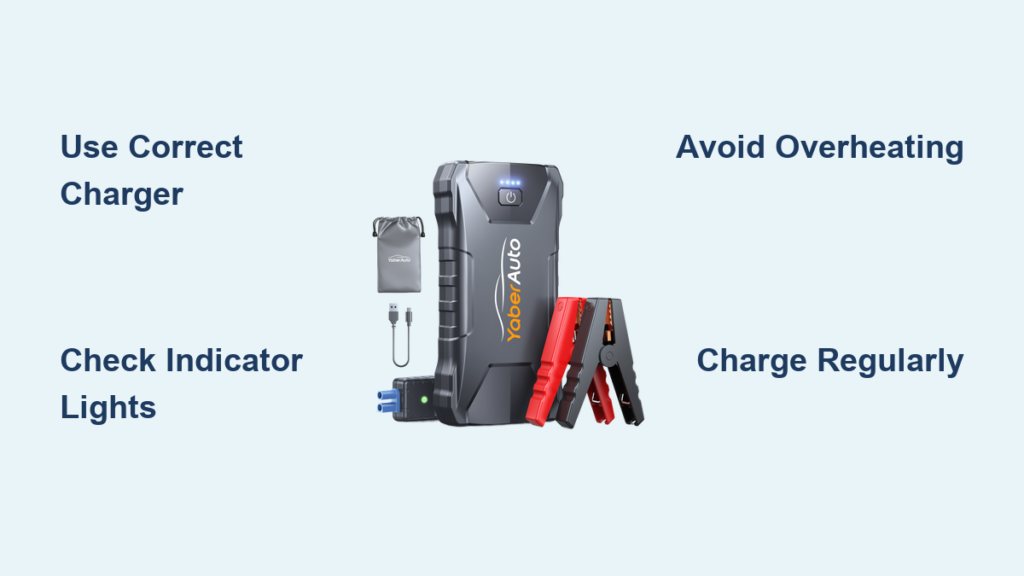
Your car won’t start, and you reach for your Yaber jump starter. Then you find it’s drained. A dead jump starter can’t help you, so you need to know how to charge a Yaber jump starter before an emergency happens.
This guide shows you how to charge your unit safely. You’ll learn how to read the indicator lights, fix common charging problems, and keep the battery healthy. Check your model’s manual for exact specifications.
Step-by-Step Guide to Charging Your Yaber Jump Starter

Charging your unit is simple when you follow the right order. Use the cable and power source that match your model. Doing it correctly protects the battery and helps it charge fully.
How to Connect Your Yaber Jump Starter to Power
- Plug the cable into the charging port on your jump starter.
- Connect the other end of the cable to a compatible USB adapter or car charger.
- Plug the adapter into a working wall outlet or the 12V car socket.
- Confirm both ends are firmly seated before you walk away.
Note: Use the original cable and adapter whenever possible. Low-quality chargers may charge slowly or damage the battery.
How to Read the Charging Indicator Lights

Look at the LED lights on your jump starter once it’s connected. The lights show your battery level and charging status.
• Blinking or moving lights: The unit is charging.
• Solid lights: The unit is fully charged.
• No lights: The unit may be off, fully drained, or not connected properly.
Some models turn on automatically when plugged in. Others need a press of the power button. Check your manual to confirm.
Pro Tip: If no lights appear, press and hold the power button for a few seconds. A completely drained unit may take a short time before the indicators respond.
How Long Does a Yaber Jump Starter Take to Charge?
Charge time depends on your model and the output of your charger. Avoid using the device while it charges, since this can slow charging or cause heat buildup.
• Full charge from empty: [Insert time from your model’s manual]
• Wall adapter: [Insert rated output and expected time]
• Car charger or low-output adapter: [Insert rated output and expected time]
• Computer USB port: Usually too slow for a reliable charge
Warning: Don’t leave the jump starter unattended for long periods while it charges. Always follow the safety guidance in your manual.
Fixing Yaber Jump Starter Charging Problems
Charging problems often come from simple causes. Work through the steps below before you assume the battery has failed.
Why Your Yaber Jump Starter Shows No Lights
If the unit doesn’t respond when connected, check these items in order:
- Test the wall outlet or car socket with another device.
- Inspect the cable and adapter for frayed wires or bent connectors.
- Try a different cable and adapter that match your model’s specifications.
- Clean the charging port with compressed air or a dry brush to remove dust and debris.
If none of these steps work, the internal battery may be depleted or faulty. Contact Yaber support for next steps.
What to Do When Charging Stops Early
If the unit starts charging and then stops, check these common causes:
• Overheating: The unit may shut off to protect itself. Let it cool before trying again.
• Loose connection: Reseat the cable at both ends.
• Weak charger: Switch to an adapter that meets your model’s output rating.
Expert Note: Built-in protection circuits stop charging when voltage, current, or temperature falls outside safe limits. This is normal safety behavior.
Common Charging Mistakes to Avoid with Your Yaber Jump Starter
Small habits can shorten battery life. Avoid these frequent errors:
• Using a damaged or mismatched cable
• Charging in very hot or very cold locations
• Leaving the unit plugged in for long periods without checking it
• Using the jump starter to power other devices while it charges
Best Practices to Keep Your Yaber Battery Healthy

Regular, correct charging keeps your jump starter ready and extends its useful life. These habits matter even when the unit sits unused.
Choosing the Right Charger for Your Yaber Model
Start with the charger that came in the box. If you need a replacement, match the voltage and amperage listed in your manual.
Expert Note: Fast-charging adapters may not be supported by your model. Check compatibility before you buy one.
How Often to Recharge a Yaber Jump Starter in Storage
Lithium-based batteries lose charge slowly over time, even when unused. Set a recurring reminder to check the charge level. Recharge at the interval recommended in your manual: [insert interval].
Pro Tip: Add a calendar reminder when you store the unit. A quick check now prevents a dead battery when you need it most.
Where to Store and Charge Your Jump Starter Safely
Choose a cool, dry spot away from direct sunlight, heaters, and moisture. Keep the unit out of freezing vehicles during winter. Follow the temperature range listed in your manual: [insert temperature range].
Quick Troubleshooting Reference for Yaber Charging Issues
| Problem | Likely Cause | Fix |
|---|---|---|
| No lights when plugged in | Drained battery, damaged cable, or dead outlet | Test outlet, try another cable, press power button |
| Charging is very slow | Low-output charger or extreme temperatures | Use a compatible adapter and charge at room temperature |
| Charging stops early | Overheating or loose connection | Let the unit cool and reseat the cable |
| Lights never change | Unit already full or a fault | Confirm charge level, reset by unplugging briefly |
When to Replace Your Yaber Jump Starter
A healthy battery should hold its charge between uses. Replacement may be necessary if you notice these signs:
• The unit won’t hold a charge for a reasonable period
• It fails to start a vehicle even after a full charge
• Charging takes much longer than it used to
• The case swells, overheats, or gives off an odd smell
Warning: Stop using the unit immediately if it swells, gets very hot, or emits smoke. Damaged lithium batteries can be hazardous.
Frequently Asked Questions About Charging a Yaber Jump Starter
How do I know my Yaber jump starter is fully charged?
The indicator lights stay solid when the unit reaches a full charge. Blinking or moving lights mean charging is still in progress. Check your manual to confirm what your model’s lights show.
Can I charge my Yaber jump starter with a car charger?
Yes, many models can charge through a 12V car socket. Use a compatible adapter and confirm the output rating in your manual. Charging in a car may be slower than using a wall adapter.
Why won’t my Yaber jump starter turn on when plugged in?
A fully drained battery may take time to show any light. Try pressing the power button, testing the outlet, and using a different cable. If it still won’t respond, contact Yaber support.
Is it safe to leave my Yaber jump starter charging overnight?
Follow the guidance in your manual about unattended charging. Use a compatible charger and avoid charging in hot or cold conditions. Never charge a unit that is damaged or swollen.
How often should I charge my Yaber jump starter when not in use?
Check your manual for the recommended interval. Setting a calendar reminder helps you top off the battery before it drains too far.
Key Takeaways for Charging Your Yaber Jump Starter
Charging your Yaber jump starter correctly keeps it ready for emergencies. Focus on these three points:
• Use the original or a compatible cable and adapter.
• Read the indicator lights to confirm charging progress.
• Recharge on a regular schedule and store the unit in a safe place.
Next step: Check your model’s manual today, find the charge time and recharge interval listed for your unit, and set a reminder to top off the battery.





