
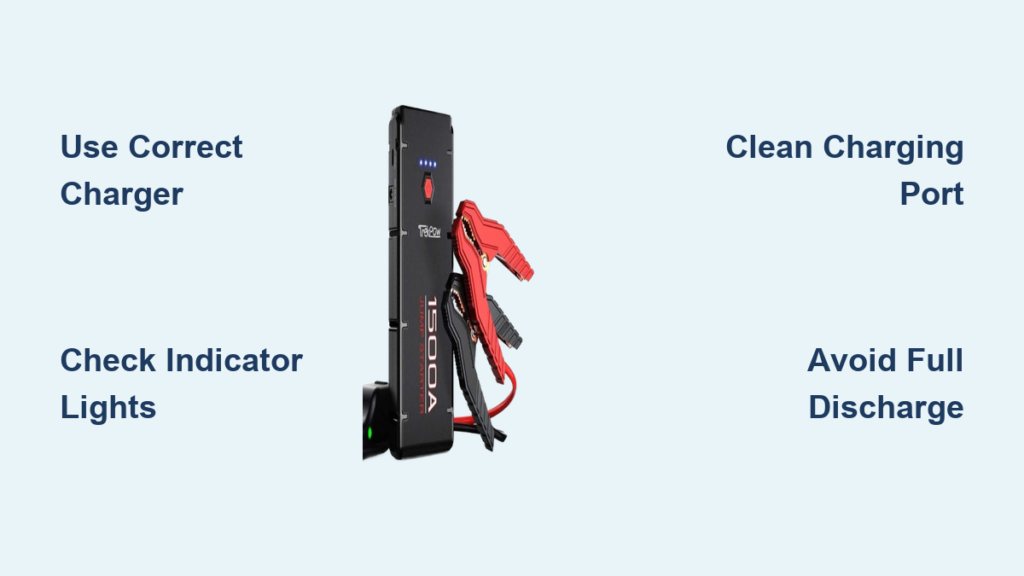
Your jump starter has been sitting in the trunk for months, and now it won’t give you the power you need. A low battery is the last thing you want when your car won’t start. Knowing how to charge a Trekpow jump starter the right way keeps it ready when you need it.
This guide shows you how to find the correct charging port, connect the charger, read the indicator lights, and fix common charging problems. It also covers simple habits that help the battery last longer.
Confirm Your Trekpow Model and Charging Port

Before you plug anything in, identify your model and the type of input it uses. Charging with the wrong cable or power source can damage the internal battery.
Find the Charging Input
Check the side or top of the unit for the charging port. Trekpow models may use a round DC barrel jack, a USB-C port, or a micro-USB port. Your user manual or the label on the device lists the required input rating.
Pro Tip: Take a photo of the port and label, then compare it to your charger before plugging in. This prevents mismatched cables.
Match the Charger to Your Model
Use the charger that came with your unit whenever possible. If you need a replacement, choose one that matches the voltage and current printed on the device label. A charger with a higher output can overheat the unit, and one with a lower output may charge very slowly.
Step-by-Step Process to Charge Your Trekpow Jump Starter
Follow these steps in order for a safe charge:
- Place the jump starter on a dry, flat surface away from direct sunlight.
- Inspect the charging port and cable for dust, bent pins, or fraying.
- Insert the charger’s connector fully into the input port.
- Plug the charger into a working power source, such as a wall outlet.
- Look for the charging indicator to light up.
- Leave the unit connected until it shows a full charge, then unplug it.
Visual cue: A charging indicator should light up within a few seconds. If it doesn’t, move to the troubleshooting section below.
Choose the Right Power Source
Wall outlets and approved USB adapters are the most reliable options for most models. Car 12V sockets can work for some units, but the charge may be slower and less consistent. Check your manual before using a car socket.
Expert Note: Avoid charging while the unit is in use. Running it and charging at the same time can generate extra heat and slow the process.
Reading Trekpow Indicator Lights During Charging

The indicator lights show what the jump starter is doing. Your manual explains the exact meaning of each color or pattern for your model, but these are common patterns:
• A steady light usually means charging is in progress.
• A light that changes or shows multiple bars often displays the approximate battery level.
• A solid light that changes to a different color or stops usually signals a full charge.
• A blinking light often points to a fault or an unusual condition.
If your model has a bar display, watch the bars fill as the battery charges. This gives you a quick sense of progress without guessing.
Fixing a Trekpow Jump Starter That Won’t Charge
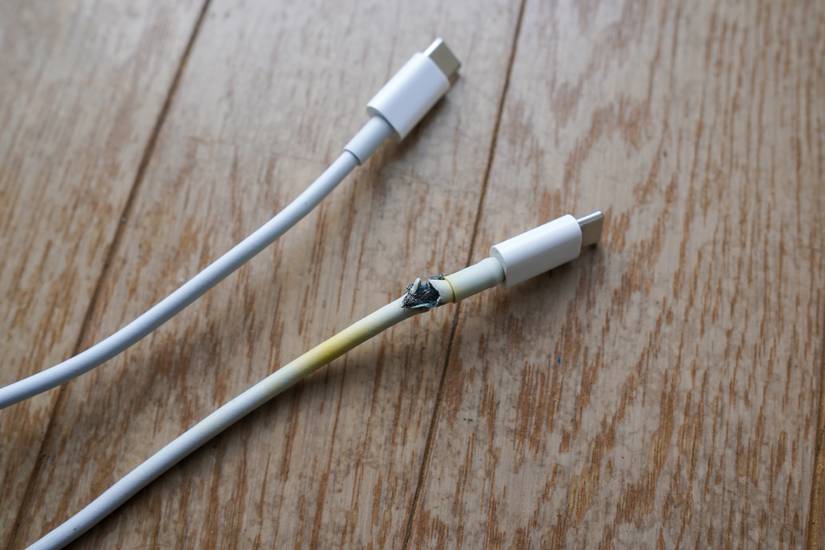
Most charging problems come from the power source, the cable, or the port. Work through these checks before assuming the battery is faulty.
What to Do When No Light Appears
Try these checks in order:
• Confirm the outlet works by plugging in another device.
• Reseat the connector firmly in the port.
• Swap in a different cable or adapter that matches the rating.
• Check the manual to see whether you need to press the power button first.
Warning: Do not force a connector into the port. Bent pins or a cracked port can make the problem worse.
What to Do When Charging Stops Early
If the unit stops charging before it’s full, let it cool to room temperature, then try again. Heat can trigger built-in protection. Also check that the power source delivers steady power. A loose connection or an unstable outlet can interrupt the charge.
What to Do When a Warning Light Stays On
A warning light that stays on or keeps blinking means the unit needs attention. Test it with a known-good charger and cable first. If the warning continues, check the manual for the fault meaning, or contact Trekpow support before attempting any repair.
Battery Care Habits That Extend Trekpow Battery Life
Good habits help the battery hold a charge for longer. These steps cost nothing and take little time.
Avoid Letting the Battery Drain Completely
Recharge the unit before it runs fully empty. Lithium-based batteries generally handle partial charges better than repeated complete drains. Recharging soon after each use keeps the battery ready for the next emergency.
Store the Jump Starter With a Partial Charge
If you plan to store the unit for a long time, charge it partially before putting it away, then check it periodically. A unit left completely empty can lose capacity. Your manual may list a recommended storage level and check interval.
Clean the Charging Port
Dust and debris can block the connection. Use a dry cotton swab or a short burst of compressed air to clean the port. Never use liquids or metal tools inside it.
Pro Tip: Set a calendar reminder to check the jump starter’s charge every few months. This quick habit prevents surprise dead batteries.
Frequently Asked Questions About Charging Trekpow Jump Starters
How long does it take to charge a Trekpow jump starter?
Charge time depends on the model’s capacity and the charger’s output. Your manual or product label lists the expected charge time. Check the indicator lights to confirm when charging is complete.
Can I charge a Trekpow jump starter with a car charger?
Some models support car 12V sockets, while others don’t. Check your user manual before using a car charger. If your model supports it, use an approved cable.
Why won’t my Trekpow jump starter turn on after charging?
The battery may be deeply discharged, the cable may be faulty, or the unit may need to cool down. Try a known-good charger and cable, then check your manual for reset or activation steps.
Can I use my phone charger to charge a Trekpow jump starter?
Only if the phone charger matches the voltage and current rating on your jump starter’s label. Using an incompatible charger can damage the battery or prevent proper charging.
Is it safe to leave a Trekpow jump starter plugged in overnight?
Your manual should explain this. Unplugging the unit once it’s fully charged is a safe habit that reduces unnecessary heat and wear.
When should I replace the battery in my Trekpow jump starter?
Consider replacement if the unit takes much longer to charge, loses its charge quickly, or shows swelling, overheating, or other damage. Contact Trekpow support or an authorized repair center before opening the unit, since DIY work may void the warranty.
Key Takeaways for Charging Your Trekpow Jump Starter
Charging your Trekpow jump starter correctly comes down to three things: using a matched charger, watching the indicator lights, and keeping the battery from fully draining. These steps protect the battery and keep the unit ready for emergencies.
Start by checking your model’s manual for the exact charging port, voltage, and light meanings. Then charge the unit fully and store it with a partial charge if it will sit for a while.
Next step: Locate your Trekpow manual today, confirm your charger’s rating, and put a reminder on your calendar to check the battery every few months.





