
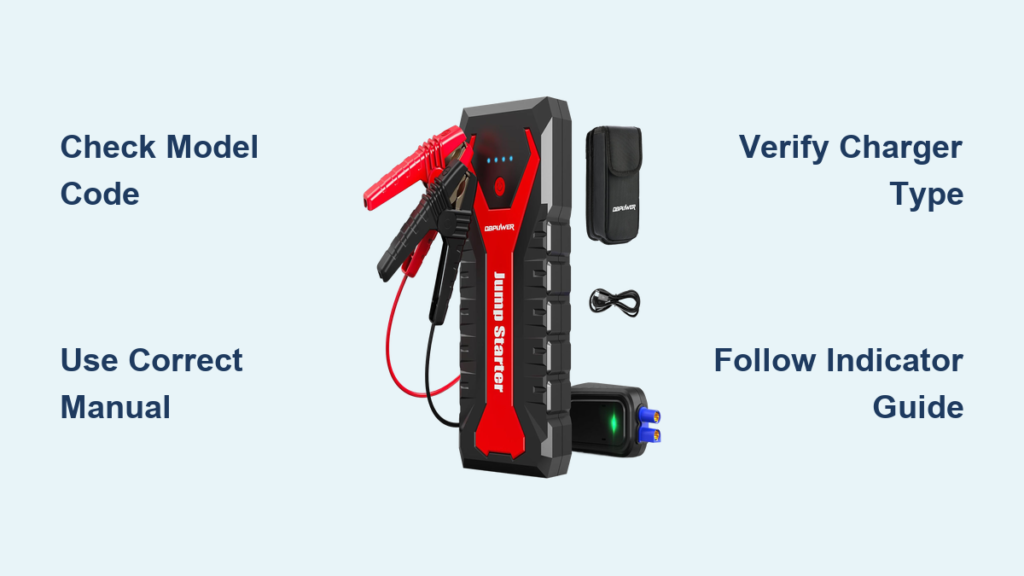
Imagine turning the key and hearing only a click. Your DBPOWER jump starter should be the fix, but it sits dead in the trunk. Learning how to charge a DBPOWER jump starter correctly keeps it ready for that moment.
This guide shows you how to match your model, find the right charging manual, and follow its steps. It also covers common mistakes, warranty activation, and where to get help.
Identify Your DBPOWER Jump Starter Model Before Charging

Charging instructions vary by model, so confirm yours first. DBPOWER’s manual library includes these jump starters:
• DJS50 (18000mAh)
• DJS70 (1000A, 8000mAh)
• DJS80 (1000A, 12800mAh)
• DJS90 (1400A, 12800mAh)
• G15 (21800mAh)
• G16 (2000A, 20800mAh)
• G57 (2000A, 16000mAh)
• G60 (3000A, 20000mAh)
• G73 (1500A, 12000mAh)
The library also lists the PS300 and BP501, which are power stations rather than jump starters.
Find the Model Number on Your Unit
Check the model code on your jump starter or its packaging. Match it exactly to the table above. Similar codes can belong to different products.
Match the Region Version Too
Product names include region tags such as US or JP. Pick the version that matches your unit. This keeps you on the correct manual.
Pro Tip: Write down your model code and region tag. You will need both to find the right manual in seconds.
Download the Right DBPOWER Manual for Charging Instructions
The manual is the most reliable source for charging details. It covers your exact model, so it removes guesswork. Open the manual library and locate your model in the table.
Steps to Download Your Model’s Manual
- Open the DBPOWER instruction manual library.
- Find your model in the table, using the full product name.
- Click the link to view or download the file.
- Read the charging section before you plug in the unit.
Save the Manual for Later Use
Save the file to your phone or computer. You can then check it in the garage or on the road without searching again.
Follow the Charging Steps in Your DBPOWER Manual
Your manual’s charging section is the final authority. Use the sequence below as a checklist while you read it. Adjust each step to match your model’s guide.
- Locate the charging input port using the manual’s diagram.
- Confirm the charger requirements listed for your model.
- Connect the charger to the unit and then to power.
- Check the indicators against the manual’s key.
- Disconnect once the manual indicates charging is complete.
Confirm the Correct Charger Before Plugging In
Use only the charger your manual specifies. Mismatched chargers may not work as intended. If you lost the original, check the manual for replacement requirements.
Look Up Charging Time in Your Manual
The resource does not list charging durations. Your manual provides the time for your model. Avoid guessing, since timing estimates from other models may not apply.
Read Charging Indicators Using Your Model’s Guide

Some DBPOWER jump starters use LED lights, while others show levels on a display. The meaning of each light or symbol depends on the model. Check the indicator section of your manual before you interpret what you see.
Compare Lights to the Manual’s Key
Find the key in your manual. Match each light pattern or on-screen symbol to its listed meaning. This prevents you from assuming a meaning that does not apply to your unit.
Avoid These Common DBPOWER Jump Starter Charging Mistakes
Most charging problems come from skipping the manual. These errors are easy to avoid:
• Using a charger that your manual does not list
• Following charge times from a different model
• Reading a manual for another DBPOWER product
• Leaving the unit connected longer than the manual advises
• Charging with a damaged cable or connector
Why Mistakes Matter
Incorrect charging can shorten your unit’s usefulness. It can also leave you without power during an emergency. Checking the manual first takes only a few minutes.
Fix a DBPOWER Jump Starter That Will Not Charge
If your unit does not charge, start with the manual’s troubleshooting section. It lists the checks that apply to your model. Work through them in order before assuming a deeper fault.
Check the Manual’s Troubleshooting Section
Look for the troubleshooting or FAQ area in your model’s manual. Match your symptom to the listed cause and fix. Follow the recommended steps only.
Contact DBPOWER Support When the Manual Does Not Help
If the manual does not solve the issue, contact DBPOWER support. The resource does not include a support email address. Look for contact details in your manual or on DBPOWER’s official materials.
Activate Your DBPOWER Warranty Before Trouble Strikes

Activating your warranty protects your purchase. Without activation, your coverage may not be complete. Complete the form soon after you buy your unit.
Steps to Activate Your Warranty
- Locate your Order ID from your purchase record.
- Open the DBPOWER warranty activation form.
- Enter your name, email address, and Order ID.
- Click “Activate It.”
- Wait for the “Warranty Activated Successfully!” message.
Expert Note: DBPOWER states that personal details are not shared with third parties. Review the privacy policy linked on the form if you have questions.
Fix Warranty Activation Errors Quickly
If the form shows an error message, try these steps in order. Each one addresses a common cause of failed submissions.
- Refresh the page and submit the form again.
- Check every required field for missing or invalid entries.
- Clear your browser cache and try again.
- Email the support team if the problem continues.
Pro Tip: Keep your Order ID and email address handy before you start. Complete entries reduce the chance of an error.
Key Takeaways for Charging Your DBPOWER Jump Starter
Charging your DBPOWER jump starter starts with the right model and the right manual. Confirm your model code and region tag first. Then download the matching manual and follow its charging section.
Activate your warranty as well. Use the form to protect your purchase, and fix any errors using the steps above. If the manual does not answer your question, contact DBPOWER support.
Frequently Asked Questions About Charging a DBPOWER Jump Starter
Which DBPOWER jump starter models are included in the manual library?
The library lists the DJS50, DJS70, DJS80, DJS90, G15, G16, G57, G60, and G73. Each model has its own manual. Match your unit’s model code to the table to find the correct file.
Where can I find charging instructions for my DBPOWER jump starter?
Charging instructions are in the manual for your specific model. Find your model in the DBPOWER instruction manual library. Open the file and read the charging section before plugging in the unit.
What should I do if my DBPOWER jump starter will not charge?
Start with the troubleshooting section of your model’s manual. Follow the listed checks in order. If the problem continues, contact DBPOWER support.
How do I activate my DBPOWER warranty?
Open the warranty activation form. Enter your name, email, and Order ID, then click “Activate It.” Wait for the success message to confirm activation.
Why does the DBPOWER warranty form show an error?
Errors often come from missing or invalid fields. Refresh the page, check your entries, and clear your browser cache. If the error continues, email the support team.
Are the PS300 and BP501 DBPOWER jump starters?
No. The library lists both as power stations. Check their own manuals for charging details, since they are separate products from the jump starter models.





