
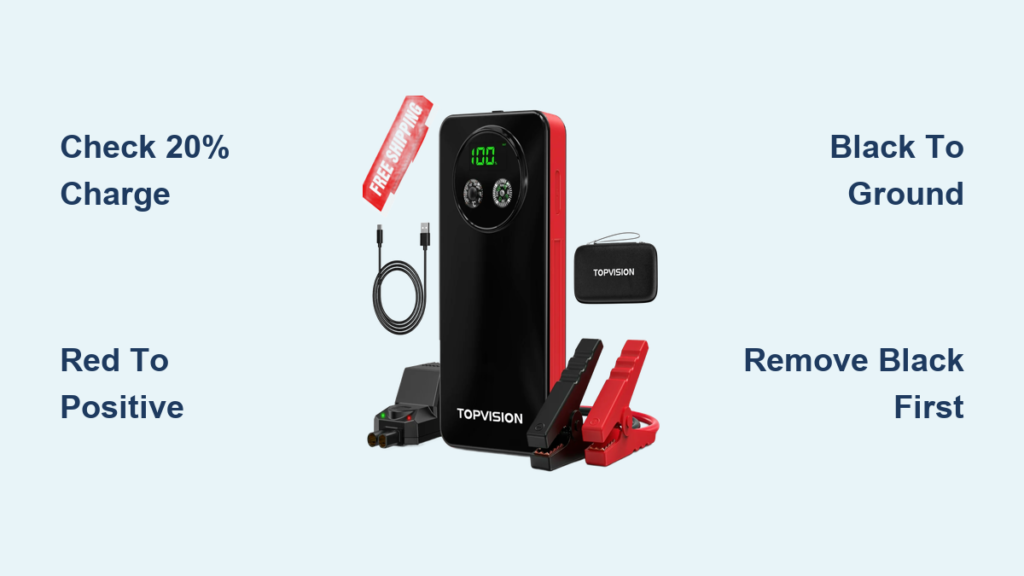
Stranded with a dead battery and no one nearby? A Topvision jump starter can bring your engine back to life in minutes, without waiting for a tow truck. Knowing how to use Topvision jump starter the right way matters most when you’re on the roadside.
This guide walks you through the Topvision G26 from setup to jump-starting. You’ll also learn how to use its power bank and LED flashlight, plus the safety rules and maintenance habits that keep it ready.
Checking Your Topvision Jump Starter Before Every Trip
Confirming the G26 Has Enough Charge
Your Topvision G26 needs at least 20% charge to jump-start a car. A weaker charge may fail to crank the engine and waste time you can’t afford to lose.
The documentation doesn’t describe a battery level display on the G26. Check the charge before long drives so you aren’t caught off guard.
Pro Tip: Recharge the unit after every use so it’s ready for the next emergency.
Topvision G26 Quick Specs at a Glance
| Specification | Detail |
|---|---|
| Battery Capacity | 21800mAh |
| Peak Current | 2200 Amps |
| Voltage | 12V |
| Full Charge Time | About 3 hours |
| Jump-Start Attempts | 5 to 6 per full charge |
| Charge Retention | Up to 18 months when off |
| Warranty | 12 months |
Attaching the Smart Jumper Cable

- Confirm the jump starter is turned off.
- Insert the jumper cable into the EC5 interface on the side of the unit.
- Look for the blue indicator light on the cable. This confirms a secure connection.
The cable also has red and green status lights. If no blue light appears, push the plug in fully, inspect the cable for damage, and recharge the unit.
Recharging with the Included Type-C Cable
Plug the included Type-C cable into the unit to recharge it. A full charge takes about 3 hours.
The red LED on the side glows while charging and turns off when the unit is full. Some older documentation mentions micro USB, but the G26 ships with a Type-C cable.
How to Jump-Start Your Car with Topvision Jump Starter
Connecting Clamps in the Correct Order
- Make sure the jump starter is off.
- Attach the red clamp to the positive (+) terminal of your car battery.
- Attach the black clamp to the negative terminal, or to a grounded metal surface away from the battery.
Warning: Keep the clamps apart at all times. Never let them touch each other while connected.
Expert Note: The error-proof design helps prevent incorrect connections. Still, check the clamp colors before you connect.
Starting the Engine and Removing the Clamps
- Turn the ignition key to start your car.
- Once the engine runs, remove the jumper cable from the jump starter right away.
- Remove the black clamp first, then the red clamp.
Once the engine runs, the alternator takes over and recharges the battery. The jump starter only provides the burst needed to turn the starter motor.
Warning: Leaving the cable connected longer than necessary raises the risk of voltage spikes and short circuits.
What to Do If the Car Won’t Start the First Time
- Disconnect the clamps.
- Wait at least 20 seconds.
- Reconnect the clamps and try again.
The unit can usually handle 5 to 6 jump attempts on a full charge. Each failed try uses some of that charge, so plan your attempts carefully.
Using Topvision Jump Starter as a Power Bank
Charging Your Phone or Tablet
- Press the power button to turn on the unit.
- Plug your device into the USB output port.
- Charging starts automatically.
The G26 supports USB Quick Charge, which helps during blackouts, camping trips, or long road trips.
Understanding Port Limits for Multiple Devices
The resource doesn’t specify how many USB ports the unit has. Check the unit before relying on it to charge several devices at once.
Protecting Charge for Emergency Starts
Power bank use drains the same battery you need for jump-starting. Keep the unit above 20% charge at all times so it can still start your car.
Using the LED Flashlight and SOS Mode on Your Topvision Unit

Understanding the Four Light Modes
• Illumination: Steady white light for general visibility.
• Strobe1: White strobe that draws attention.
• Strobe2: Alternating blue and red strobe for roadside alerts.
• SOS: A distress signal pattern for emergencies.
The documentation doesn’t spell out the button sequence for switching modes. Test each mode at home so you know how to reach them in the dark.
When to Switch to SOS Mode
Use SOS mode in remote areas or wilderness situations where you need help. The signal can attract rescuers or passing vehicles.
Saving Battery While Using the Light
Turn off the flashlight when you don’t need it. Extended use drains the unit and reduces the charge available for jump starts.
Safety Rules for Using Topvision Jump Starter in Any Weather
Jump-Starting Safely in the Rain
Experts say jump-starting in the rain is safe when cables are dry and connections follow the correct order. Wipe wet clamps and battery terminals before you connect them.
Avoiding Heat, Cold, and Water Exposure
Keep the unit away from water, direct heat, and extreme temperatures. The G26 is waterproof, dustproof, and shockproof, but harsh conditions can still affect the battery.
Vehicles the Topvision G26 Cannot Start
The G26 works only with 12V car batteries. Do not use it with:
• Motorcycles
• Boats
• Vehicles with 24V systems
• Any non-12V battery setup
Keeping the Unit Away from Children
Store the unit out of children’s reach. Its high current output makes it unsafe for curious hands.
Maintaining Your Topvision Jump Starter for Long-Term Reliability
Recharging Every Six Months
The G26 can hold its charge for up to 18 months when turned off. Still, recharge it at least every six months, and after every use.
Don’t leave the unit plugged in all the time. Doing so has a negative effect on the device.
Storing the Unit in Your Car
Keep the unit in your car so it’s always within reach. Use the included storage bag to protect it from dust, moisture, and impacts.
Replacing the Internal Battery Safely
- Open the cover using a Philips head screwdriver.
- Note how the old battery is attached before you unplug it.
- Connect the new lithium polymer battery in the same configuration.
Pro Tip: Take a photo of the wiring before you disconnect anything. It makes reassembly much easier.
Troubleshooting Topvision Jump Starter Problems
Fixing a Jumper Cable with No Blue Light
• Check that the cable is fully inserted into the EC5 port.
• Recharge the jump starter.
• Inspect the cable for visible damage.
Solving a Car That Won’t Start After Several Tries
Common causes include:
• The jump starter is low on charge.
• The car battery is completely dead or damaged.
• The clamps have poor contact with the terminals.
Clean the battery terminals, reattach the clamps securely, and wait 20 seconds between attempts.
Fixing a Unit That Won’t Charge
If the red charging light doesn’t appear, try the included Type-C cable with a different power outlet. Also check that the charging port is free of debris.
Topvision G26 Warranty and Support Options
Understanding the 12-Month Warranty
The G26 comes with a 12-month warranty. The documentation doesn’t list detailed coverage terms, so review the service manual for specifics.
Contacting Topvision Support by Email
The service manual includes an email contact. Reach out to the manufacturer if the product fails during the warranty period.
Frequently Asked Questions About Topvision Jump Starter
How much charge does a Topvision jump starter need to work?
Keep at least 20% charge before jump-starting. A lower charge may fail to crank the engine. A full recharge with the Type-C cable takes about 3 hours.
How many times can I jump-start a car on one charge?
A full charge typically covers 5 to 6 jump-start attempts. Wait at least 20 seconds between retries.
Can I use the Topvision G26 on a motorcycle or boat?
No. The G26 is designed only for 12V car batteries. It isn’t suitable for motorcycles, boats, or 24V systems.
Is it safe to jump-start a car in the rain?
Experts consider it safe when cables are dry and the connection order is correct. Wipe wet clamps and terminals before connecting.
Can a Topvision jump starter damage my car battery?
A jump starter won’t harm a healthy battery. Incorrect usage can create risks for the car’s electrical system. Needing jump starts up to three times per week may signal a failing car battery.
How long does the Topvision G26 hold its charge?
When turned off, the G26 can hold its charge for up to 18 months. Recharge it at least every six months to protect battery health.
Key Takeaways for Using Topvision Jump Starter Safely
The Topvision G26 works best when you check the charge, connect the clamps in the correct order, and remove the cable as soon as the engine starts. These habits prevent most roadside failures.
Keep the unit above 20% charge and recharge it after every use. Attach red to positive first, then black to negative or ground. Once the engine runs, remove the black clamp first, then the red.
Next step: Charge your Topvision jump starter fully today with the Type-C cable. Then keep it in your car with its storage bag so it’s ready when your battery fails.





