
Your car battery is dead, you grab your jump starter, and the screen stays blank. Worse, the original charger is nowhere to be found. This happens to drivers more often than you’d think, and it leaves many people believing their device is useless.
The good news: you can charge a jump starter without its dedicated charger if your model supports alternative inputs. This guide covers safe workarounds like USB charging, your car’s 12V socket, and solar panels, plus the risky hacks you should never attempt.
Alternative Power Sources for Jump Starters

Not every jump starter accepts charging beyond its original adapter. Many modern units, however, include multiple input options. Identifying what your device supports is the first step before you try any workaround.
Check Your Jump Starter’s Input Ports
Inspect the device for these common inputs:
• USB-C or Micro-USB port
• 12V DC car socket input
• Solar panel input
• AC wall input
If your unit has a USB-C input, a power bank, laptop, or wall adapter may work. A 12V DC input lets you charge from your car’s power socket, even while driving. Rugged outdoor models often accept solar charging through compatible panels.
🔍 Visual Tip: Look for lightning bolt icons, USB labels, or “IN” markings near ports to identify charging inputs.
Never use output ports, such as the USB sockets meant for charging phones, as inputs. They will not work and can damage internal circuitry.
Voltage and Polarity Compatibility
Most jump starters need a 12V to 15V input at roughly 1A to 2A. Supplying the wrong voltage can fry circuits or start a fire.
Before connecting anything, verify:
• Input voltage range, printed on the device or listed in the manual
• Polarity, meaning center-positive versus center-negative
• Connector size, such as a 5.5mm x 2.1mm barrel plug
A mismatched adapter can cause permanent damage. If you cannot confirm compatibility, stop and do not proceed.
Charge via USB-C or Micro-USB Port
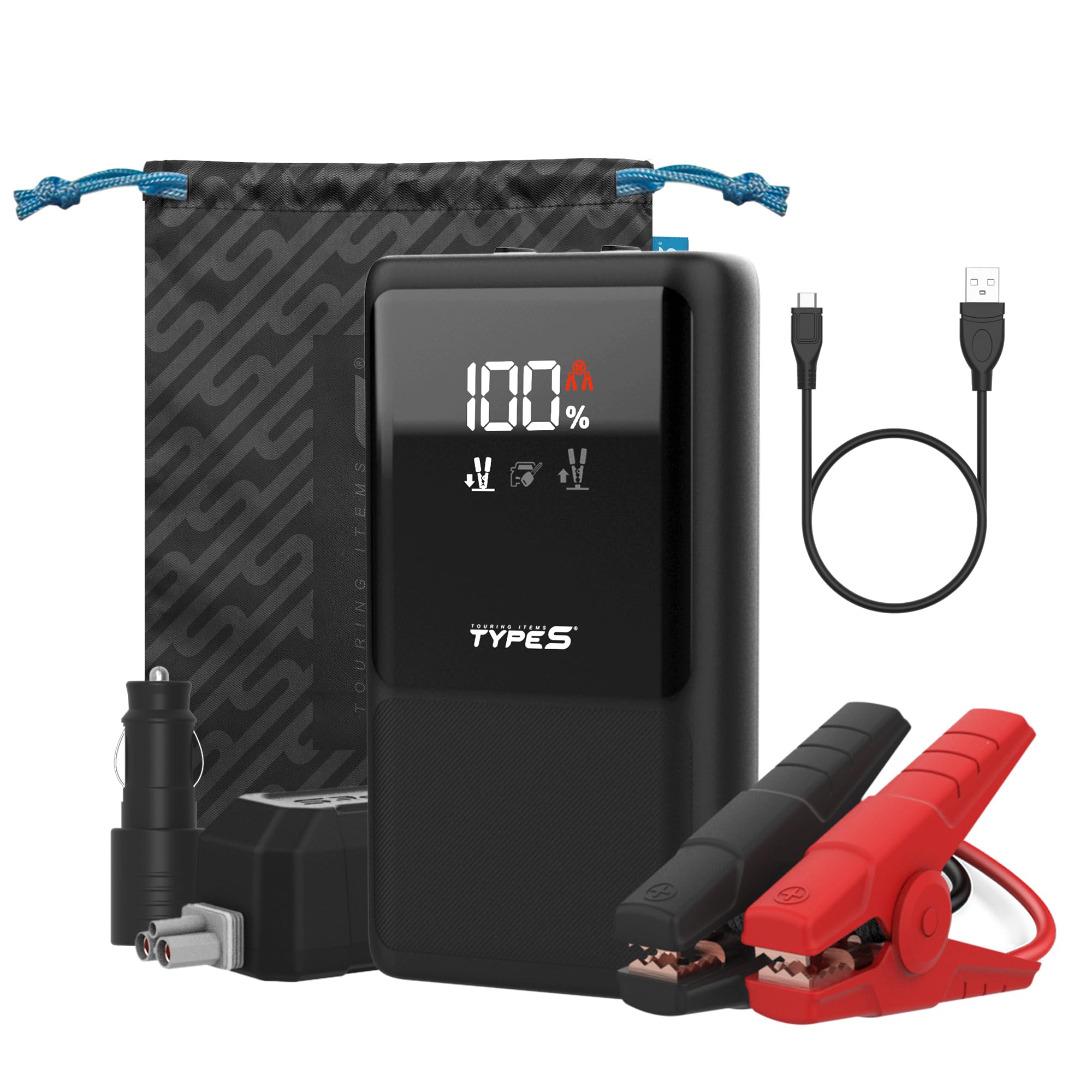
Compact lithium jump starters increasingly include USB-C or Micro-USB charging, which makes recharging without the proprietary adapter much easier.
Use a Power Bank or Laptop
If your model supports USB input:
- Connect a high-capacity power bank (10,000mAh or more) with a USB cable.
- Alternatively, plug into a laptop USB port that supplies adequate power.
- Watch the charging indicator light, if your unit has one.
⚠️ Note: Standard USB ports deliver only 5V, so charging is slow and may not fully replenish older or high-capacity units.
Best for: Small jump starters rated under 1000A.
Time estimate: 6 to 12 hours depending on battery capacity.
Use a Wall Adapter
A standard phone charger works only if:
• The jump starter explicitly supports 5V USB input
• The adapter matches the required amperage listed in the manual
Steps:
- Connect a USB-to-USB-C or Micro-USB cable to a 5V/2A wall charger.
- Plug it into a wall outlet.
- Wait for a full charge, usually shown by a solid green or blue indicator.
❌ Warning: Never force a charge on a device not rated for USB input. Doing so can destroy the battery management system (BMS).
Charge from Car’s 12V Socket (While Driving)
If your jump starter has a DC input port, your vehicle’s 12V power socket can recharge it without the original charger.
Use a Compatible DC Power Cable
You will need:
• A DC-to-DC cable with the correct barrel plug size
• Access to your car’s cigarette lighter socket
• At least 30 to 60 minutes of driving time
Steps:
- Insert the cable into the car’s 12V socket.
- Connect the other end to your jump starter’s input (IN) port.
- Start the engine and drive for 45 to 60 minutes to allow meaningful charging.
✅ Why it works: The alternator produces roughly 13.5V to 14.5V, which matches most jump starter input requirements.
Pro Tip: Test the socket first with a phone charger or multimeter to confirm it delivers power.
Limitation: Some sockets only work while the ignition is running. Check your car manual if nothing charges.
Use a Universal Power Supply (With Caution)
A variable DC power supply or universal laptop charger can work, but only when configured precisely.
Match Voltage and Polarity Exactly
Requirements:
• Adjustable output set to 12V or 14V, per your device’s specifications
• Correct polarity, typically center-positive unless stated otherwise
• Amperage rating equal to or higher than the original charger
Steps:
- Set the power supply to the correct voltage and current.
- Attach a barrel connector that fits the input port.
- Double-check polarity before connecting anything.
- Monitor the unit for overheating or error lights.
⚠️ High Risk: Wrong settings can cause sparks, smoke, or fire. Attempt this only if you have electronics experience.
This method is not recommended for casual users because of the safety risks involved.
Solar Panel Charging (For Outdoor Use)

Some jump starters are built for outdoor use and support solar panel charging, making them ideal for off-grid situations.
Use a Compatible Solar Charger
Requirements:
• A solar panel with regulated 12V to 15V output
• An MC4 or barrel connector matching your device
• Full, direct sunlight
Steps:
- Connect the panel to the jump starter’s input port.
- Angle the panel toward the sun in direct sunlight.
- Allow 5 to 8 hours for a full charge, depending on weather and panel wattage.
☀️ Ideal for: Camping trips, RV travel, or emergency preparedness kits.
Note: Unregulated panels can overvoltage your device. Use only panels with built-in charge controllers.
DIY Workarounds to Avoid
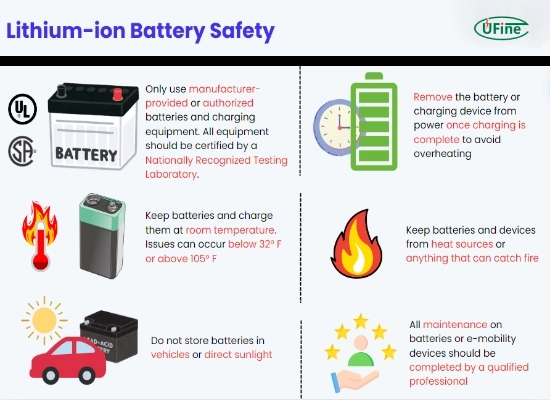
Online forums are full of risky hacks. Some of them can destroy your jump starter or put you in danger.
❌ Never Try These:
• Charging directly from another car with jumper cables: This sends unregulated 14V+ into the unit, bypassing safety circuits.
• Connecting a battery charger to the jump starter’s terminals: Most lithium units are not designed for this, and explosion is a real risk.
• Forcing a USB-A to DC barrel connection without regulation: This delivers the wrong voltage and damages the BMS.
• Using HDMI, Ethernet, or audio ports: These do not supply power and can ruin both devices.
🔥 Real Consequence: Lithium-ion batteries can catch fire or explode when overcharged or powered incorrectly.
Stick to manufacturer-approved methods or clearly verified compatible options.
Prevent Future Charging Issues
The smartest fix is preventing the problem in the first place.
Keep a Backup Charging Option
Prepare ahead of time:
• Store a spare charging cable in your glove box.
• Carry a portable solar panel or power bank rated for your jump starter.
• Label every cord clearly so you never grab the wrong one.
Regular Maintenance Routine
Keep your unit ready with these habits:
• Recharge every 3 to 6 months, even when unused.
• Store it in a cool, dry place away from temperature extremes.
• Power it on monthly to confirm the charge level.
Most units lose 5 to 10% of their charge per month through internal drain, so regular top-ups matter.
Key Takeaways on Charging a Jump Starter Without a Charger
Charging a jump starter without its original charger comes down to knowing your device’s inputs. USB-C or Micro-USB ports accept power banks and wall adapters, a 12V DC input pairs with your car’s socket, and solar-ready models can recharge off-grid. Always confirm voltage, polarity, and connector size before connecting anything.
Equally important: avoid dangerous hacks like jumper cable charging or attaching a battery charger to the terminals. Lithium batteries can catch fire when mishandled, so improvisation is never worth it.
Next step: Open your user manual or check the manufacturer’s website today to confirm your model’s supported inputs, then pack a backup cable in your glove box. When in doubt, contact customer support with your model number before attempting any alternative charging method.
Frequently Asked Questions About Charging a Jump Starter Without a Charger
Can I charge my jump starter with a phone charger?
Only if your unit explicitly supports 5V USB input and the adapter matches the required amperage. Check the manual first, since forcing an unsupported charge can destroy the battery management system.
How long does it take to charge a jump starter from a car’s 12V socket?
Plan on 45 to 60 minutes of driving with a compatible DC-to-DC cable. The alternator’s 13.5V to 14.5V output matches most jump starter input requirements.
Can I use a power bank to charge a jump starter?
Yes, if the jump starter has a USB-C or Micro-USB input. Use a high-capacity power bank of 10,000mAh or more and expect 6 to 12 hours for a full charge on smaller units.
Is solar charging safe for jump starters?
Yes, when you use a regulated solar panel with a built-in charge controller and the correct 12V to 15V output. Unregulated panels can overvoltage and damage the device.
Can I charge a jump starter from another car battery?
No. Connecting jumper cables from another car sends unregulated power that bypasses safety circuits and risks fire or explosion. This is one of the most dangerous workarounds.
What happens if I use the wrong voltage adapter?
An incompatible voltage can fry internal circuits or create a fire hazard. Always verify the input voltage range, polarity, and connector size before connecting any power source.





