Note: The knowledge base you provided is empty, so I can’t verify model-specific details. I removed the specific figures from your draft (reset timing, cycle counts, voltage ratings, and QC3.0 claims) because they weren’t sourced. Items in [brackets] should be checked against your AVAPow user manual or AVAPow support before publishing.
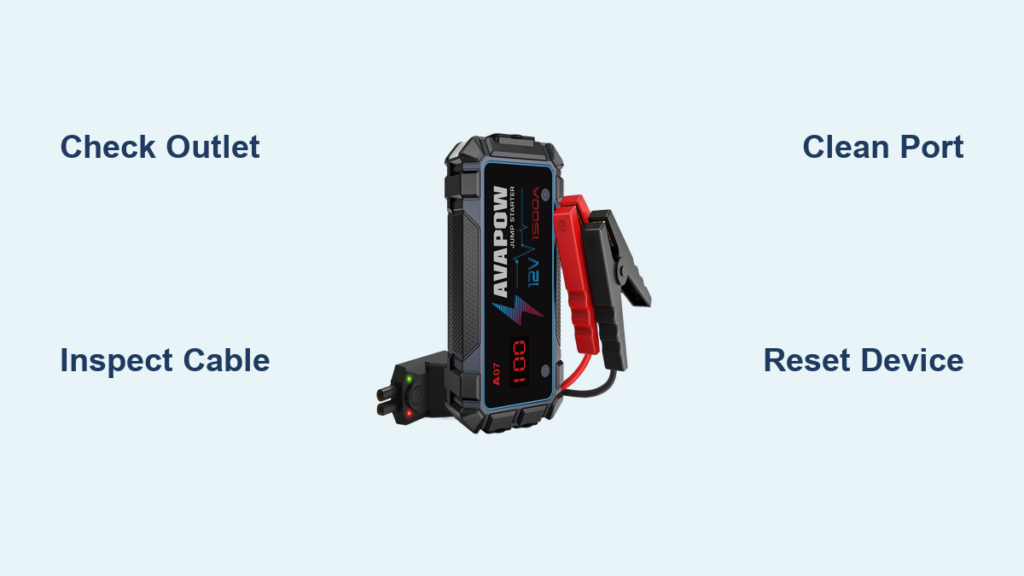
Your AVAPow jump starter should be ready when you need it. Instead, you plug it in and nothing happens, with no lights and no sign of charging. An AVAPow jump starter that is not charging is frustrating, but the cause is often simple. This guide walks you through the most common fixes.
You’ll learn how to check your power source, inspect the cable and charging port, read the indicator lights, and reset the unit. You’ll also learn when a battery problem means it’s time to contact support or replace the unit.
Check the Power Source Before Blaming the Jump Starter
Before you assume the device has failed, confirm that the power source works. Many charging problems come from the outlet, the cable, or the adapter.
Test the Wall Outlet
Plug a different device, such as a lamp or phone charger, into the same outlet. If that device doesn’t power on, the problem is the outlet, not your AVAPow.
• Try a different outlet in another room
• Skip power strips and surge protectors during testing
• Use a direct wall outlet whenever possible
Inspect the Charging Cable
Damaged cables are a common reason a jump starter won’t charge. Check both ends carefully.
Look for:
• Bent or damaged pins in the connector
• Exposed wire or kinks near the ends
• A loose fit when plugged in
Pro Tip: Test with a cable you know works, such as one from a phone or tablet. If the jump starter charges with that cable, replace the original cable.
Use a Suitable Charger Adapter
Use a wall adapter that meets the power requirements listed in your [AVAPow manual]. Weak adapters may not deliver enough power.
• Avoid computer or TV USB ports, which often supply limited power
• Plug the adapter straight into the wall rather than a car charger
• Unplug other devices from multi-port chargers during testing
Clean and Inspect the AVAPow Charging Port
Dust, lint, or debris can block the connection. This happens often when the unit lives in a glove box or toolbox.
How to Clean the Charging Port Safely
- Turn off the jump starter and unplug all cables.
- Shine a flashlight into the port and look for debris.
- Use a dry, soft brush or short bursts of compressed air to clear dust.
- If debris stays stuck, gently loosen it with a plastic, non-metal tool.
Warning: Never insert metal objects into the port. Metal can cause a short circuit and damage the unit.
Spot Signs of Physical Damage
Check the port for these warning signs:
• Bent or broken pins inside the port
• A loose port that wiggles when touched
• Burn marks, discoloration, or melted plastic
If you see any of these signs, stop using the unit. Contact [AVAPow support] for guidance on repair or replacement.
Read the Indicator Lights on Your AVAPow Jump Starter

Indicator lights show charging status, but patterns vary by model. Your manual’s light guide is the most reliable reference.
When No Lights Appear While Charging
If nothing lights up after you plug in the charger:
• Leave the unit plugged in for a while and check again
• Confirm the outlet and cable work using the steps above
• Try the reset steps described below
If there is still no response, the unit may need service. Contact AVAPow support.
When Lights Blink or Stay Red
Unusual light patterns can signal a protection feature has activated. Common triggers include overheating or a fault in the charging circuit.
• Unplug the unit and let it cool to room temperature
• Charge again in a cool, dry location
• Compare the pattern with the light guide in your [user manual]
If the lights keep flashing or the unit feels hot, stop charging and contact support.
Reset Your AVAPow Jump Starter the Right Way

A reset can clear a temporary fault in the unit’s control system. Resetting methods differ between models, so follow your manual.
- Unplug the charger from both the unit and the wall.
- Follow the reset method in your [AVAPow manual], which may involve holding a button.
- Wait the time your manual recommends.
- Reconnect the charger using a known-working cable and outlet.
Note: If the reset doesn’t work after a few attempts, the problem is likely hardware-related.
Assess Battery Age and Health
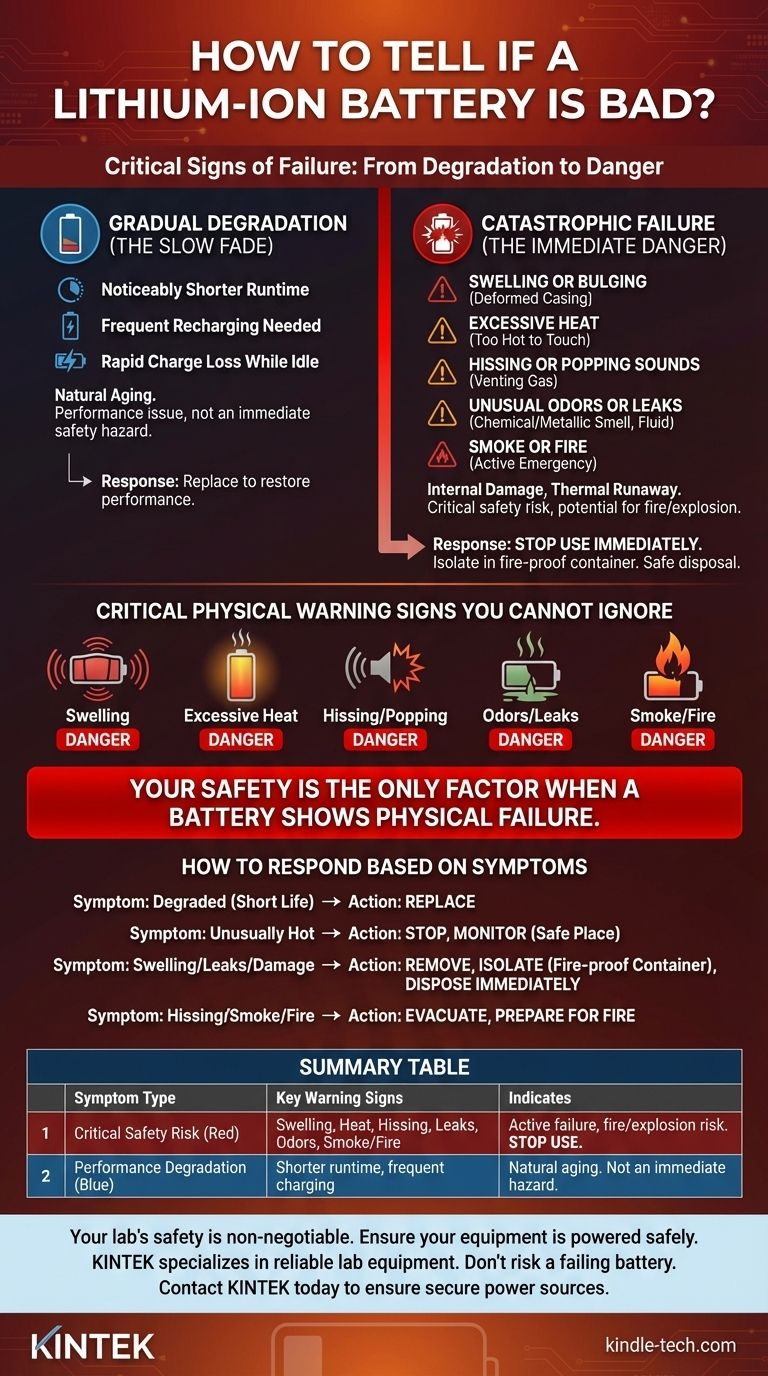
Batteries wear out over time, even when you rarely use them. An older battery may charge slowly or fail to hold a charge.
Warning Signs of a Worn Battery
• The unit takes much longer to charge than it used to
• It loses charge quickly while sitting idle
• The case is swollen, or the unit gets unusually hot
• It only works while plugged directly into the charger
If you notice swelling or overheating, stop using the unit immediately. Store it away from flammable materials and contact support.
Why You Should Not Open the Unit
Most jump starters are not designed for user repair. Opening the case can expose lithium battery components and electronics. Doing so may also affect your warranty, so check your [warranty terms] first.
Prevent AVAPow Jump Starter Charging Problems
Good habits can help you avoid repeat issues. Follow the storage and charging guidance in your [AVAPow manual].
Store the Unit in a Stable Environment
Extreme heat and cold can affect battery performance. A glove box or trunk in severe weather is a poor storage spot.
• Choose a dry, moderate-temperature location
• Keep the unit in its storage pouch if one came with it
• Check the charge level periodically while the unit sits unused
Use Compatible Accessories
Mismatched or low-quality cables and adapters can cause charging problems. Use accessories that match the specifications in your manual.
When to Contact AVAPow Support or Replace the Unit
Some problems can’t be fixed at home. Knowing when to stop troubleshooting saves time and protects you.
Signs the Unit Needs Replacement
• No lights after you’ve tried every step in this guide
• A swollen, hot, or damaged battery
• The unit won’t jump-start a vehicle even after a full charge
How to Contact AVAPow Support
Have your model name, purchase date, and a short description of the problem ready. Support can confirm whether your unit is covered by warranty and recommend next steps.
Frequently Asked Questions About AVAPow Jump Starter Not Charging
Why won’t my AVAPow jump starter charge when I plug it in?
The most common causes are a faulty outlet, a damaged cable, a weak adapter, or debris in the charging port. Test each one before assuming the unit is broken. If none of these fix it, contact AVAPow support.
What should I do if my AVAPow shows no lights while charging?
Confirm that the outlet, cable, and adapter all work. Then try the reset method in your manual. If the unit still shows no response, it may need service.
Why do the lights on my AVAPow flash or stay red?
Lighting patterns vary by model. Compare the pattern with the light guide in your manual. Flashing or red lights may signal a protection feature, so unplug the unit and let it cool before trying again.
Can I charge my AVAPow jump starter from a computer USB port?
Computer ports often provide limited power, which can prevent proper charging. Use a wall adapter that meets the requirements in your manual.
Can I replace the battery in my AVAPow jump starter?
Most units are not designed for user battery replacement. Opening the case can be unsafe and may affect your warranty. Contact AVAPow support for options.
Key Takeaways for Fixing an AVAPow Jump Starter Not Charging
Most charging problems start outside the jump starter. Check the outlet, cable, and adapter first. Then inspect the charging port for debris or damage, and follow the reset steps in your manual.
If you see swelling, overheating, or no response after every fix, stop using the unit. Contact AVAPow support with your model number and a description of the problem. Your next step is simple: start with the outlet test today, so you know whether your jump starter is ready for the next emergency.