
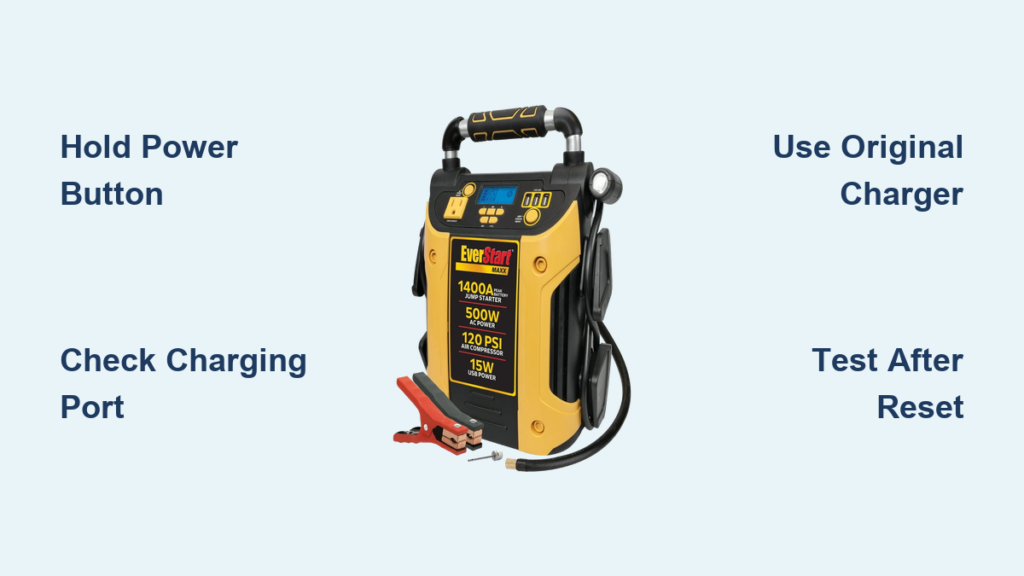
When your car won’t start, a dead jump starter is the last thing you need. If your Everstart unit won’t power on, won’t charge, or seems unresponsive, a reset may bring it back. Learning how to reset Everstart jump starter units can save you from buying a replacement.
This guide covers the warning signs that a reset is needed, the reset steps, recharging, and testing. It also explains what to do if the unit still fails.
Signs Your Everstart Jump Starter Needs a Reset
Before you reset anything, confirm the unit is actually stuck. Many problems that look like failure come from a low charge or a loose connection.
Symptoms That Point to a Locked-Up Unit
Watch for these common warning signs:
- No response when you press the power button
- Indicator lights that flash strangely or stay off
- Failure to charge even after a long time plugged in
- Sudden shutdown during use
- Beeping with no other activity
These symptoms can mean the internal protection circuit has tripped. A reset may clear that state and let the unit restart.
Rule Out Simple Problems First
Run through these quick checks before you reset:
- Confirm the charger is plugged into a working outlet
- Make sure the charging cable is fully seated in the port
- Look for bent pins or debris in the charging port
- Try a different outlet or cable if your model allows it
If the connections are secure and the unit still won’t respond, move on to the reset.
Step-by-Step Guide to Reset Everstart Jump Starter Units
A reset forces the unit to power down and restart its internal systems. It is a simple process, but timing matters. Follow the steps in order.
How to Perform the Reset
- Disconnect everything. Unplug the charger and remove any jumper cables or USB devices from the unit.
- Press and hold the power button. Hold it for the duration listed in your model’s manual. Do not release early.
- Release and wait. Let go of the button and wait about one minute so the internal controller can fully reset.
- Power on normally. Press the power button once, the same way you would start the unit on a normal day.
- Check for signs of life. Look for lights, a confirmation beep, or a voltage reading on the display if your model has one.
Pro Tip: Write down the hold time from your manual and set a timer. Guessing often leads to releasing the button too soon.
If the unit powers on, recharge it fully before relying on it.
Recharge Your Jump Starter After a Reset

A unit that turns on after a reset may still be low on power. A full charge helps prevent a repeat failure.
Use the Original Charger
Connect the AC charger that came with your model. Other chargers may not supply the right voltage or current.
Plug the charger into a standard wall outlet. Make sure the connection is snug at both ends.
Read the Charging Indicators
Most Everstart models use lights to show charging status. Check your manual for the exact color meanings, then compare them to what you see.
- Light is blinking: The unit is charging.
- Light is solid: The unit is likely full.
- No light at all: The unit is not receiving power.
Expert Note: Never leave the charger unattended for long periods, especially if the unit has already shown problems.
Test Your Everstart Jump Starter Before You Need It
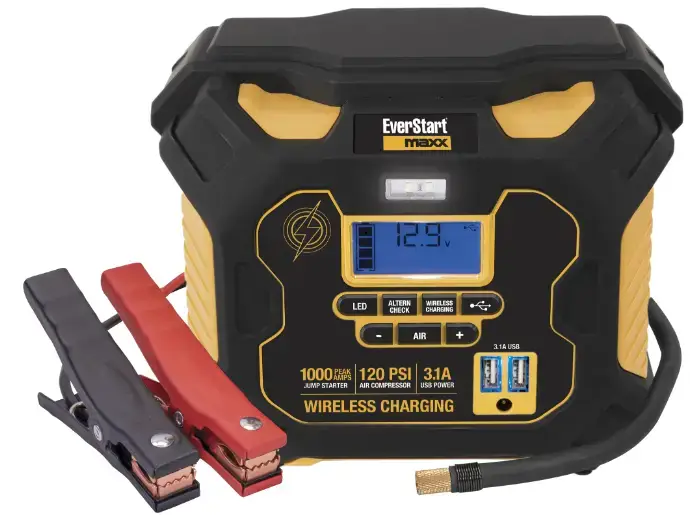
After a reset and recharge, test the unit. Finding a problem in your driveway is far better than finding it on the roadside.
Check the Indicators and Ports
Turn the unit on and confirm these functions work:
- All battery indicator lights respond
- Built-in flashlight turns on, if your model has one
- USB ports deliver power, if equipped
Confirm the Voltage Reading
If your model has a display, check the voltage reading. A fully charged unit should show a voltage that matches your manual’s specification. A very low or zero reading means the charge is incomplete or the problem continues.
Prevent Future Lock-Ups by Storing Your Jump Starter Correctly
Good storage habits reduce the chance you’ll need to reset the unit again. Most lock-ups come from a battery that sat empty too long or was exposed to harsh conditions.
Keep a Partial Charge
Do not store the unit fully drained. A deeply discharged battery can trigger protection features that make it harder to revive. Check your manual for the recommended storage charge level and how often to top it off.
Protect the Unit From Extreme Temperatures
Avoid leaving the jump starter in a hot or freezing vehicle for long periods. Extreme heat speeds up battery wear, while extreme cold can cause temporary shutdowns. Store the unit indoors when possible.
Pro Tip: Set a recurring calendar reminder to charge and test the unit. Doing this a few times a year keeps it ready for winter emergencies.
Troubleshooting Steps When a Reset Does Not Work

Sometimes a reset is not enough. If the unit stays unresponsive after a full reset and recharge, the problem may be more serious.
Try the Original Charger and Outlet
Test with the original charger in a different working outlet. If your model supports it, ask a store or support agent whether another charger is compatible. Never force a charger that does not match the unit’s specifications.
Look for Physical Damage
Inspect the unit closely for these warning signs:
- A swollen or warped case
- Burn marks near the ports or terminals
- Corroded, bent, or loose terminals
Stop using the unit if you see any of these signs. Physical damage can be a safety hazard.
Check Your Warranty and Contact Support
Check the warranty terms printed in your manual or on your receipt. Bring the unit, the original charger, and proof of purchase to the retailer or the manufacturer’s support line. Support teams can confirm whether repair or replacement is available.
Frequently Asked Questions About Resetting Everstart Jump Starters
How long should I hold the power button to reset an Everstart jump starter?
The hold time depends on your model. Check your user manual for the exact duration. Release the button only after the time listed in the manual has passed.
Will resetting my Everstart jump starter delete its settings?
Resetting restarts the internal system and clears temporary faults. Check your manual for details about any stored settings your model may keep.
Why won’t my Everstart jump starter charge after a reset?
Check the outlet, the charger, and the port first. Make sure you’re using the original charger. If there’s still no charging light after that, the unit may need further testing or support.
Can I use a car charger to charge my Everstart jump starter?
Only use a charger that your manual specifically lists as compatible. Using an unapproved charger can prevent proper charging or damage the battery.
How often should I reset my Everstart jump starter?
A reset is a fix for a locked-up unit, not a routine task. If you find yourself resetting often, check the storage conditions, charge level, and charger you are using.
What should I do if the jump starter still won’t turn on?
Confirm the connections, try the original charger, and inspect the unit for physical damage. If it still won’t respond, contact the manufacturer or retailer with your proof of purchase.
Key Takeaways for Resetting Your Everstart Jump Starter
A locked-up Everstart jump starter often needs only a proper reset and a full recharge. Start with simple checks, then follow the reset steps in your model’s manual. Keep the unit partly charged, protect it from temperature extremes, and test it regularly.
If the unit still won’t respond after a reset and full charge, stop using it and contact support with your proof of purchase. Your next step is simple: find your model’s manual today, note the exact reset hold time, and set a reminder to test your jump starter this month.





