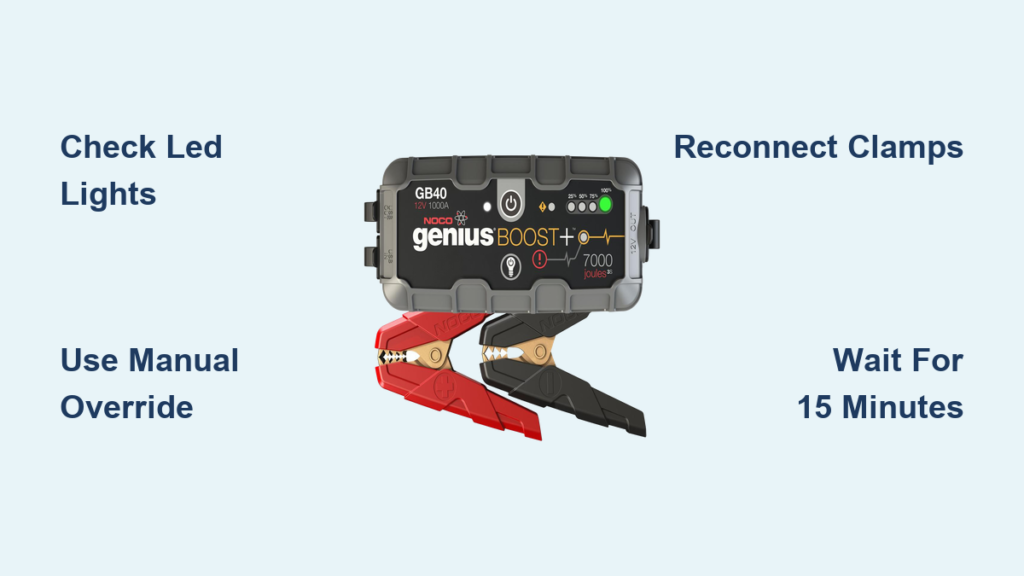
Your car battery is dead, and your NOCO jump starter is the only thing standing between you and a long wait for roadside help. You connect the clamps and the lights come on, but the engine never turns over. When a NOCO jump starter not working moment hits, it feels like the device is broken.
In most cases, the unit is working as designed. This guide explains the built-in safety feature that blocks power, how to read the lights, and how to fix the problem step by step.
Why Your NOCO Jump Starter Shows Lights but Will Not Start the Car
NOCO jump starters can show a charge and still send no power to the clamps. This surprises many users. The lights only confirm that the device has charge, not that current is flowing.
What the Battery Recognition Safety Feature Does
The device checks for a valid battery before it releases power. This check protects you and your vehicle in several ways:
• Prevents sparks when clamps touch each other
• Prevents arcing on metal surfaces
• Protects against short circuits
• Protects the vehicle’s electronics from damage
If the device does not detect a valid 12-volt lead-acid battery, it holds power back. You can override this step, but only in the right order.
Why Low Output Readings Do Not Mean a Broken Unit
One NOCO GB40 owner, Helmut S, measured only 5.2 volts at the output. After a full charge, the reading rose to just 6.9 volts. The engine still did not start.
These low readings are expected when no battery is connected. Test the output only after the device recognizes a battery or after you enable Manual Override.
Decode the LED Lights on Your NOCO Boost GB40, GB70, and GB20

Your LEDs tell you exactly what the device is doing. Read them before you try anything else.
| LED State | What It Means | What to Do Next |
|---|---|---|
| All LEDs flash briefly | Power-on self-test | Nothing, this is normal |
| White Boost LED on (GB70) | Connection confirmed | Start the engine |
| Red Error LED on | Reversed polarity | Swap the clamps |
| Lights race | Battery recognized | Start the engine |
| Two red, one yellow, and green | Power on, no battery detected | Connect clamps or use override |
Lights That Race Mean the Battery Is Recognized
Racing lights are a sequence of rapid flashes. They confirm that the device sees a valid battery. Once you see this pattern, you can start the vehicle.
A Red Error Light Means Reversed Clamps
The red error light signals reversed polarity. Do not retry with the same setup. Swap the clamps so the red clamp goes to positive and the black clamp goes to negative or chassis.
Solid Lights Without Racing Mean Override Is Needed
If the lights stay solid and never race, the device has not recognized the battery. This is the most common reason a NOCO jump starter not working complaint happens. Move on to the Manual Override steps below.
Standard Connection Steps to Try First
Start with the normal procedure before using Manual Override. This takes about one minute and requires no tools.
- Turn on the NOCO jump starter and confirm the charge LEDs are lit.
- Attach the red clamp to the positive (+) battery terminal.
- Attach the black clamp to the negative (-) terminal or a solid metal chassis point.
- Watch the lights. If they race, start the vehicle.
- If the lights do not race, disconnect the clamps and move to Manual Override.
Difficulty: Easy
Time: About 1 minute
How to Use Manual Override When Lights Will Not Race
Manual Override forces the device to release power when it cannot detect the battery. This is most useful when the battery is deeply discharged. The order of steps matters, so follow them closely.
Enable Manual Override on GB40, GB70, and GB20
- Remove both clamps from the battery terminals completely.
- Press and hold the “!” button for 3 to 5 seconds.
- Keep holding until the BOOST light comes on.
- Reconnect the red clamp to positive (+) and the black clamp to negative (-) or chassis.
- Start the engine right away.
Difficulty: Easy
Time: About 30 seconds to set up
Warning: Override will not activate if the clamps are still connected when you press the button. Always disconnect the clamps first.
Why Override Fails With Clamps Attached
Many users press the “!” button while the clamps are still on the battery. Nothing happens, and they assume the unit is defective. Remove the clamps, press the button again, and then reconnect.
Pro Tip: If override fails, your battery may be too weak to accept a charge, or the unit may not be fully charged. Recharge the NOCO and try again.
GB70 Connection Procedure for HD Clamps

The GB70 uses heavy-duty (HD) clamps and a specific connection order. Following this sequence helps you avoid the red error light and failed starts.
Identify Battery Polarity Markings
Look for these markings on the battery terminals:
• Positive terminal: POS, P, or +
• Negative terminal: NEG, N, or –
Confirm the markings before you attach any clamp. Most vehicles use a negative ground system.
Follow the GB70 Start Sequence
- Turn off all vehicle power loads, including headlights, radio, and air conditioning.
- Connect the red HD clamp to the positive (+) battery terminal.
- Connect the black HD clamp to the negative (-) terminal or a solid metal chassis point.
- Press the Power Button. All LEDs should flash briefly.
- Watch for the White Boost LED. If it lights, start the engine. If the red error light appears, reverse the clamps.
- If the engine does not start, wait 20 to 30 seconds and try again.
Difficulty: Easy to moderate
Time: Under 2 minutes per attempt
Avoid Carburetors, Fuel Lines, and Thin Metal
Do not attach the black clamp to these parts:
• Carburetors
• Fuel lines
• Thin sheet metal panels
Use the battery negative terminal or a thick, solid chassis point instead.
Disconnect in the Correct Order
After the vehicle starts, remove the clamps in reverse order. For a negative ground system, remove the negative clamp first. Then remove the positive clamp and store the GB70.
Fix a White Boost LED That Will Not Light on GB70
If the White Boost LED stays off after you connect the GB70 correctly, work through these decision points in order.
Verify the Battery Is 12-Volt Lead-Acid
The GB70 works only with 12-volt lead-acid batteries. Confirm your vehicle battery type before you try again. Using the device on any other battery type will not produce a jump start.
Check Clamp Contact and Polarity
• Make sure the red clamp is on positive and the black clamp is on negative or chassis.
• Clean the terminals if they look dirty or corroded.
• Confirm both clamps have solid metal-to-metal contact.
• Reattach the clamps firmly and retry.
Recharge the Unit to Steady Green
Charge the GB70 until the steady green light appears. A low charge can keep the device from delivering power. The unit was charged overnight via USB in one reported case before it showed a full charge, so a long charge session is a reasonable step.
If the unit will not charge after you have tried these steps, contact NOCO support. Your available reference does not list a specific charging time that signals a fault.
Common Mistakes That Stop NOCO Jump Starts

Even experienced users run into these problems. Avoid them to save time:
• Pressing Manual Override while the clamps are still connected
• Connecting the device to a non-lead-acid battery
• Clamping onto carburetors, fuel lines, or thin metal
• Trying more than five starts within 15 minutes on a GB70
• Leaving vehicle electronics on during the jump
• Using clamps that are damaged or corroded
Warning: Do not try to bypass the battery recognition feature with improper methods. Follow the approved override steps only.
Retry Limits and Rest Periods to Protect Your GB70
The GB70 has a retry limit. Respecting it helps the unit and protects your time.
Five Starts in 15 Minutes Maximum
Do not attempt more than five consecutive jump starts within 15 minutes. After five tries, let the GB70 rest for 15 minutes before you try again.
When the Vehicle Starts Then Dies
Some vehicles need the GB70 to stay connected for up to 30 seconds so the systems can stabilize. If the engine starts and dies right away, the battery may be too depleted to hold a charge. An alternator issue is also possible.
Real User Fixes for NOCO Jump Starter Failures
These reported cases show how the right steps solved real problems.
Audi e-tron Battery Drain Fixed With Override
An Audi e-tron owner named Katel had a 12-volt battery that kept draining. The standard connection did not work. She used Manual Override with a NOCO Boost GB20, and she reported that it “Worked like a charm.”
Subaru Outback Fixed With Step-by-Step Procedure
Richard L. owned a Subaru Outback that sat unused for long stretches. The standard connection failed when he needed it. He followed the step-by-step fix instructions and reported that it “Solved my problem.”
Preventive Care to Keep Your NOCO Ready to Jump
A little routine care helps your NOCO start your car when you need it most.
Charging and Storage Habits
• Keep the device fully charged when you are not using it.
• Wait for the steady green light before you store it.
• Store it in appropriate temperature conditions, away from extreme heat or cold.
Testing and Clamp Care
• Test the device regularly to confirm it still works.
• Keep the clamps clean and free of corrosion.
• Inspect the clamps and cables for damage before each use.
Pro Tip: Store the NOCO where you can reach it quickly, such as at home or in a garage. Keeping it accessible makes it easier to test and charge on a regular schedule.
When to Contact NOCO for Hardware Support
Most problems are procedure issues, not hardware failures. Still, some signs point to a real defect.
Contact NOCO support if:
• You have followed every step and the device still will not start the vehicle after multiple attempts.
• The device shows physical damage to the clamps or housing.
• The device behaves unusually, such as flickering lights that do not match any known pattern.
• The unit will not charge, and you have tried a full charge with a working power source.
Frequently Asked Questions About NOCO Jump Starter Not Working
Why does my NOCO show a full charge but won’t start my car?
The device can show full charge while still blocking power to the clamps. Its battery recognition feature stops output until it detects a valid 12-volt lead-acid battery or you enable Manual Override.
Why does my NOCO only output 5 to 7 volts?
Low readings are normal when no battery is connected. The unit limits output until it detects a valid load. Test the output after connecting to a battery or enabling override.
Can I use Manual Override while the clamps are connected?
No. Override will not activate if the clamps are still on the battery when you press the “!” button. Remove the clamps completely, press and hold the button for 3 to 5 seconds, then reconnect.
How many times can I try to jump start with a GB70?
Do not attempt more than five consecutive jump starts within 15 minutes. Let the GB70 rest for 15 minutes before you try again.
What should I do if the car starts and then dies?
Keep the NOCO connected for up to 30 seconds so the vehicle systems can stabilize. If the engine dies again, the battery may be too depleted to hold a charge, or there may be an alternator issue.
Key Takeaways for Fixing a NOCO Jump Starter Not Working
Your NOCO is most likely working correctly. Its battery recognition feature blocks power until it detects a valid battery. Watch the LEDs, and remember that racing lights mean the battery is recognized.
If the lights do not race, remove the clamps, press and hold the “!” button for 3 to 5 seconds, then reconnect and start the engine within 30 seconds. Avoid the common mistakes, respect the GB70 retry limits, and keep the device charged.
Your next step: Tonight, charge your NOCO to a steady green light, check your clamps, and test the device so you know it works before you need it.