
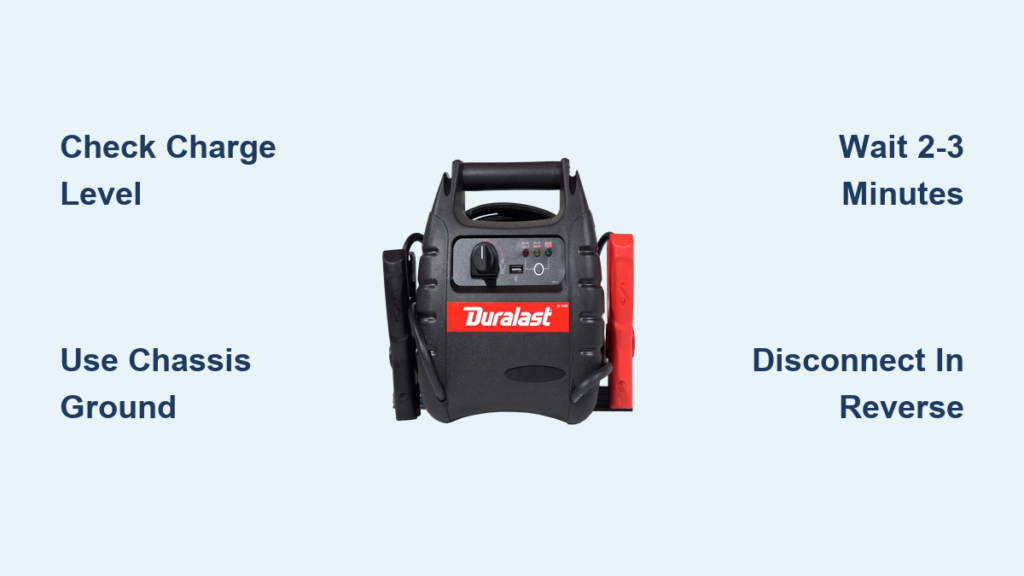
Dead battery on a freezing morning? You’re not alone. A Duralast jump starter can get you back on the road in minutes, but only if you know how to use it correctly.
Whether you own the Duralast 800 InstaPower, BP-DL750, or another model, this guide walks you through every step. You’ll learn how to check charge levels, connect clamps safely, start your engine, and maintain your unit for years of reliable use.
Check Your Jump Starter Charge Before Every Use
A weak charge won’t start your engine and could leave you stranded. Always confirm your Duralast unit has enough power before connecting anything.
Verify Charge Level by Model
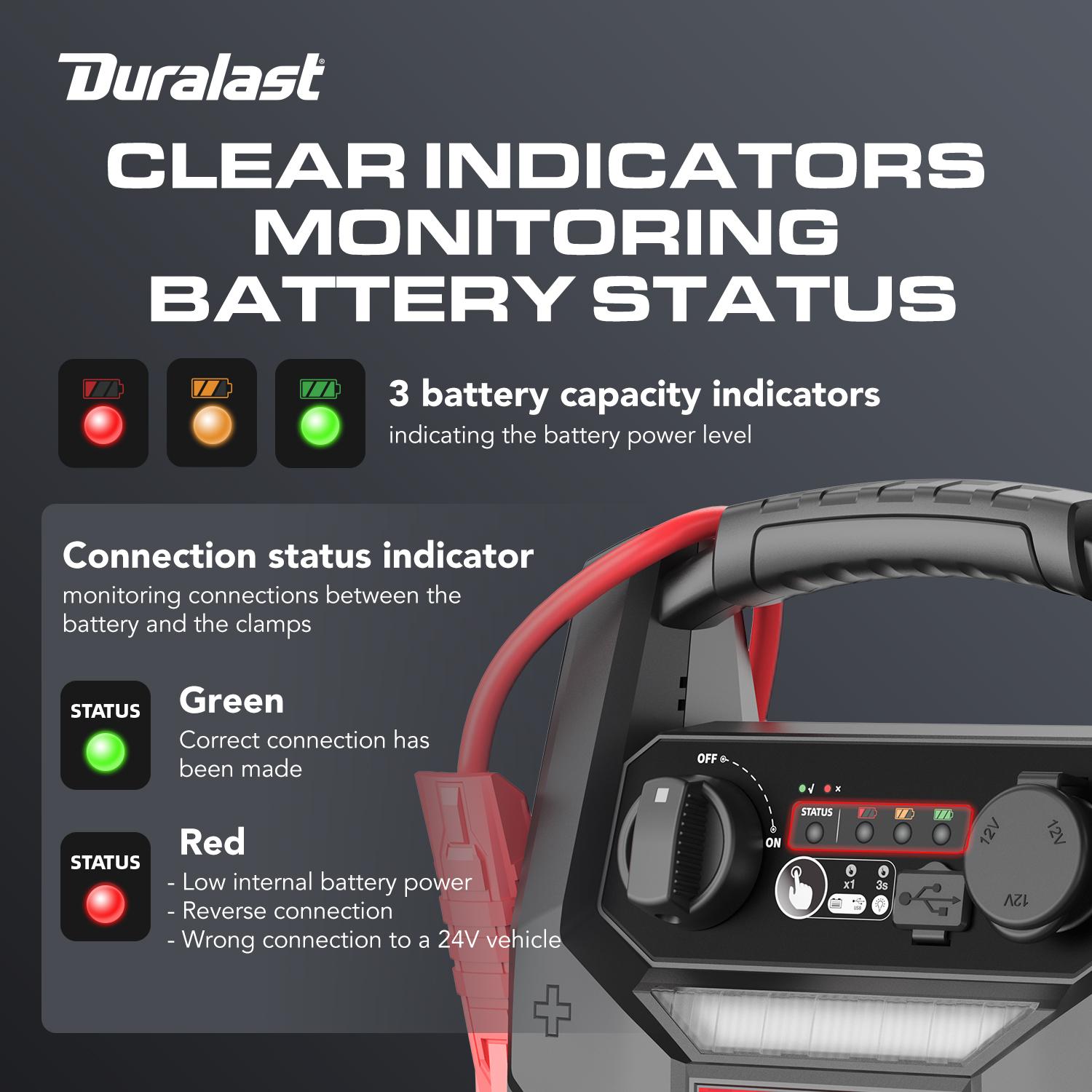
Duralast 800 InstaPower: Press the status button on the front to activate the LED indicators:
- Red light: 30% charge (low)
- Yellow light: 50% charge (medium)
- Green light: 100% charge (full)
If only red or yellow lights appear, recharge before use.
Duralast BP-DL750: Check the digital display. A reading of 78% or higher means the unit is fully charged. Any lower, and performance may suffer.
Duralast 800-Amp: The display shows the exact battery percentage, such as “87%.” Recharge anything below 50% before a jump-start.
Recharge When Needed
Use the supplied charger only. Third-party adapters can overheat or damage the unit. For the Duralast 800 InstaPower, plug the swivel AC power cord into a standard wall outlet. When the indicator flashes, the battery is fully charged.
Pro Tip: Recharge every 3 to 6 months even if the unit sits unused. Lithium-ion batteries degrade without periodic maintenance.
Prepare Your Vehicle and Jump Starter
Skipping preparation leads to failed starts and safety risks. Take two minutes to set up correctly.
Turn Off Vehicle Systems
- Confirm the ignition is off and the key is removed
- Open the hood using the interior release lever, then lift it manually
- Clear snow, ice, or debris from the battery area
- Disable the car alarm if equipped. Active alarms can trigger an ignition kill and prevent startup
Inspect Battery Condition
Do not jump-start a battery showing:
- Cracked casing
- Leaking electrolyte
- Visible corrosion or bulging
These signs indicate a dangerous failure. Replace the battery instead of attempting a jump.
Warm Up Cold or Frozen Batteries
In freezing weather, let the jump starter stay connected for 10 to 15 minutes before starting. This allows charge buildup in a severely discharged or frozen battery.
Identify the Correct Ground Connection Type
Most vehicles are negatively grounded. This means:
- Red clamp goes to the positive battery terminal (+)
- Black clamp goes to the chassis ground, not the negative terminal
Why You Should Never Use the Negative Terminal
Connecting the black clamp directly to the battery’s negative terminal can create sparks near hydrogen gas emitted by the battery. This poses an explosion risk. Always use a clean, unpainted metal surface on the engine block or frame.
Look for: A bolt, bracket, or metal strut away from moving parts and fluids.
Connect the Clamps Safely
Proper connection prevents damage and ensures effective power transfer.
Standard Clamp Connection Order
- Red to positive: Attach the red clamp to the dead battery’s positive terminal (+)
- Black to ground: Connect the black clamp to a solid, bare metal point on the chassis
- Make sure both clamps are tight and secure. Loose connections fail
Model-Specific Activation Steps
Duralast 800 InstaPower: Flip the front power switch to ON after connecting the clamps.
Duralast BP-DL750: Turn the knob to ON to activate power.
Duralast 800-Amp: Smart clamps auto-detect polarity, so no manual activation is needed. The LED blinks green during connection and turns solid green when stable.
Verify Your Connection Quality
A poor connection is the number one reason jump starters fail. Confirm your setup before starting the engine.
Check for Solid Connection Signs
Duralast 800-Amp: The LED turns solid green when connected properly. Blinking or no light means you should recheck the ground contact. Paint or rust breaks conductivity.
Duralast BP-DL750: Watch the display. A drop in battery percentage, such as from 78% to 48%, confirms power flow. If the percentage stays above 75%, the connection is weak. Reposition the black clamp.
Duralast 800 InstaPower: The hookup safeguard alarm sounds if clamps are reversed. Disconnect immediately if you hear it. No alarm means the connection is likely correct.
Troubleshoot Poor Connections
- Clean the ground point with a cloth or wire brush
- Try a different metal surface, such as an alternator bracket
- Wiggle the clamps slightly so they bite through corrosion
Charge the Battery Before Starting
Patience pays off here. Let the jump starter transfer power before you crank.
Wait 2 to 3 Minutes
Even if the engine seems ready, wait 2 to 3 minutes after connecting. This gives the dead battery time to accept a charge and increases your odds of a successful start.
Exception: If the battery is frozen or deeply discharged, extend the wait to 10 to 15 minutes.
Listen for Charging Cues
On the Duralast 800-Amp, a clicking sound indicates active charging. If the display reads 100% and never changes, the connection is likely faulty. Recheck both clamps.
Start the Engine

Now it’s time to bring the car to life.
Standard Starting Procedure
- Turn the key or press the start button
- Let the engine crank for no more than 5 seconds
- If it doesn’t start, wait 30 seconds, then try again
Why wait? This lets the jump starter recover and prevents overheating.
If the Engine Cranks But Won’t Start
- Wait another 30 seconds to allow more charge buildup
- Try again. Fuel systems sometimes need extra time to prime
After a Successful Start
Once the engine runs:
- Let it idle for 10 to 15 minutes
- This helps recharge the car battery through the alternator
- Avoid shutting off immediately, or you risk another dead battery
Safely Disconnect the Jump Starter
Disconnecting in the wrong order can cause sparks or damage.
Follow Reverse Order
- Turn off the engine
- Power down the jump starter using the switch or knob
- Remove the black clamp first from the chassis ground
- Then remove the red clamp from the positive terminal
- Store the cables neatly
Safety Note: The clamps are insulated and safe to handle once power is off. There is no shock risk.
Charge Devices and Power Accessories
Your Duralast isn’t just for jump-starting. It works as a portable power station too.
Charge Phones and Tablets
Duralast 800 InstaPower: Plug a USB Type-C cable into the 2-amp port and connect your device. Charging begins instantly, which is ideal for roadside emergencies.
Duralast Jump Starter 700: Use the standard USB port for smartphones and small electronics.
Power 12V Accessories
The 12V DC output on the Duralast 800 InstaPower runs:
- Portable fridges
- Air compressors
- LED work lights
- Dash cams
Perfect for camping, road trips, or roadside repairs.
Recharge and Maintain Your Unit
Proper care extends the life of your Duralast jump starter to 4 to 7 years.
Follow a Recharge Schedule
- Recharge every 3 months when not in use
- Recharge after every jump-start or device charge
- Never let the unit fully drain. Deep discharge damages lithium-ion cells
Clean Terminals and Clamps
- Wipe clamps with a dry cloth after each use
- Remove corrosion with a baking soda and water mix if needed
- Keep contact points shiny and free of grime
Store Properly
- Keep the unit in a cool, dry place
- Keep it away from water, heat sources, and flammable materials
- Never leave it in a hot trunk during summer. High heat degrades the battery
Avoid These Common Mistakes
Even experienced drivers make errors. Steer clear of these pitfalls.
Wrong Ground Connection
Never attach the black clamp to the negative battery terminal. Always use chassis ground on bare metal.
Using Unauthorized Chargers
Only use the original supplied charger. Third-party adapters can cause overheating or permanent damage.
Skipping the Idle Period
Shutting the car off right after starting prevents the alternator from recharging the battery. That leads straight back to a dead battery.
Ignoring the Alarm System
Some vehicles disable the ignition when the alarm is active. Disable the alarm first to avoid a no-start condition.
Know What Your Duralast Jump Starter Can’t Do
Understanding limitations prevents frustration.
Not a Battery Charger
The Duralast does not recharge your car battery. It provides a temporary boost to start the engine. If your car dies repeatedly, the battery likely needs replacement.
Engine Size Limits
These units are designed for:
- 4- to 6-cylinder engines
- Passenger cars and light-duty trucks
They are not suitable for large V8 engines or commercial vehicles.
Troubleshoot Failed Starts
When the engine won’t turn over, work through this checklist.
No Crank Sound?
- Check the jump starter charge level
- Reseat both clamps and verify connections
- Try a different ground point
- Confirm the unit is powered on
Clicking But No Start?
- This often indicates low car battery voltage
- Wait 2 to 3 minutes and try again
- If it persists, the battery may be dead or failing
Repeated Failure?
- Test your car battery at an auto shop
- Consider replacement if the battery is more than 3 to 5 years old
Model Comparison at a Glance

| Feature | 800 InstaPower | 800-Amp | BP-DL750 | 700 |
|---|---|---|---|---|
| Price | $89 | Not listed | Not listed | Not listed |
| Weight | 8.9 lbs | Not listed | Not listed | Not listed |
| Power On | Front switch | Smart clamps (auto) | Knob | Not listed |
| Connection Check | Reverse-polarity alarm | Solid green LED | % drop on display | Not listed |
| USB Charging | USB-C, 2A | Not listed | Not listed | USB port |
| LED Light | Yes, on/off switch | Not listed | Not listed | Emergency light |
| 12V Output | Yes | Not listed | Not listed | Not listed |
| Display | 3 LED levels | % display | % display | Level indicator |
Frequently Asked Questions About Using a Duralast Jump Starter
How long should I wait before starting my car after connecting the jump starter?
Wait 2 to 3 minutes under normal conditions. If the battery is frozen or severely discharged, wait 10 to 15 minutes to allow proper charge buildup.
Can a Duralast jump starter recharge my car battery?
No. It only provides a temporary boost to start the engine. If your battery keeps dying, have it tested or replaced at a shop.
Why do I connect the black clamp to the chassis instead of the battery?
Connecting to the negative terminal can create sparks near hydrogen gas from the battery, risking an explosion. A clean, unpainted metal surface on the chassis is much safer.
How often should I recharge my Duralast jump starter?
Recharge it every 3 months when not in use, and always after each jump-start or device charge. Never let it fully drain.
What vehicles can a Duralast jump starter handle?
It cranks most 4- to 6-cylinder engines in passenger cars and light-duty trucks. It is not designed for large V8 engines or commercial vehicles.
How do I know if my connection is working?
On the 800-Amp, look for a solid green LED. On the BP-DL750, watch for a drop in the displayed percentage. On the 800 InstaPower, no alarm means the connection is likely correct.
Key Takeaways for Using Your Duralast Jump Starter
- Always use chassis ground for the black clamp, never the negative battery terminal
- Verify charge levels before every use and recharge every 3 months
- Let the engine idle 10 to 15 minutes after a successful start to recharge the battery
Your Duralast jump starter is a reliable lifeline in cold weather, remote areas, or unexpected breakdowns. Test it quarterly, keep it charged, and follow the connection steps above. Do that, and you’ll never be stuck with a dead battery again.





