
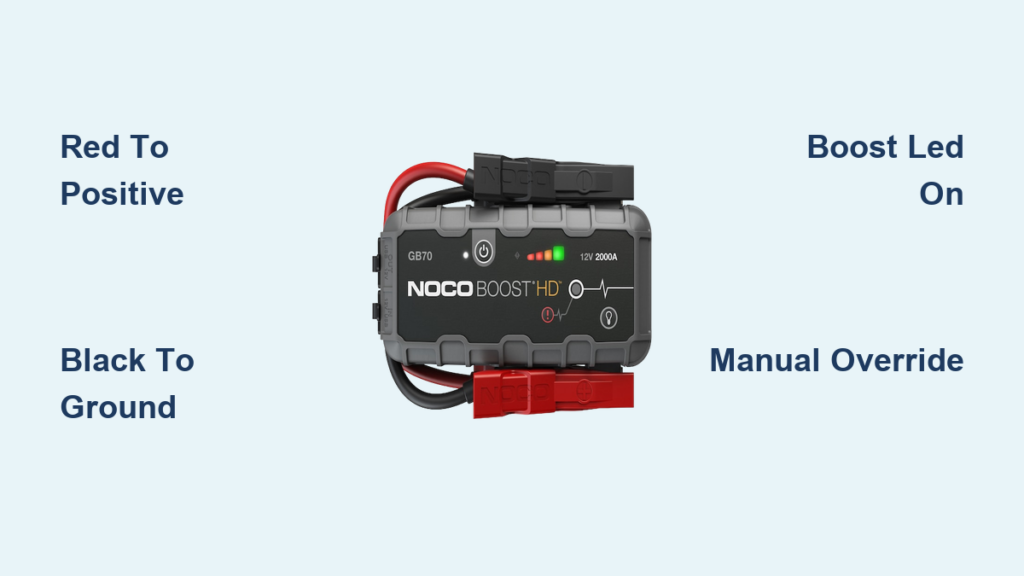
You turn the key and nothing happens. Your battery is dead, and you’re stuck. The NOCO Boost GB70 solves this problem with 2000 amps of peak power in a compact unit that fits in your glove box. Learning how to use NOCO GB70 correctly means you can jump-start your vehicle safely in minutes, without waiting for roadside assistance.
This guide walks you through every step of using the GB70. You’ll learn proper clamp placement, how to activate manual boost for deeply discharged batteries, how to power devices on the go, and how to maintain the unit for years of reliable service.
Connect Clamps Safely Before Jump-Starting
Correct clamp placement is the foundation of a safe jump start. Poor connections are the most common reason a jump fails.
Attach the Red Clamp to the Positive Terminal
Place the red clamp on the positive (+) terminal of the dead battery. Push it firmly so the metal jaws make solid contact. Dirty or corroded terminals block conductivity, so wipe them clean first if needed.
Ground the Black Clamp Properly
Attach the black clamp to an unpainted metal surface on the engine block, frame, or chassis. This ground point keeps sparks away from the battery, where flammable gases can collect.
Never connect the black clamp directly to the negative terminal unless no ground point is accessible. If you must, proceed with extreme caution.
Pro Tip: Choose a solid bolt or bracket away from belts, fuel lines, and moving parts. The engine block is usually the best spot.
Activate Auto-Start Mode on Your GB70
Power On and Wait for the Boost LED
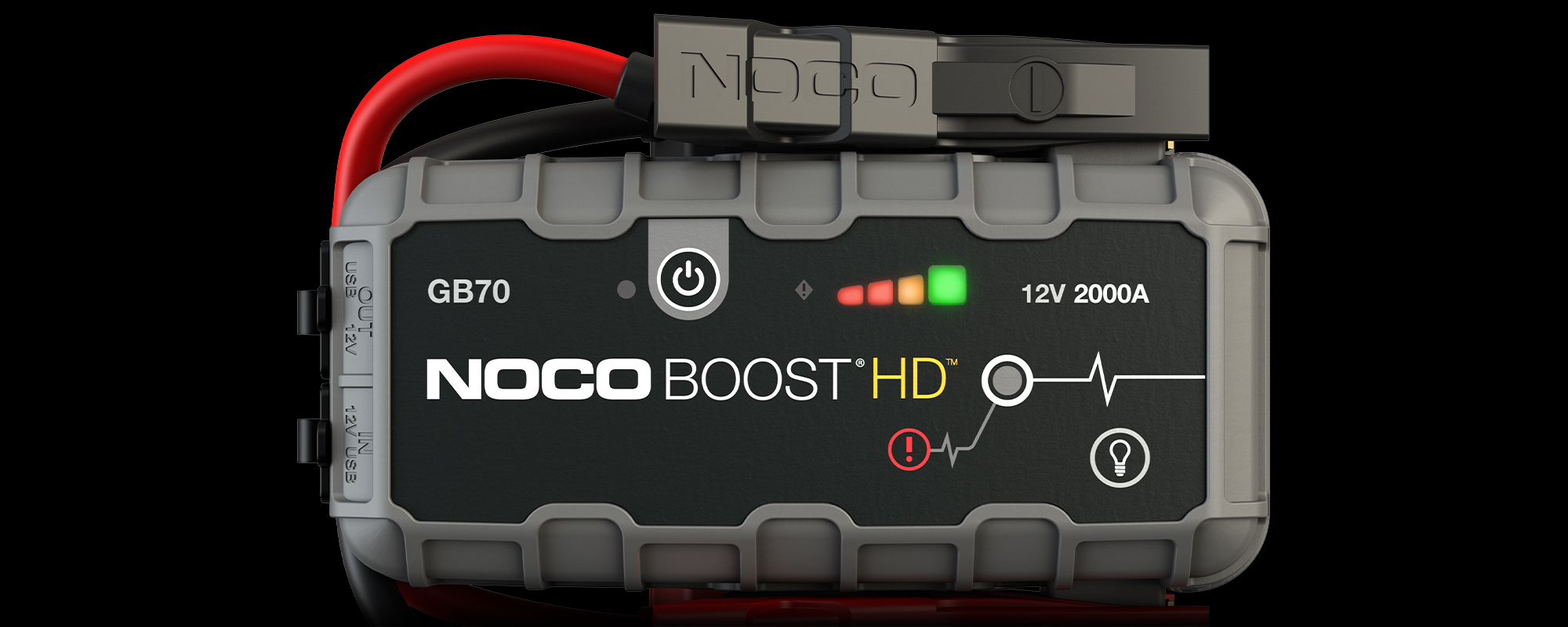
Press the power button once both clamps are secure. The charge LEDs will chase, lighting up in sequence, while the unit detects the battery.
When the boost LED illuminates, the GB70 is ready. This typically takes only a few seconds. Thanks to intelligent auto-detection, any battery above 2 volts triggers boost mode automatically.
Start the Engine
Turn the key or press the start button. Most vehicles fire up within one or two attempts. If the engine cranks slowly:
• Wait 10 to 15 seconds between attempts
• Confirm both clamps are still firmly attached
• Try again
Turn off the GB70 as soon as the engine runs.
Use Manual Override for Dead Batteries Below 2 Volts
When Auto-Detection Fails
If the boost LED stays off, the battery voltage is likely below 2 volts. The GB70 cannot detect a battery this weak, so auto-start mode will not engage. This happens after long storage, extreme cold, or leaving lights on overnight.
Activate Manual Boost Mode
- Press and hold the manual override button for 3 seconds
- Watch for the charge LEDs to begin chasing
- Release the button once they light up sequentially
The unit is now in manual boost mode and will deliver power.
⚠️ Critical Warning: Manual Override disables all safety features, including reverse polarity protection and spark-proof technology. Double-check every connection before proceeding.
Know the Limits of Manual Mode
• It does not increase power output
• It only bypasses the detection threshold
• A severely damaged battery may still fail to start
Disconnect in Reverse Order After the Jump
Remove the Black Clamp First
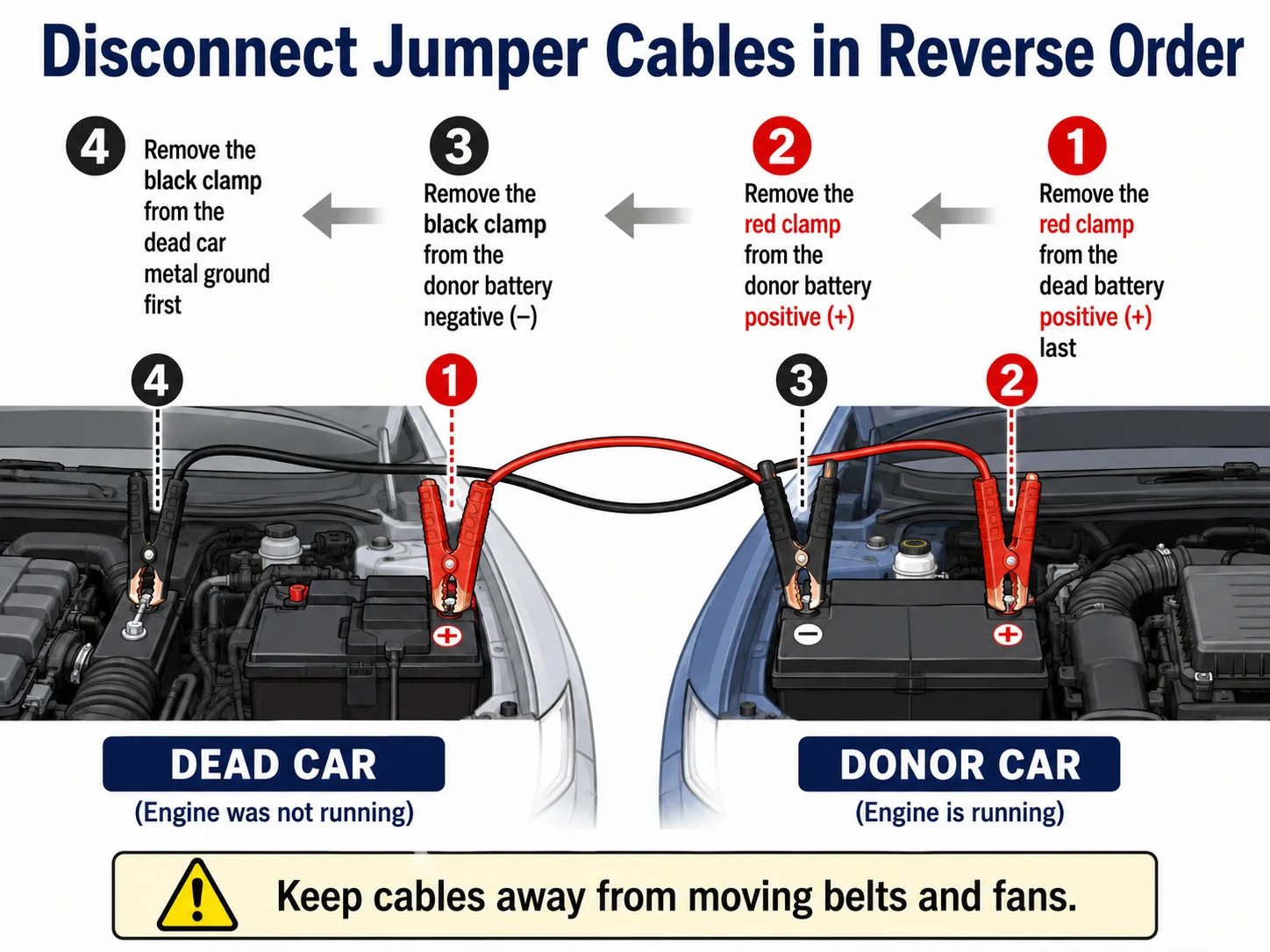
Once the engine runs, follow this exact order:
- Turn off the GB70
- Remove the black clamp from the ground point
- Remove the red clamp from the positive terminal
Disconnecting while the engine runs prevents voltage spikes that could harm your vehicle’s electronics.
Never let the clamps touch each other after removal. Store them apart or in the carry bag.
Recharge the Vehicle Battery After Jump-Starting
Let the vehicle run for at least 20 minutes to recharge the battery. Drive at highway speeds and switch off non-essential accessories like the AC and radio. If the battery dies again soon after, have it tested or replaced.
Power Devices with the GB70’s Output Ports
Run 12V Accessories
The 12V DC output port powers devices such as:
• Portable air compressors
• Dash cams
• Mini fridges
The high-capacity lithium-ion core delivers stable power even under load.
Charge Phones and Tablets
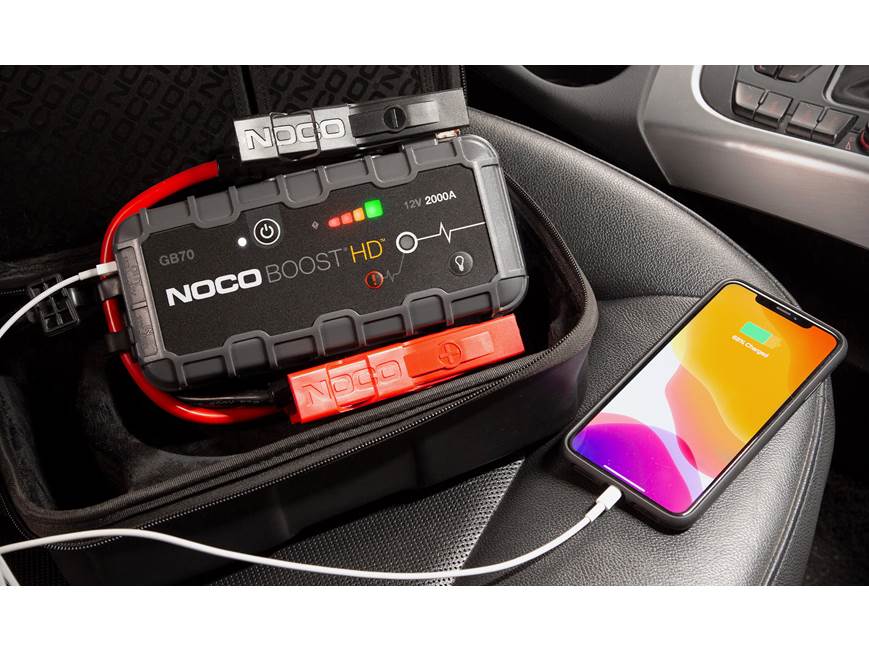
The 5V USB port charges smartphones, GPS units, and tablets. It is not fast-charging, but it is dependable during emergencies or power outages.
Pro Tip: Top up your phone before making multiple jump attempts. You may need it for navigation or roadside help.
Recharge the GB70 Itself

Use USB-C for Fast Charging
- Connect the included USB-C cable to the unit
- Plug into a wall charger (5V/3A or higher recommended)
- Monitor the LED indicator for progress
Check Charge Levels with the LED Indicator
| Color | Charge Level |
|---|---|
| Red | Below 30% |
| Yellow | 30 to 70% |
| Green | Above 70% |
Press the power button briefly to see the status. A full recharge takes a few hours with a high-output charger. You can also recharge from your vehicle using the 12V input port while driving.
Store and Maintain Your GB70 for Long-Term Reliability
Monitor Charge During Storage
The GB70 holds its charge for up to 12 months thanks to low self-discharge lithium-ion technology. For best results:
• Recharge every 6 to 12 months when unused
• Store in a cool, dry place
• Avoid extreme heat and freezing temperatures
No other maintenance is required.
Protect the Unit from Moisture and Damage
With the cover closed, the GB70 carries an IP65 rating, meaning it is dust-tight and resists water jets. Do not submerge it, wipe it dry after rain or snow, and close all ports securely after use.
Keep the unit in the included carry bag to guard against dust, moisture, and impacts. The bag fits easily in a glove compartment or camping kit.
Operate the Built-In 400-Lumen Flashlight
Cycle Through the Four Light Modes
Press the flashlight button once to turn it on. Each press cycles through:
- 100% brightness (400 lumens)
- 75% brightness
- 50% brightness
- Flashing SOS mode
Press again to turn it off. The light is bright enough for engine bays, campsites, and dark roadsides, and it works even when the GB70 has low charge.
Follow Safety Best Practices Every Time
Avoid Reverse Polarity Mistakes
Swapping the red and black clamps can damage your vehicle. The GB70 includes reverse polarity protection: if you connect incorrectly, the unit will not power on and will flash a warning. Correct the connection and try again.
Prevent Sparks Near the Battery
Spark-proof technology makes connecting clamps safe even near flammable gases. Still, connect clamps before powering on, keep them away from moving parts, and never touch the metal ends together.
Remember that Manual Override disables every safety system, so use it only when necessary.
Troubleshoot Common GB70 Problems
Boost LED Won’t Light Up
Possible causes:
• Battery voltage below 2 volts
• Loose or corroded connections
• Unit not powered on
Fixes: Clean the terminals, reattach the clamps firmly, check the GB70’s charge level, or use Manual Override with a 3-second hold.
Vehicle Starts but Dies Immediately
This usually points to a failing alternator, a battery that cannot hold a charge, or an electrical fault. Have the battery and charging system tested professionally.
GB70 Won’t Recharge
Check your wall charger output (use 5V/3A or higher), inspect the USB-C cable, and clean the port. Try a different charger or cable if no lights appear.
Use the GB70 Beyond Jump-Starting
For Commuters and Outdoor Enthusiasts
Daily drivers should keep the GB70 in the car year-round and check the LED every few months. Outdoor users can power a mini fridge while camping, charge GPS units on hikes, or light a tent with the flashlight. Its rugged, weather-resistant build handles rain, snow, and dust.
For Professional Technicians
Tow operators and fleet managers use the GB70 for quick roadside assistance, diagnosing weak batteries, and powering tools in remote locations. It handles engines up to 8L gasoline or 6L diesel.
Key Takeaways for Using Your NOCO GB70
The NOCO Boost GB70 is more than a jump starter. It is a complete emergency power solution with 2000 amps of peak power, dual output ports, and a 400-lumen flashlight. Safe use comes down to three habits: correct clamp placement, proper disconnect order, and periodic charge checks.
Keep it charged, store it in the carry bag, and test the LED indicator every few months. Master these steps for how to use NOCO GB70, and a dead battery will never leave you stranded again.
Frequently Asked Questions About Using the NOCO GB70
How do I jump-start a car with the NOCO GB70?
Attach the red clamp to the positive terminal and the black clamp to an unpainted metal ground point. Press the power button, wait for the boost LED, then start the engine. Disconnect the black clamp first while the engine runs.
When should I use Manual Override on the GB70?
Use Manual Override when the boost LED stays off, which means the battery is below 2 volts. Hold the override button for 3 seconds until the charge LEDs chase. All safety features are disabled during this mode.
How long does the NOCO GB70 hold its charge?
A fully charged GB70 retains its charge for up to 12 months with minimal self-discharge. Recharge it every 6 to 12 months if it sits unused.
What do the LED colors mean on the GB70?
Red means below 30% charge, yellow means 30 to 70%, and green means above 70%. Press the power button briefly to display the current status.
Can the GB70 charge my phone?
Yes. The 5V USB port charges smartphones, tablets, and other USB devices. It also has a 12V DC output for accessories like air compressors and dash cams.
What engines can the NOCO GB70 start?
The GB70 handles engines up to 8 liters for gasoline and 6 liters for diesel. It works with most cars, trucks, and SUVs, even in cold weather.





