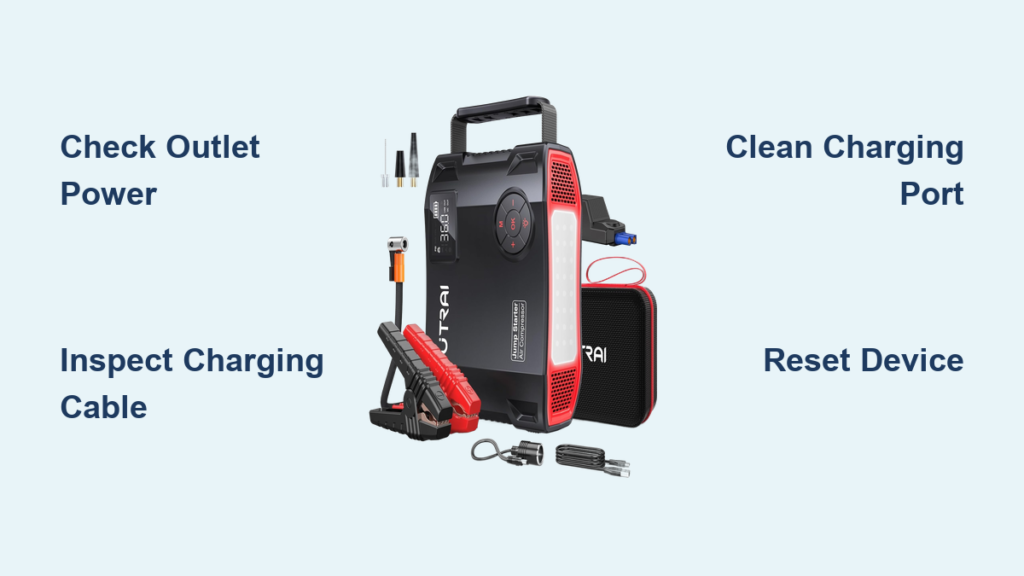
You plug in your Utrai jump starter and wait for the indicator light to blink. Nothing happens. A dead jump starter is the last thing you need when your car won’t start. If your Utrai jump starter is not charging, the cause is often simple.
This guide walks you through checks in order, starting with the wall outlet and ending with the battery. You’ll also learn when repair makes sense and when support is the better choice.
Check the Wall Outlet and Charging Cable First
Before you blame the jump starter, rule out the power source. Outlets, cables, and adapters cause many “no charge” problems.
Confirm the Outlet Delivers Power
- Plug a device you know works into the same outlet.
- If that device doesn’t turn on, try a different outlet.
- Avoid extension cords while charging.
Pro Tip: Garages and basements are common places for outlets to fail unnoticed. Test the outlet before you test the jump starter.
Inspect the Cable and Adapter
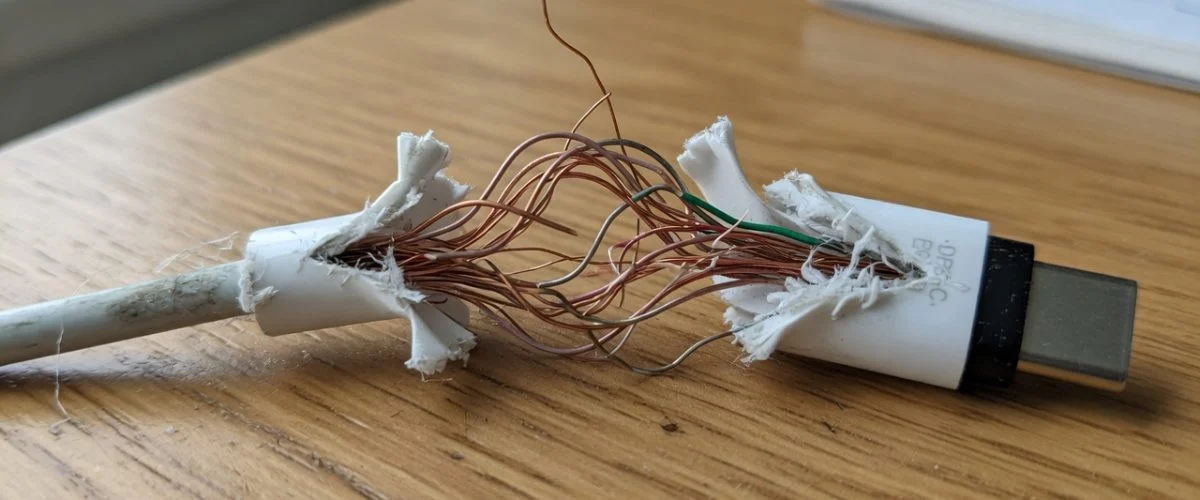
Cables wear out over time. Look for these warning signs:
• Bent or corroded connector pins
• Exposed wires near the plug ends
• Burn marks or melted plastic on the adapter
Swap in a cable and adapter you know work. Confirm the required input rating in your manual [VERIFY: input voltage and current].
Read the Indicator Lights for Clues

The indicator lights show what the unit is doing. Their patterns help you narrow down the problem.
What It Means When No Lights Appear
If nothing lights up when you connect the charger:
• The battery may be deeply discharged
• The charging port may be dirty or damaged
• An internal protection circuit may have engaged
Leave the unit connected to a known good power source for [VERIFY: recommended wait time]. Some units need time before they show signs of life.
What Flashing or Irregular Lights Suggest
Lights that blink erratically or never settle can point to a fault. Check your manual for the official meaning of each light pattern [VERIFY: light code table]. Pay close attention to any light pattern that repeats after a reset.
Clean and Inspect the Charging Port
Dust, lint, or corrosion can block the connection, even with a good cable.
Remove Debris Safely
- Turn off the unit and unplug it.
- Shine a flashlight into the port to check for debris.
- Brush out loose dust with a dry, soft-bristled brush.
- Let the port dry completely before charging again.
Spot Physical Port Damage
Check the port for these signs:
• A loose or wobbly connector
• Blackened or burnt areas around the opening
• Bent or misaligned pins
Physical damage usually calls for professional repair or a support request.
Reset Your Utrai Jump Starter Properly

A reset can clear a protection lockout caused by voltage problems or deep discharge. Use the method listed in your manual, since reset procedures vary by model.
Steps for a Hard Reset
- Unplug the charger from the jump starter.
- Press and hold the power button for [VERIFY: hold duration].
- Release the button and wait [VERIFY: rest time].
- Reconnect using a verified cable and outlet.
If the lights come on, let the unit charge fully before you rely on it. Note: If the lights still don’t respond after a reset, move on to battery and support checks.
Assess Battery Health and Age
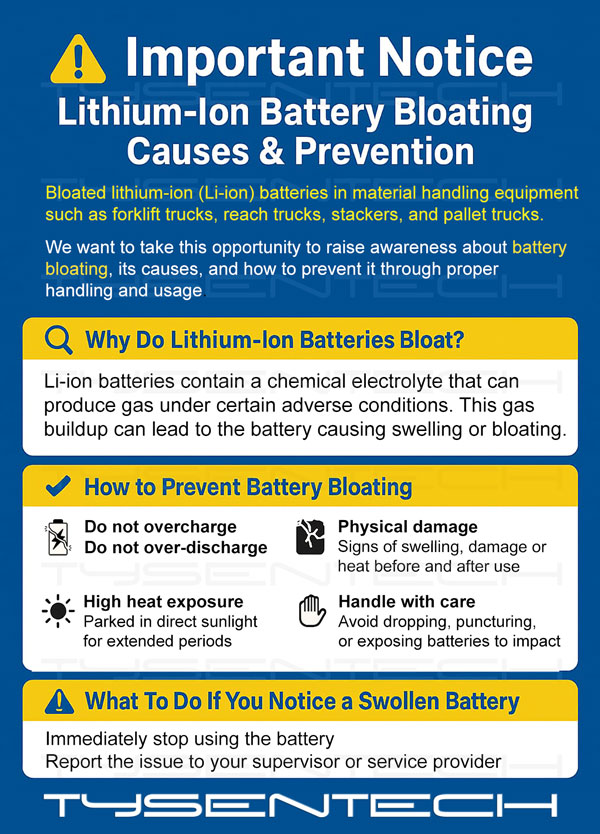
Lithium-ion batteries lose capacity over time. An aging battery may stop accepting a charge even when the rest of the unit works.
Warning Signs of a Failing Battery
• Charges briefly, then shuts off
• Loses its charge much faster than before
• Swollen or bulging case
• Gets hot during charging
Warning: Stop using the unit if the case is swollen. Swelling can signal a serious safety hazard. Keep the unit away from heat and contact Utrai support.
Judge Whether the Battery Is Near End of Life
Check the manufacturer’s expected battery lifespan [VERIFY: expected lifespan per Utrai documentation]. If your unit is past that age and won’t hold a charge, the battery is the likely cause.
Try Alternative Charging Options
Some models accept more than one power input. Use only options your manual lists as supported.
Charging From a USB Power Bank
Confirm whether your model accepts USB input [VERIFY: USB input support and power rating]. A power bank can help when a wall outlet isn’t available.
Charging From a Car USB Port
Car ports often deliver less power than a wall charger. Use this method only if your manual confirms support [VERIFY: car charging compatibility].
Contact Utrai Support or Replace the Unit
If the steps above don’t work, the next move is support or replacement.
When to Reach Out to Support
Contact Utrai if:
• The unit is still under warranty [VERIFY: warranty length]
• You suspect a manufacturing defect
• You need a replacement part
Have your model number and purchase date ready before you reach out.
Deciding Between Repair and Replacement
Weigh these factors before you decide:
• Repair cost compared with the price of a new unit
• Safety risks of opening a lithium-ion battery
• The age and remaining lifespan of the unit
Avoid opening the case unless your warranty and manual allow it.
Frequently Asked Questions About Utrai Jump Starter Not Charging
Why won’t my Utrai jump starter charge when I plug it in?
The problem is often the outlet, cable, adapter, or charging port. Test each one with a known working device. If nothing changes, check the battery and try a reset [VERIFY: manual guidance].
How long should I wait for a Utrai jump starter to show signs of charging?
Leave it connected to a good power source for [VERIFY: recommended wait time]. Some units need time before the lights respond.
Can I charge a Utrai jump starter with a phone charger?
Use a charger that meets the input rating in your manual [VERIFY: required input specs]. Low-output chargers may not supply enough power to start charging.
Is it safe to keep charging a swollen Utrai jump starter?
No. Stop using and charging the unit if the case is swollen. Keep it away from heat and contact Utrai support.
Does a hard reset fix a Utrai jump starter that won’t charge?
A reset can clear some protection lockouts. If the unit still doesn’t respond, the cause may be the battery, the port, or internal damage [VERIFY: reset steps for your model].
When should I replace a Utrai jump starter instead of repairing it?
Consider replacement if the battery is near end of life, the case is damaged, or repair costs approach the price of a new unit. Warranty coverage may also change the decision [VERIFY: warranty terms].
Key Takeaways for Fixing a Utrai Jump Starter That Won’t Charge
Most charging problems start with the outlet, cable, or port, so check those first. Use your manual’s reset steps and light codes to narrow the cause. If the battery is swollen or the unit is out of warranty and past its lifespan, replacement is often the safer option.
Your next step: test the outlet with a known working device, then swap in a verified cable and adapter. If the unit still won’t charge, contact Utrai support with your model number and purchase date.