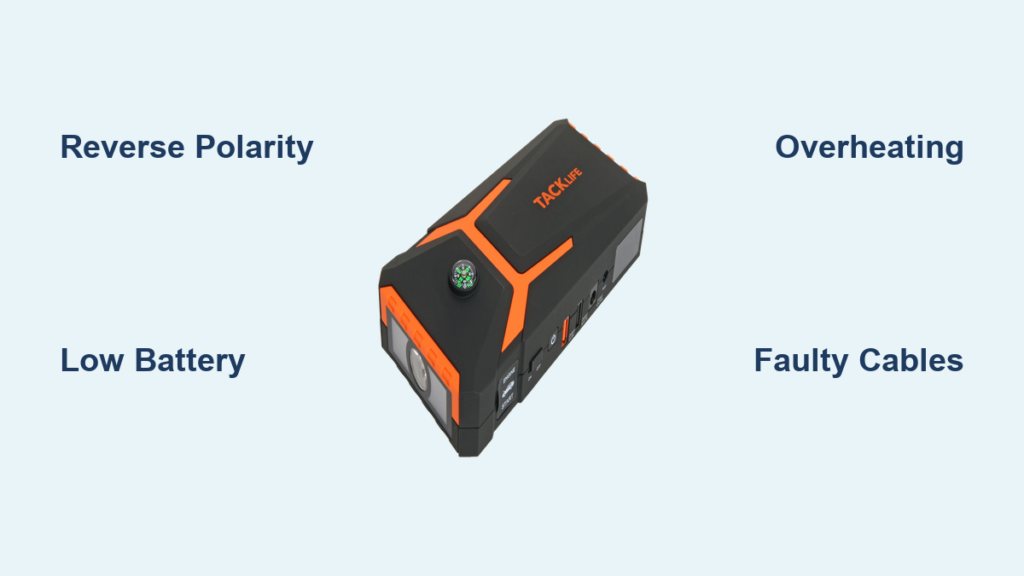
You’re in a rush to start your car, but your TACKLIFE jump starter starts beeping uncontrollably. That sudden noise can be stressful—especially when you’re relying on it to get your vehicle running. The TACKLIFE jump starter beeping issue is common, particularly with the T8 model, and often signals a preventable condition rather than a broken device. Most of the time, the beeping is your unit’s way of communicating a fixable problem like low charge, reverse polarity, or overheating.
This guide gives you a clear, step-by-step breakdown of why your TACKLIFE jump starter beeps, how to interpret different beep patterns, and exactly what to do to stop it. You’ll learn how to troubleshoot safely, avoid common mistakes, and keep your device in top condition. Whether the beeping happens during charging, jump-starting, or while idle, you’ll find the solution here—no guesswork needed.
Identify the Beep Pattern Your TACKLIFE T8 Is Making
Match the Sound to the Likely Cause
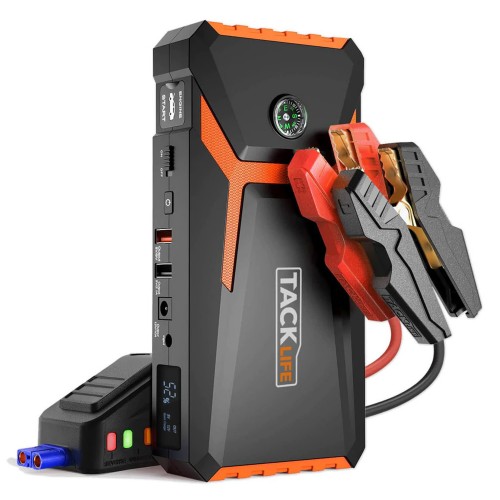
Since TACKLIFE doesn’t publish official beep codes for the T8, users must rely on observed patterns and standard jump starter behavior. Each beep sequence serves as a diagnostic clue.
- Single short beep: Normal feedback (power on/off or connection confirmed)
- Two quick beeps: Low internal battery warning
- Rapid, continuous beeping: Reverse polarity alert
- Intermittent beeping every few seconds: Overheating or overload protection
- Three long beeps at startup: System error or internal fault
Pro Tip: Note whether beeping starts immediately, after connecting clamps, or during charging. This timing helps narrow down the cause.
Test Beeping in Different Modes
Check how your jump starter responds in various scenarios to isolate the issue:
| Scenario | Normal Sound | Warning Sign |
|---|---|---|
| Power button pressed | 1 short beep | No sound or multiple beeps |
| Clamps connected to battery | 1–2 beeps then silence | Continuous beeping |
| Charging from outlet | No beeps after 10 sec | Beeping during or after connection |
| Idle for 30 seconds | Auto-shutdown (silent) | Random beeping |
If your TACKLIFE jump starter beeps unexpectedly in any of these situations, it’s signaling a problem that needs attention.
Fix Reverse Polarity Beeping Immediately
Reconnect the Clamps Correctly
The most frequent cause of loud, urgent beeping is reverse polarity—when the red and black clamps are connected to the wrong battery terminals.
Follow these steps to correct it:
- Turn off the jump starter right away
- Remove both clamps from the car battery
- Verify terminal labels:
– Red clamp → Positive (+) terminal
– Black clamp → Negative (–) terminal or clean metal ground - Reconnect in order: Red first, then black
Visual Cue: If you saw sparks or flashing lights when connecting, polarity was likely reversed.
Prevent Future Polarity Errors
Even experienced users make this mistake, especially in low light.
- Use a flashlight to clearly see battery terminals
- Check clamp colors—replace if red/black labels are faded
- Wait for confirmation beep—a single tone means safe connection
After reconnecting properly, the beeping should stop within seconds. If it doesn’t, move on to the next check.
Charge a Low Internal Battery
Recharge Before Attempting a Jump
A low internal battery is the second most common reason for beeping. When the TACKLIFE T8’s lithium-ion battery drops below 20%, it may beep to warn you it’s not ready for use.
To fix:
- Plug in the original wall charger
- Confirm the LED indicators light up
- Let it charge fully—4 to 6 hours for a dead battery
- Try using it again
⚠️ Warning: Never attempt to jump-start a car with less than 2 charge bars. The device may overheat or fail mid-use.
Maintain Healthy Battery Levels
Lithium batteries degrade when left uncharged. Prevent recurring beeping by:
- Recharging every 2–3 months, even if unused
- Storing at 50–80% charge
- Keeping it in a cool, dry place (not in hot cars or freezing garages)
Many users report that beeping stops after a full charge—especially if the device was stored for months.
Inspect Clamps and Cables for Damage

Look for Physical Wear and Tear
Damaged cables can cause false short-circuit alerts, triggering protective beeping.
Check for:
- Frayed or exposed wires
- Bent or corroded clamp jaws
- Loose connection at the jump starter port
- Dirt or rust on your car’s battery terminals
Quick Test: While powered on, gently wiggle the cables near the ends. If beeping starts or changes, the cable is likely faulty.
Clean and Secure All Electrical Contacts
Poor contact can mimic a dangerous connection.
Clean safely:
- Disconnect all cables
- Scrub clamp tips with a wire brush or sandpaper
- Clean car battery terminals with a baking soda and water mix
- Dry all surfaces completely before reconnecting
Ensure clamps grip tightly—no slipping or wobbling.
Cool Down an Overheating TACKLIFE Jump Starter

Let the Device Rest After Use
The T8 has built-in overheating protection. If used multiple times in quick succession or in hot weather, it may beep and shut down.
Signs of overheating:
- Warm or hot casing, especially near the handle
- Beeping during or after jump-start attempts
- Automatic shutdown after a few seconds
Cool it properly:
- Turn off and disconnect everything
- Place in a shaded, well-ventilated area
- Wait 30–45 minutes before reuse
Avoid jump-starting more than 3–4 times in 10 minutes. Always allow cooling breaks.
Avoid Heat-Inducing Conditions
- Don’t leave the unit in direct sunlight (e.g., on a dashboard)
- Avoid storing in enclosed spaces like glove compartments
- Use only in temperatures between 32°F and 104°F (0°C–40°C)
Once cooled, test again. If beeping stops, heat was the trigger.
Troubleshoot Charging-Related Beeping
Confirm Stable Power Supply
Beeping during charging often means unstable input.
Fix step by step:
- Try a different wall outlet—test with another device
- Use the original charging cable—third-party cables may not deliver correct voltage
- Check adapter fit—a loose connection causes power interruptions
If the LEDs flicker or go out while charging, the power source is likely the issue.
Recognize Normal Charging Completion Beeps
Some users mistake end-of-charge beeps for errors.
- A single beep when charging finishes is normal
- This may happen seconds after plugging in if the unit is already full
To confirm:
- Watch the LED indicators: All 4 bars lit = fully charged
- Unplug and restart: If no beeping occurs, it was just a status alert
If beeping continues beyond 30 seconds, suspect a deeper problem.
Reset Your TACKLIFE T8 Jump Starter
Perform a Hard Reset to Clear Errors
When beeping persists despite correct use, a reset can clear false alerts or stuck error states.
How to reset:
- Turn the device off
- Remove all cables and accessories
- Press and hold the power button for 15–20 seconds
- Release, wait 10 seconds, then power it back on
This clears temporary glitches in the control system.
Test After Reset
After resetting:
- Charge fully
- Power on without clamps
- Listen for abnormal sounds
If it powers on silently and LEDs respond normally, the reset worked. Reconnect and test as usual.
✅ Success Tip: Many users fix persistent beeping with this simple reset—especially after long storage or temperature exposure.
Avoid Overload and Short Circuit Triggers
Stay Within Engine Size Limits
The TACKLIFE T8 is designed for engines up to 7.0L gasoline or 5.5L diesel. Exceeding this can trigger overload protection beeping.
Symptoms of overload:
- Beeping starts during cranking
- Device shuts off after 2–3 seconds
- LED display flashes
Prevent overload:
- Confirm your vehicle’s engine size
- Limit cranking to 5 seconds on, 30 seconds off
- Don’t attempt more than 4 jumps in 10 minutes
If beeping stops after resting, the system protected itself.
Rule Out Vehicle Electrical Issues
A short circuit in your car can also trigger alerts.
Test safely:
- Try jump-starting a different vehicle (if possible)
- If no beeping occurs, the issue may be with your car’s battery or wiring
- Have your vehicle checked for alternator or parasitic drain issues
Never ignore repeated overload beeps—they help prevent permanent damage.
Check for Firmware Updates (If Supported)
Visit TACKLIFE’s Official Website
While the T8 likely doesn’t support firmware updates, some newer TACKLIFE models do.
For future models:
- Go to TACKLIFE official website
- Search for your model number
- Download any available updates
Even if your model doesn’t support updates, checking ensures you’re not missing critical notices.
Stay Informed on Product Updates
Firmware bugs can cause erratic behavior.
- Register your product
- Sign up for support emails
- Check for recalls or service bulletins
Staying updated helps prevent recurring issues.
Contact TACKLIFE Support for Hardware Issues
Know When to Seek Professional Help
If all troubleshooting fails and the beeping won’t stop, it may be a hardware fault.
Contact support if:
- Beeping occurs with no cables attached
- Device won’t power on or charge
- Reset doesn’t help
- You notice a swollen case or burning smell
These signs suggest internal damage or battery failure.
How to Reach TACKLIFE Customer Service
TACKLIFE offers support through:
- Email: support@tacklife.com
- Amazon Messages (if purchased via Amazon)
- Website Contact Form: https://www.tacklife.com/help
Before contacting:
- Have your model number (e.g., T8)
- Provide purchase date and receipt
- Share a video of the beeping issue
- List all steps you’ve tried
This speeds up diagnosis and increases chances of a replacement.
Prevent Future Beeping with Proper Care
Follow a Simple Monthly Maintenance Routine
Prevention is the best fix.
Monthly checklist:
- Charge to at least 80%
- Test jump function (if safe)
- Inspect cables and clamps
- Wipe down with a dry cloth
- Store in a temperature-controlled area
A well-maintained jump starter rarely gives false alarms.
Store Your TACKLIFE T8 Correctly
Improper storage causes many beeping issues.
- Keep away from moisture and dust
- Avoid extreme heat or cold
- Use the included protective case
Ideal storage: A closet shelf, garage drawer, or center console (in mild climates)
Key Takeaways for Fixing TACKLIFE Jump Starter Beeping
The TACKLIFE jump starter beeping issue is usually a helpful alert, not a defect. In most cases, it’s caused by low battery, reverse polarity, or overheating—all fixable with simple steps. By understanding the beep patterns and following the right troubleshooting order, you can silence the noise and trust your device when it matters most.
Always keep your jump starter charged, inspect cables regularly, and reset the unit if problems persist. If beeping continues despite all efforts, contact TACKLIFE support with your model details and a video of the issue. With proper care, your T8 can last for years—ready when you need it most.
Frequently Asked Questions About TACKLIFE Jump Starter Beeping
Why does my TACKLIFE jump starter beep when I turn it on?
It may beep once to confirm power-on, which is normal. If it beeps multiple times or continuously, it could indicate a low battery, reverse polarity, or an internal error. Check the charge level and connections first.
What does continuous beeping mean on my TACKLIFE T8?
Continuous beeping usually signals reverse polarity—the clamps are connected to the wrong battery terminals. Turn off the device, disconnect the clamps, and reconnect red to positive, black to negative.
Does a beeping sound mean my TACKLIFE jump starter is broken?
Not necessarily. Most beeping is a safety alert for low charge, overheating, or incorrect use. Try charging, resetting, or inspecting cables before assuming it’s faulty.
Why does my TACKLIFE beep while charging?
Brief beeping when plugging in is normal. If it beeps continuously, check the power outlet, use the original cable, and ensure the connection is secure. Persistent beeping may indicate a charging fault.
How do I reset my TACKLIFE T8 jump starter?
Turn it off, disconnect all cables, then press and hold the power button for 15–20 seconds. Release, wait 10 seconds, and turn it back on. This clears temporary errors.
Can a dead car battery cause my TACKLIFE to beep?
Yes. If the car battery is completely dead or has a short circuit, the jump starter may detect an unsafe load and beep to warn you. Try testing on another vehicle if possible.