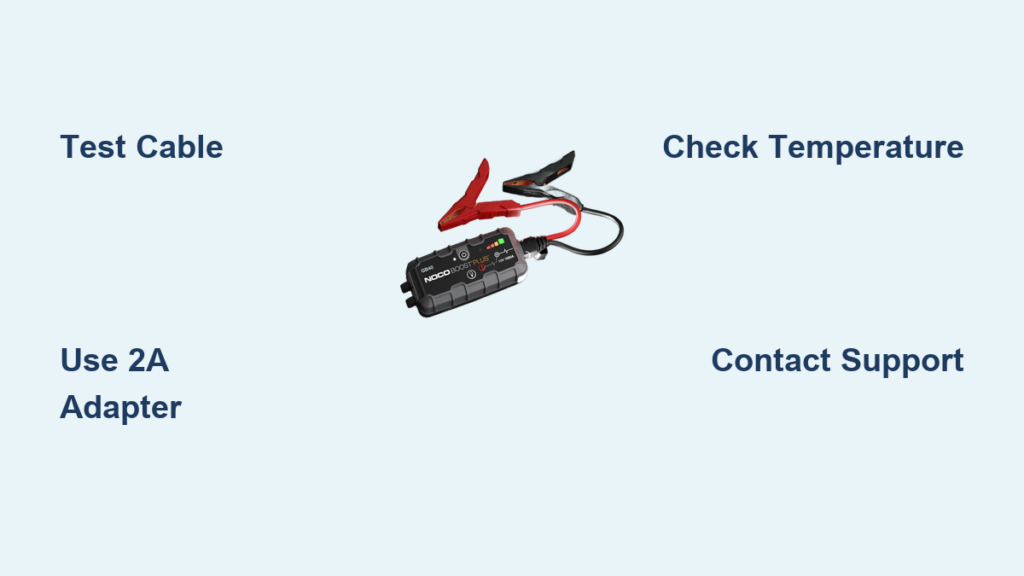
Your NOCO jump starter won’t charge right when you need it. The power light stays off, or the unit charges far slower than expected. Before you assume the unit has failed, check the cable, the power source, and the temperature.
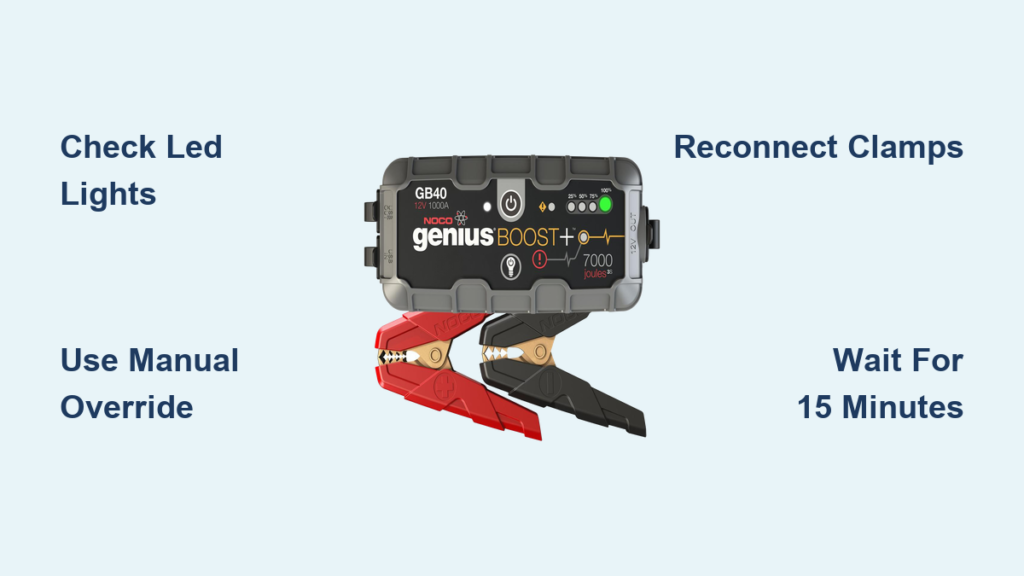
This guide walks you through each check using NOCO’s official support information for models like the GB40, GB50, and GB70. You’ll learn how to test your setup, read the indicator lights, and know when to contact support.
Check the Micro USB Cable and Port First
Your cable is the most likely culprit. NOCO Boost units charge through a standard Micro USB port, so the cable you use matters.
Replace the Cable With a Standard Micro USB Model
The included cable is 48 inches (1 m) long. Over time, it can wear down, especially at the connectors. NOCO does not sell replacement cables individually, but you can use any compatible Micro USB cable.
• Try a Micro USB cable you know works with a phone or tablet.
• Choose a standard length, since the included cable can be swapped for any compatible option.
• Test the cable with a different charger to confirm it delivers power.
Pro Tip: Keep a dedicated Micro USB cable for your Boost so it doesn’t get swapped with other devices.
Inspect the Micro USB Port for Damage
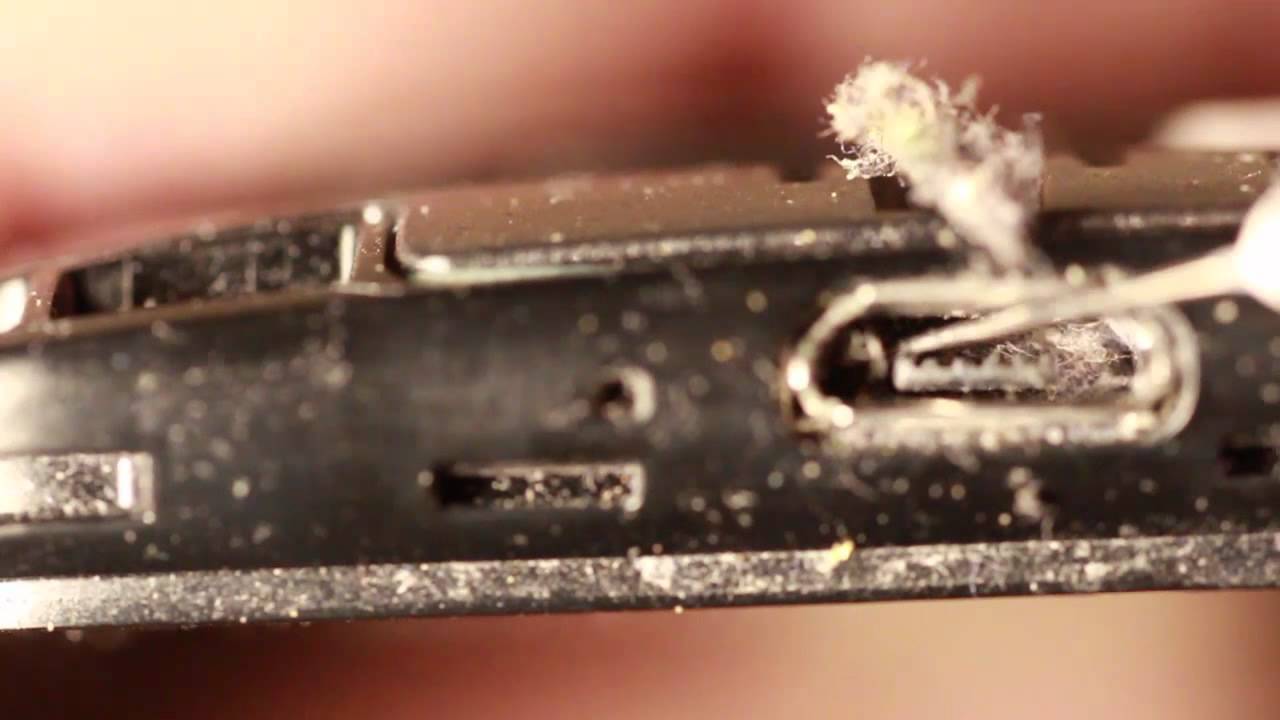
A damaged port can block a connection even when the cable is good. Use a flashlight to look inside the port for debris or bent pins. If the port looks damaged or feels loose, contact NOCO support rather than attempting repairs yourself.
Use a 2A Adapter for Reliable Charging
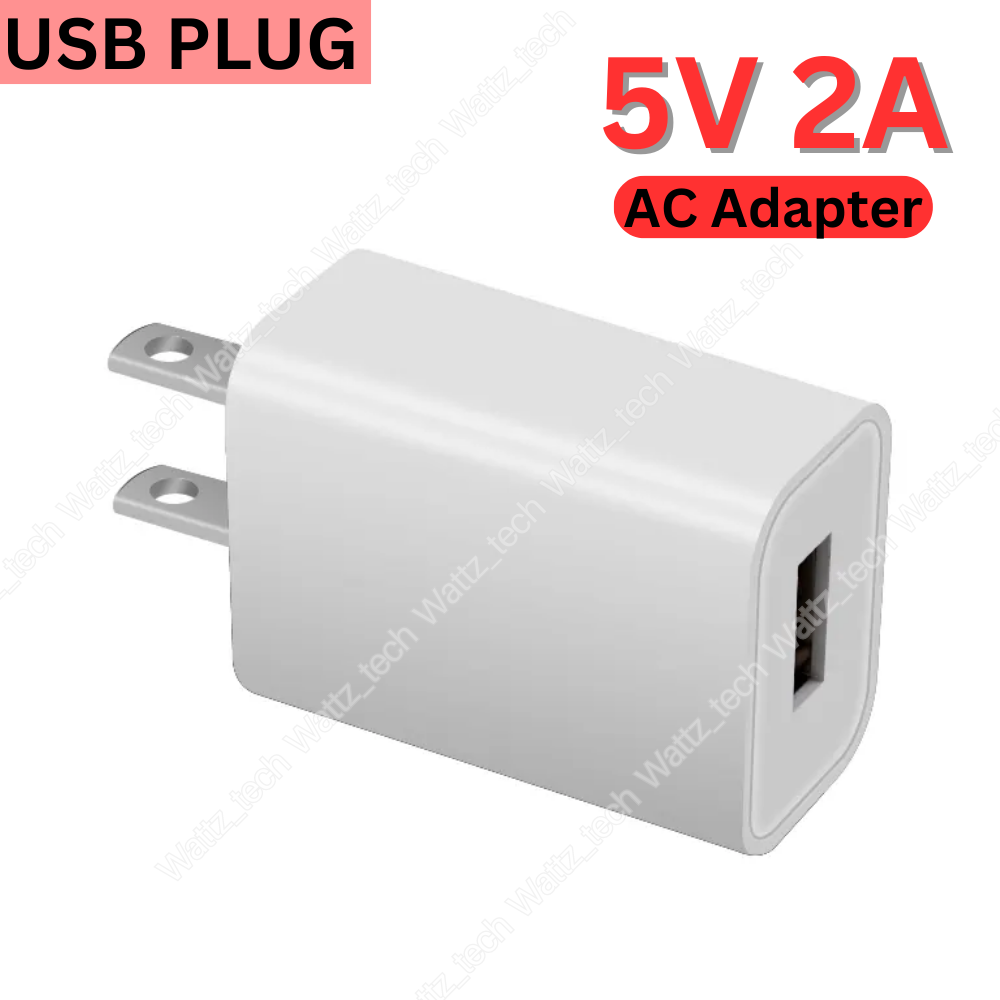
Your power source affects charging speed. A weak adapter can make the unit look like it isn’t charging at all.
Compare Charging Times by Adapter Output
NOCO lists these charging times for the GB40 over USB:
| Charger Output | Approximate Charging Time |
|---|---|
| 2A | 3 hours |
| 1A | 6 hours |
| 0.5A | 12 hours |
NOCO notes that 2.1A is the standard smartphone charger output. Use a modern 2A or higher wall or car charger for the best results.
Understand Why Low-Output Chargers Seem to Fail
A 0.5A adapter still sends power, but the process takes four times longer than a 2A adapter. If you’ve waited a few hours with a low-output charger, you may simply need more time or a stronger adapter. Switch to a 2A source and test again.
Pro Tip: Try a different outlet or USB port in your car if your current one seems weak.
Read the NOCO LED Indicators Correctly
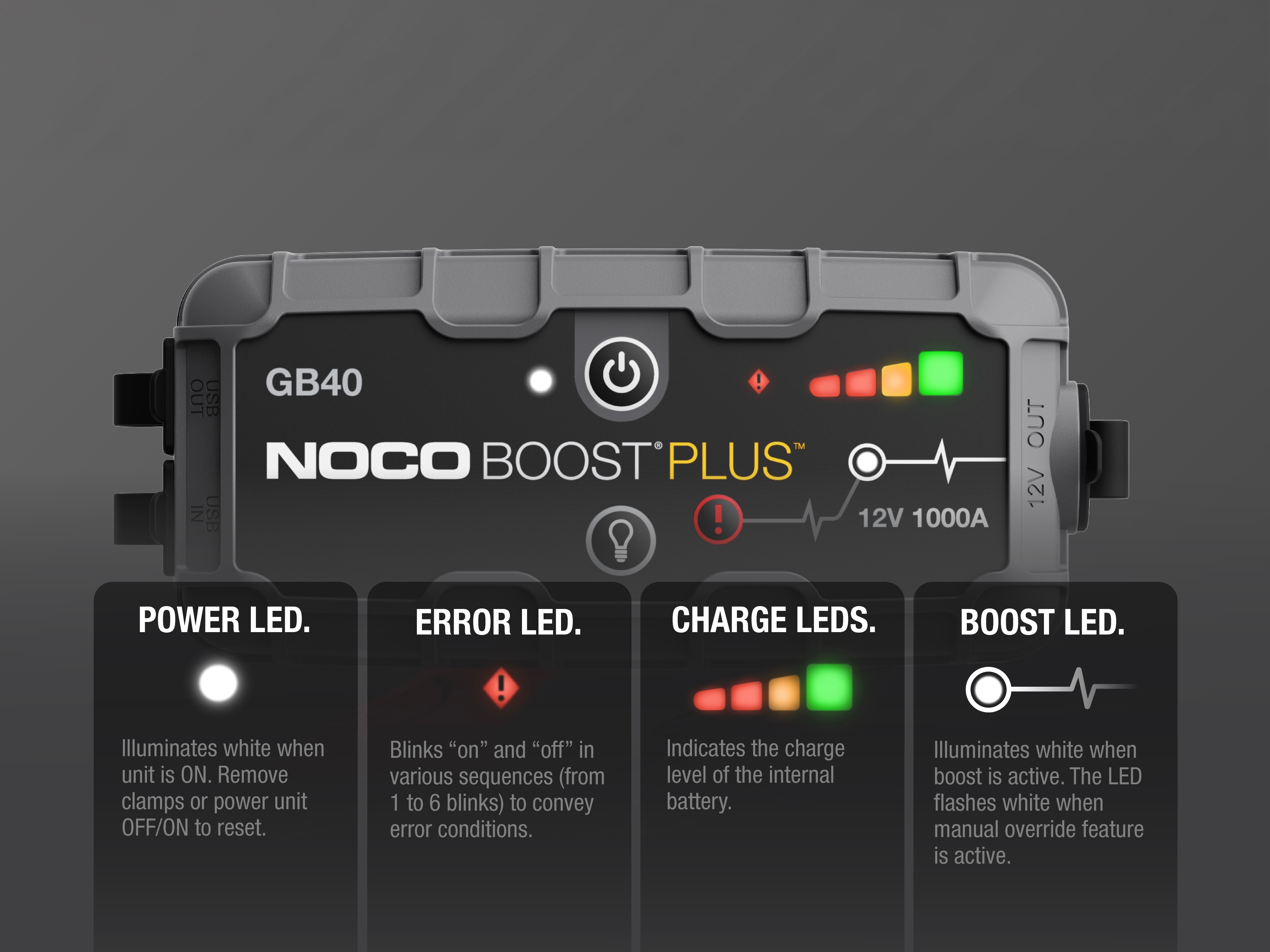
The LEDs on your Boost show what the unit is detecting. Learning what each one means helps you narrow down the problem.
Interpret the Error LED
The Error LED is the most useful diagnostic light. NOCO documents these patterns:
• Solid red: Reverse polarity is detected. This happens when clamps are connected backward to a battery.
• Blinking red with cables connected properly: The internal battery is too hot. Let the unit cool down before continuing.
Check the Power and Charge Indicators
The Power LED glows white when the unit is on. The Charge LEDs show the internal battery’s charge level. If no lights respond when you plug in the unit, check the cable, adapter, and port first.
NOCO’s support materials do not describe a separate light pattern for every charging scenario. If the Charge LEDs stay unresponsive after you’ve tested a good cable and a 2A adapter, the issue may require support.
Let the Unit Reach a Safe Temperature Before Charging

Temperature is one of the most overlooked causes of charging problems. Boost includes thermal sensors that stop operation outside its safe range.
Know the Charging and Operating Temperature Ranges
Use these NOCO ranges as your guide:
• Charging: 32°F to 104°F (0°C to 40°C)
• Operating: -4°F to 122°F (-20°C to 50°C)
Remove the unit from a heat source and let it cool before recharging. If it’s cold, bring it indoors and let it warm up before plugging it in.
Stop Leaving the Unit in a Hot Car
Car interiors heat up fast. NOCO warns that the ambient temperature in a car can reach 122°F (50°C) within 10 minutes. A jump starter left on the dashboard or in direct sunlight may stop charging until it cools.
Charge Your NOCO Boost Fully Before First Use
A brand-new unit can seem broken if you plug it in briefly and unplug it. NOCO states that Boost arrives partially charged.
Give a New Boost a Full Initial Charge
Plug the unit in with a 2A adapter and let it charge completely before its first use. This ensures optimal performance from the start. If a new unit still refuses to charge after a full test, contact support.
Identify Signs of Internal Battery Failure
Sometimes the problem goes deeper than the cable or power source. The internal lithium-ion battery may have reached the end of its useful life.
Recognize Warning Signs
Watch for these symptoms:
• The unit charges for hours but the Charge LEDs never increase.
• The unit dies right after you unplug it.
• The unit feels warm but won’t power on.
Maintain the Battery to Prevent Failure
NOCO states that Boost can hold 70% of its rated capacity for up to one year. For best performance, charge the unit at least every 4 to 6 months after the initial charge. Lithium batteries that sit unused for long periods can lose capacity over time.
Know Why NOCO Replaces the Unit Instead of the Battery
NOCO does not replace batteries or repair units. If a unit tests faulty, the company replaces the whole unit. Opening the unit yourself is not a recommended fix, so avoid disassembly attempts.
Warning: Do not attempt to open or repair the internal battery. Contact NOCO support to discuss replacement options.
Prevent NOCO Jump Starter Charging Problems With Smart Storage
Good habits keep your Boost ready when you need it. Most charging failures can be avoided with simple routines.
Store Your Boost Within the Safe Temperature Range
NOCO says Boost should not be stored below -4°F (-20°C) or above 122°F (50°C). Storing it outside these limits can damage important components. Avoid glove compartments, trunks, and sheds where temperatures swing widely.
Rely on Built-In Overcharge Protection
Boost has built-in overcharge protection, so it can stay connected to a charger at all times. Still, a regular charging schedule helps the battery stay healthy between uses.
Contact NOCO Support About Your Warranty
NOCO Boost units include a one-year limited warranty. If your unit is still under warranty and won’t charge after your checks, support can help.
Prepare Your Serial Number and Product Details
Before you call or message, gather these details:
• The serial number, found on the product label.
• Your Boost model, such as the GB40 or GB70.
• A list of the cables and adapters you have already tested.
NOCO support is available Monday through Friday, 8 AM to 7 PM EST. You can also register your product through the NOCO website to activate your warranty.
Frequently Asked Questions About NOCO Jump Starter Charging
Why won’t my NOCO jump starter charge with a USB cable?
The cable, adapter, or port is the most common cause. Try a known-working Micro USB cable and a 2A adapter. If it still won’t charge, check the port for debris or damage and contact NOCO support.
How long does a NOCO GB40 take to charge?
NOCO lists about 3 hours at 2A, 6 hours at 1A, and 12 hours at 0.5A for the GB40 over USB. Using a higher-output adapter speeds up charging.
Can I charge my NOCO Boost in a hot car?
No. NOCO says Boost should be charged between 32°F and 104°F (0°C and 40°C). Remove the unit from the heat and let it cool before charging.
Can I replace the battery inside my NOCO jump starter?
No. NOCO does not replace batteries or repair units. If a unit tests faulty, the company replaces the whole unit under warranty.
Can I leave my NOCO Boost plugged in all the time?
Yes. NOCO states that Boost has built-in overcharge protection and can be left on a charger at all times. For best battery life, still charge it at least every 4 to 6 months.
How long is the NOCO jump starter warranty?
NOCO Boost units have a one-year limited warranty. Register your product to activate coverage and contact support for warranty claims.
Key Takeaways for Fixing a NOCO Jump Starter That Won’t Charge
Most charging problems come from a few simple causes. Focus on these three points:
• Test the hardware first: Use a standard Micro USB cable, inspect the port, and confirm a 2A adapter.
• Control the temperature: Charge between 32°F and 104°F (0°C and 40°C) and keep the unit out of hot cars.
• Escalate when needed: If the unit still fails after these checks, contact NOCO support with your serial number.
Your next step is simple. Plug your Boost into a known-good Micro USB cable and a 2A adapter in a room-temperature space. If it still won’t charge, contact NOCO support while your warranty is active.