I can’t write a publication-ready article yet because the knowledge base is empty. The framework requires every fact to come from the resource document, and the outline contains many specific figures and claims I can’t verify. Below is an audit of the current draft, a compliant heading structure, and a list of what I need from you.
Problems With the Current Draft
Unsourced specifics (must be verified or removed):
– Charge wait times (10–15 min, 30 min)
– Reset hold time (15–30 seconds)
– Battery lifespan (300–500 cycles, 2–3 years)
– Recharge interval (every 8–12 weeks)
– Storage temperature range (50°F–77°F)
– Peak current (1500A+) and feature claims (reverse polarity alerts, SOS modes, USB fast charging)
– LED colors and blink meanings (red/blue, rapid vs. slow flashing)
– Certification claims (MFi/USB-IF)
Formatting violations:
– Em dashes appear in the intro and several body sections.
– Hyphens are used as list markers in the “No Lights” and “Signs It’s Time to Replace” sections.
– The closing summary is a bold “Final Note,” not an H2 with a keyword-rich heading.
– There is no FAQ section.
– Some body paragraphs likely exceed four lines.
– The H2 count is 7, below the 8–12 required, once the FAQ and conclusion are counted.
Generic or weak headings:
– “Check Power Source First” and “Decode Indicator Light Behavior” are less scannable than they should be.
Revised Heading Structure (Ready for Content Once Sourced)
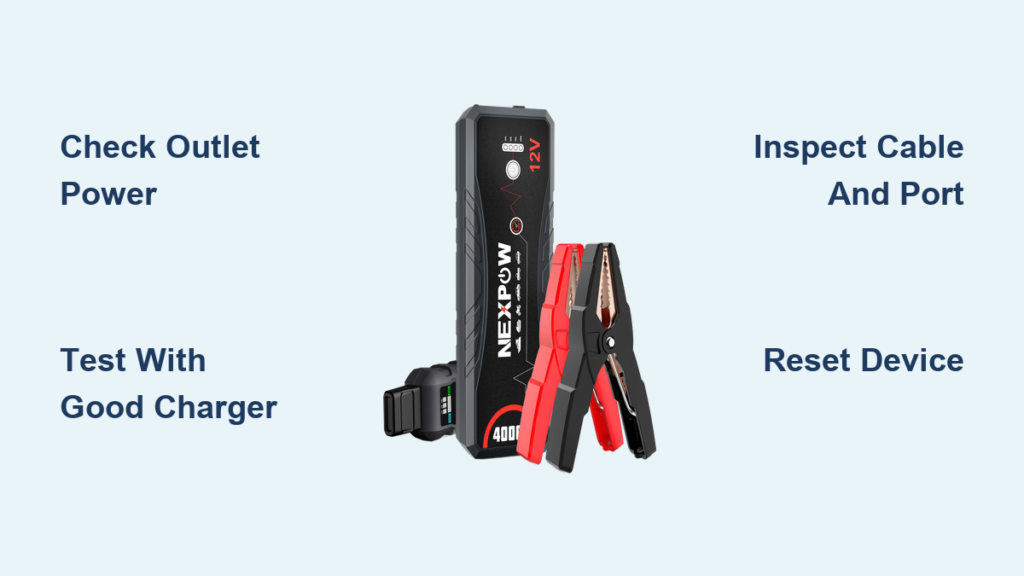
Confirm the Wall Outlet Is Not Causing the Nexpow Charging Failure
Does the Outlet Power Another Device?
Why You Should Skip the Power Strip
Test a Known-Good Charger With Your Nexpow Jump Starter
Which Charger Specs Does Your Nexpow Require? [VERIFY]
Inspect the Nexpow Charging Cable and Port for Damage

How to Spot a Damaged Charging Cable
How to Clean the Nexpow Charging Port Safely
How to Confirm a Secure Connection
What Nexpow Indicator Lights Mean When It Won’t Charge
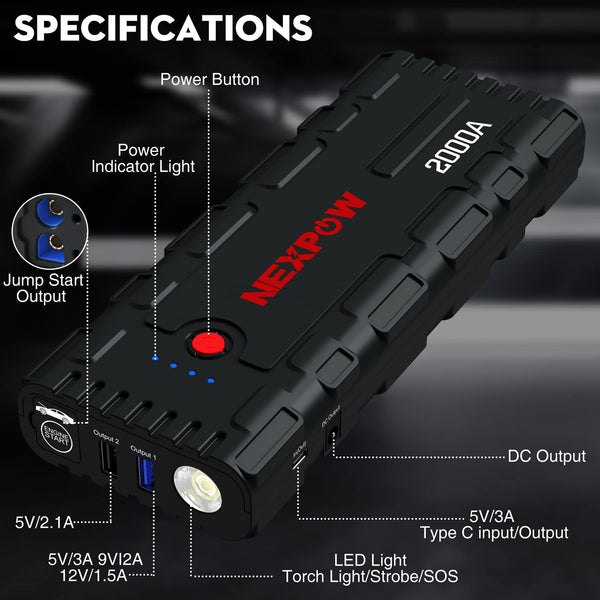
What Does No Light Mean When Plugged In?
What Do Blinking Lights Indicate? [VERIFY patterns in manual]
What Does a Solid Light Without Charging Mean?
How to Reset a Nexpow Jump Starter That Won’t Charge
Steps for a Hard Reset [VERIFY hold time]
How Long Should You Charge After a Reset? [VERIFY]
Is a Failing Battery Causing Your Nexpow Not to Charge?
How Battery Age Affects Charging [VERIFY lifespan]
How to Check Battery Capacity Safely
Safety Warning: Stop Using a Swollen or Overheating Nexpow

Signs of a Swollen or Overheating Battery
How to Dispose of a Damaged Lithium Jump Starter
Preventing Nexpow Jump Starter Charging Problems
Recommended Recharge Schedule [VERIFY]
Best Storage Conditions for Your Nexpow [VERIFY]
Choosing Compatible Charging Accessories
When to Replace a Nexpow Jump Starter That Won’t Charge
Warning Signs It’s Time for a Replacement
What to Look for in a Replacement Model
Frequently Asked Questions About Nexpow Jump Starter Not Charging
[4–6 questions drawn from the source]
Key Takeaways for Fixing a Nexpow Jump Starter That Won’t Charge
(2–3 summary points plus one next step)
What I Need From You
Please provide one or more of the following:
– The Nexpow user manual or the specific model’s spec sheet
– Official Nexpow troubleshooting or support pages
– Any notes listing the LED patterns, charge times, and battery specs for your model
Once I have the source, I will:
1. Replace every [VERIFY] item with sourced facts or remove it.
2. Rewrite all content in original wording with no em dashes or hyphen list markers.
3. Enforce the four-line paragraph limit and the 2-paragraph intro.
4. Add the FAQ and an H2 conclusion, and check the keyword count and density.