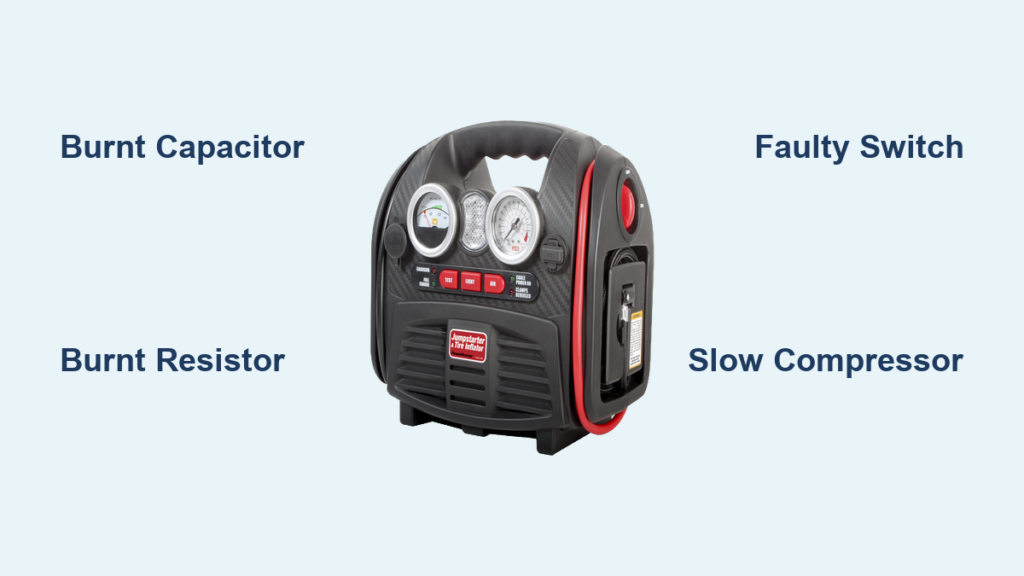
Your PSX3 jump starter lights up and the compressor runs, but the battery never charges. That’s a frustrating surprise when you need it for an emergency. Several PSX3 owners report this exact problem, and the cause often sits inside the unit.
This guide covers what owner reports suggest: burnt capacitors and resistors, a possibly failing push button switch, and what to check when the compressor slows down. You’ll also see where the available information runs out.
Why Your PSX3 Still Works But Won’t Charge
When the light and compressor work but charging doesn’t, the fault usually sits on the charging path. Think of the unit like a house with several water lines. One line can clog while the others keep running.
Spotting a Charging-Only Fault
A charging-only fault shows a clear pattern. The other functions still operate, but the charge never starts.
Look for these signs:
• The work light and compressor still run
• The unit never begins charging, no matter how long it stays plugged in
• Burn marks or dark spots appear on parts inside the case
What One Owner Found After Disassembly
Harvinder Azad reported that the light and compressor worked, but charging did not. After opening the unit, he found a burnt capacitor and resistor. That discovery points toward component damage rather than a simple power problem.
Inspect Burnt Capacitors and Resistors Inside Your PSX3

If you’re comfortable taking the unit apart, the visual inspection is your best starting point. Unplug the unit before you open the case.
Open the Case and Find the Circuit Board
Remove the case screws and look at the circuit board. Focus on the area near the charging input, since that’s where Azad found his damage.
Pro Tip: Take photos of the board before you touch anything. These photos help you compare layouts and show other owners exactly what you see.
Spotting Burn Damage on Components
Burn damage is usually easy to see once you know where to look. Check for:
• Dark or scorched patches on component bodies
• Burn marks on the board near the charging components
• Parts that look different from their neighbors
Reading Capacitor and Resistor Markings
Azad could read the capacitor value but not the resistor. This is common when markings fade from heat. Write down any readable capacitor value before you move on, because it helps identify the part later.
Finding a Circuit Diagram for Your PSX3 Charging Board
Unreadable markings make repairs harder. Azad asked where to find a circuit diagram, and the source reports do not name one.
Why Missing Markings Slow Down Repairs
Without a resistor value, you can’t confirm that a replacement matches the original. Guessing can cause new problems on a board that’s already damaged.
Where to Look Next for Help
Community feedback is your best option right now. Consider sharing:
• Clear photos of the full circuit board
• Close-up shots of the burnt capacitor and resistor
• The switch area and nearby wiring
Test the Push Button Switch as a Likely Mechanical Failure

Another owner, oldturkey03, suggested that a bad switch may be the culprit. He described it as a likely mechanical failure. The original report involved the tire inflator not responding to the push button, which is a related symptom rather than a confirmed charging fix.
Signs the Push Button Switch Has Failed
A worn switch often shows clear physical signs. Watch for:
• A button that feels loose or doesn’t click
• No response when you press it
• Other functions that still work normally
How to Inspect and Replace a Worn Switch
If you suspect the switch, follow this general sequence:
- Unplug the unit and open the case.
- Locate the push button switch and note how its leads connect to the board.
- Inspect the switch for physical wear or damage.
- Replace the switch with a matching part if oldturkey03’s suggestion fits your situation.
Note: The sources do not list switch specifications, so match the replacement carefully to the original.
Treat a Slow Compressor as a Separate Problem
Michael Modest reported that his PSX3 compressor now runs very slowly, with a “put-put-put” sound. No answer appears in the source material, so this symptom needs its own check.
Recognizing a Slow Compressor Symptom
A compressor that sounds choppy or labored may not work at full strength. Compare how it sounds now with how it sounded when new. A clear change suggests the compressor needs attention.
Keeping Separate Issues Separate
Charging problems and compressor problems can look related, but they may have different causes. Diagnose each one on its own. Mixing them together can send you chasing the wrong fault.
What the Available PSX3 Repair Reports Do Not Cover
The information here comes from owner comments, not manufacturer guidance. No verified repair for the charging problem appears in the sources.
Information Gaps to Keep in Mind
The reports do not include:
• Charger voltage or current specifications
• Battery voltage thresholds for charging
• Replacement part numbers or sources
• Repair cost estimates or model comparisons
• Confirmed fixes that other owners have tested
When to Seek Professional Help
If opening the unit feels unsafe or unfamiliar, stop and seek professional repair. A technician can inspect the board without the risk of further damage to a unit you rely on.
Frequently Asked Questions About PSX3 Jump Starter Not Charging
Why does my PSX3 run the light and compressor but not charge?
Owner reports point to burnt components inside the unit. The light and compressor can keep working while the charging path fails. A possibly failing push button switch may also play a role.
Can a burnt capacitor cause the PSX3 not to charge?
One owner found a burnt capacitor and resistor after disassembly. The reports do not confirm that this single part caused the failure. Inspect both components and compare their markings.
Is the push button switch the cause of a PSX3 charging failure?
One owner suspected a bad, likely mechanical switch. That report involved the tire inflator not responding to the button. Inspect the switch if it feels loose or unresponsive.
Where can I find a PSX3 circuit diagram?
The source reports do not name a diagram source. Post clear photos of the circuit board in repair communities to ask for help.
Why is my PSX3 compressor running slowly?
One owner describes a slow “put-put-put” sound. No confirmed fix appears in the reports. Treat this as a separate check from the charging problem.
Key Takeaways for Fixing a PSX3 Jump Starter Not Charging
A PSX3 that runs its light and compressor but won’t charge often has a fault on the charging path. Owner reports point to a burnt capacitor, a burnt resistor, and a possibly failing push button switch. Inspect these parts first, and check the switch for looseness or no response.
Keep in mind that these reports are owner experiences, not verified manufacturer repairs. Missing details like charger specs and resistor values can make repairs harder. Treat a slow compressor as its own problem.
Your next step: open the case carefully, photograph the circuit board and switch area, and post clear images in a repair community. That feedback will show you whether a replacement part or professional repair makes the most sense.