Your Tacklife jump starter is meant to be the backup when a car battery dies. When it shows “Lo” on the LCD and ignores your button presses, that backup fails you at the worst moment. Many people assume the unit is broken, but that is often not the case.
This guide explains what the “Lo” warning means, how to charge the device correctly, and how to reset the Tacklife T8 Pro 1200A. You will also learn how to test the unit and when it needs professional help.
What the “Lo” Message on Your Tacklife Jump Starter Means
When the LCD shows “Lo,” your Tacklife jump starter has entered low power mode. The internal battery is too low, so the device limits its functions. This is a protective state, not always a sign of permanent failure.
How to Recognize the Lo Warning
Look for these signs on your unit:
• The LCD displays “Lo” instead of a normal battery level
• The device is not running in its usual mode
• The battery needs charging before it can work normally
Think of it like a phone that shuts down features at very low battery. The device is asking for a recharge.
Charge Your Tacklife Jump Starter Correctly Before Any Reset

A proper charge is the first step to recovering a Tacklife jump starter that shows “Lo.” Charging with the right setup gives the battery the best chance to recover.
Choose the Right Cable and Charger
Use these items for charging:
• The included USB-C cable
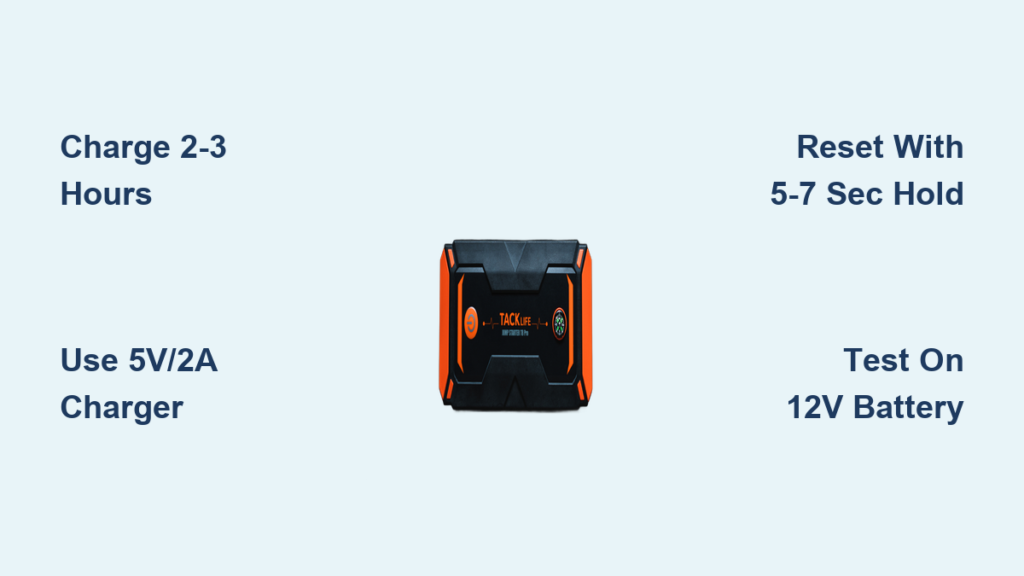
• A compatible charger rated at 5V/2A (recommended)
Follow the Charging Steps
- Connect the T8 Pro to power using the included USB-C cable.
- Plug the cable into a 5V/2A charger.
- Let the device charge for at least 2 to 3 hours.
Pro Tip: Check the LCD during charging. It shows a charging icon or battery level while the unit is charging.
Confirm the Charge Is Complete
A full charge looks like this:
• The LCD shows “100%,” or
• The charging indicator turns off
After charging, wait 10 to 15 minutes before using the device. This rest period lets the unit settle before you rely on it.
Step-by-Step Reset for a Tacklife Jump Starter Stuck on Lo
After a full charge, a reset can bring the unit back to normal operation. The process takes only about 20 seconds of button holding and waiting.
How to Reset the T8 Pro
- Press and hold the power button for 3 seconds to turn the device off completely.
- Wait 10 seconds.
- Press and hold the power button again for 5 to 7 seconds.
- Watch the LCD. It should turn on and display the main menu or battery level.
Common Reset Mistakes to Avoid
Avoid these errors, because they can keep the reset from working:
• Skipping the 10-second wait after turning the device off
• Using the device before the 10 to 15 minute rest period ends
• Trying to use the unit when the battery is below 20%
How to Test Your Tacklife Jump Starter After Resetting

Once the screen comes back on, test the unit before you count on it in an emergency. Testing takes about 5 minutes and confirms that the reset worked.
Test the Device With a 12V Battery
- Connect the clamps to a 12V battery. Do not connect them to a vehicle for this test.
- Check that the device powers on and shows normal battery levels.
- If the battery level displays correctly, the reset was successful.
Signs the Reset Worked
Look for these results:
• The LCD shows the main menu or a normal battery level
• The “Lo” message no longer appears during the test
• The device runs without shutting down right away
Keep Your Tacklife Jump Starter Ready to Prevent Lo Errors
Most “Lo” problems come from letting the battery drain too far. A few simple habits keep the unit ready when you need it.
Recharge Before the Battery Gets Too Low
Avoid using the device when the battery is below 20%. Recharge the unit before it drops that low. This habit protects the battery from repeated low-power events.
Store the Unit at 50 to 80 Percent Charge
If you will not use the jump starter for a long time, follow these steps:
- Charge the unit until it reaches 50 to 80 percent.
- Store it in a cool, dry place.
- Check the battery level before your next trip.
Quick Troubleshooting Table for Tacklife Jump Starter Issues
Use this table to match your symptom with the right action.
| Symptom | Likely Cause | What to Do |
|---|---|---|
| LCD shows “Lo” | Battery is too low | Charge for 2 to 3 hours with a 5V/2A charger |
| Charging is done but screen is off | Device needs a restart | Follow the reset steps |
| Screen shows battery level after reset | Reset worked | Run the 12V battery test |
| “Lo” returns after charging and resetting | Battery may be damaged | Seek professional servicing or replacement |
When a Tacklife Jump Starter Needs Professional Service
If the “Lo” message persists after you charge and reset the unit, the battery may be damaged. The resource recommends professional servicing or replacement in this case.
Next Steps When Lo Keeps Appearing
- Confirm the charge finished with the LCD showing 100% or the charging indicator off.
- Complete the reset steps once more.
- If “Lo” still appears, arrange professional servicing or consider replacing the unit.
Frequently Asked Questions About Tacklife Jump Starter Not Working
What does the Lo message mean on a Tacklife T8 Pro?
“Lo” means the device has entered low power mode because its battery is low. It is a protective warning. Charging the unit is the first step to fixing it.
How long should I charge my Tacklife jump starter?
Charge the device for at least 2 to 3 hours. Use the included USB-C cable and a 5V/2A charger. Wait 10 to 15 minutes after charging before use.
What charger works best for a Tacklife jump starter?
A compatible charger rated at 5V/2A is recommended. Pair it with the included USB-C cable for the best results.
How do I reset a Tacklife T8 Pro?
Press and hold the power button for 3 seconds to turn it off. Wait 10 seconds. Then press and hold the power button for 5 to 7 seconds until the LCD turns on.
Can I use my Tacklife jump starter when the battery is low?
Avoid using the device when the battery is below 20%. Recharge it first to prevent automatic low power mode.
What if my Tacklife jump starter still shows Lo after charging and resetting?
The battery may be damaged. The resource recommends professional servicing or replacement. Contact a qualified service provider for help.
Key Takeaways for Fixing a Tacklife Jump Starter Not Working

A Tacklife jump starter not working is often caused by a low battery rather than a broken unit. The “Lo” message is a warning that the device needs charging. Charging for 2 to 3 hours with a 5V/2A charger solves most cases.
If the screen still shows “Lo” after charging, follow the reset steps. Then run the 12V battery test to confirm normal operation. Keep the battery above 20% and store the unit at 50 to 80 percent charge.
Your next step: Plug your Tacklife T8 Pro into a 5V/2A charger today for at least 2 to 3 hours. Then perform the reset and test the unit before you need it on the road.