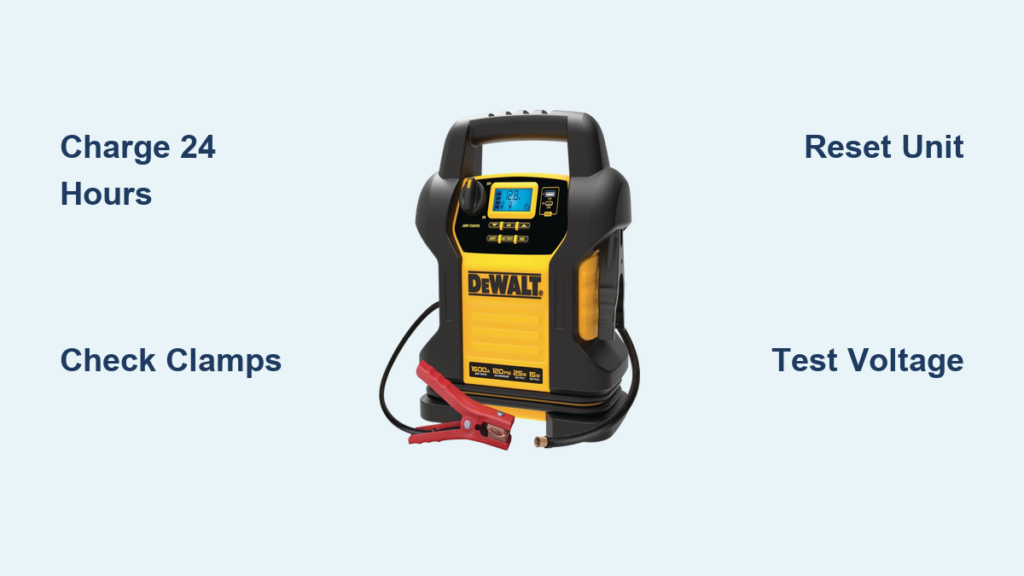
Your car battery is dead, you’re stuck in a parking lot, and your DeWALT jump starter won’t turn on. That moment is stressful, especially when you counted on the unit to get you moving. The good news is that most DeWALT jump starter not working problems have causes you can check yourself.
This guide covers the most common failures, from power and charging issues to dirty clamps and locked-up units. You’ll learn how to test voltage, reset the unit, and know when to contact DeWALT support.
Confirm Your DeWALT Jump Starter Has Power
Before you test anything else, confirm the unit is actually receiving and holding power. Many failures that look serious are simply a dead internal battery. Start here to save time.
Press and Hold the Power Button Correctly
Many DeWALT jump starters need a 3 to 5 second press to switch on. A quick tap often does nothing. Follow these steps:
- Press and hold the power button for 3 to 5 seconds.
- Watch for any LED lights or sounds.
- If nothing responds, move on to charging.
Charge the Unit for 24 Hours
If the unit stays silent, plug it into the original AC charger and let it charge for 24 hours. Make sure the outlet works by testing it with another device first.
Pro Tip: Try a different outlet if the charger seems unresponsive. A bad outlet can look exactly like a dead jump starter.
Why Your DeWALT Jump Starter Won’t Turn On at All
If the unit still won’t power on after a full charge, the internal battery may be deeply discharged. This often happens after long storage without charging. A battery management system lockout can also block power. The reset steps later in this guide address that issue.
Inspect Clamps, Cables, and the Charging Port

Physical damage stops a jump starter from delivering current, even when the battery is full. A quick visual check takes only a few minutes and can reveal the problem right away.
Look for Corrosion and Physical Damage
Check these areas carefully:
• White or green crust on the clamp jaws
• Bent, loose, or weak clamp springs
• Frayed, cut, or exposed wires on the cables
• Bent or debris-filled pins in the charging port
• Cracks in the outer case
Warning: Do not use a damaged cable. Exposed wire can short and create a fire or shock hazard.
Clean Clamps With a Baking Soda Solution
Corroded clamps can prevent a good connection to the vehicle battery. Clean them regularly to keep contact solid.
- Mix a small amount of baking soda with water.
- Dip a wire brush or old toothbrush into the solution.
- Scrub the clamp jaws until the corrosion lifts.
- Wipe the clamps dry with a clean cloth.
Warning: Keep water away from the main unit and charging ports. Clean only the clamps and cables.
Clean the Charging Port Without Forcing It
Dust or small metal shavings can block a clean connection. Use compressed air to blow out the port. If a pin looks bent, straighten it gently with tweezers. Stop if a pin seems stuck or broken, and contact DeWALT support instead.
Test Battery Voltage With a Multimeter
A multimeter gives you objective data about the unit’s health. It helps you decide whether the problem is charge, wiring, or the battery itself. You don’t need advanced skills for a basic check.
Set Up Your Multimeter Safely
- Set the multimeter to DC voltage.
- Touch the red probe to the positive (+) terminal.
- Touch the black probe to the negative (-) terminal.
- Read the display once the reading stabilizes.
Pro Tip: Test the 12V DC output port if your unit has one. This gives you a simple reference point.
Understand What Your Reading Means
A reading near 12.6V suggests a fully charged battery. Readings well below that point to low charge or a failing battery. If the voltage stays low after a full 24-hour charge, the battery may need professional attention or replacement.
Repeat the test at the clamp ends while connected to the unit. The readings should be similar to the main terminal readings. A large difference points to a wiring or internal connection problem.
Reset a DeWALT Jump Starter That Has Locked Up

Some units lock up after an electrical fault, a short, or extreme temperature exposure. A reset can clear the lockout and restore normal function. Try a reset before assuming the unit has failed.
Perform a Hard Reset Step by Step
- Unplug all cables, chargers, and connected devices.
- Hold the power button for 10 to 15 seconds.
- Leave the unit alone for about 30 minutes with no load attached.
- Plug in the charger and try powering on again.
Use the Pinhole Reset Button on Select Models
Some DeWALT models include a small pinhole reset button near the ports. Use a paperclip to press and hold it for about 5 seconds. If the unit powers on afterward, the lockout was likely a safety trigger.
Expert Note: Check your manual to see whether your model has a pinhole reset button. Not all units include one.
Fix Charging Problems on Your DeWALT Jump Starter
A faulty charger or damaged port is one of the most common reasons the unit won’t recharge. Testing each part separately helps you pinpoint the failure quickly.
Test the AC Adapter Output
- Set your multimeter to DC voltage.
- Place the red probe on the center pin of the charger tip.
- Place the black probe on the outer sleeve.
- Compare the reading to the rated output printed on the charger label.
If the adapter reads zero or far below its rated output, replace it. Use the original charger or a DeWALT-approved replacement.
Check Whether the Battery Accepts Charge
If the charger works but the unit won’t take a charge, the internal cells or the battery management system may be at fault. Note how long you charged it and whether any lights appeared. This information helps DeWALT support diagnose the issue faster.
Consequence Alert: Continuing to plug in a unit that won’t charge can worsen internal damage. Stop and move to warranty options if charging never begins.
Use the Correct Jump Starting Steps to Avoid Failures
Even a fully working jump starter can fail if you connect it incorrectly. Following the correct order protects both the unit and the vehicle. It also prevents short circuits that can shut down the jump starter.
Connect Clamps in the Right Order
- Turn off the vehicle ignition.
- Connect the red positive clamp to the dead battery’s positive (+) terminal.
- Connect the black negative clamp to unpainted metal on the engine or chassis, away from the battery.
- Turn on the jump starter.
- Start the vehicle.
- Turn off the jump starter, then disconnect the clamps in reverse order.
Warning: Never let the clamps touch each other while the unit is powered on. A short can disable the jump starter.
Charge to Full Before Jump Starting
Most DeWALT models need at least 50% charge to deliver peak amps. If the display shows less than half, recharge the unit fully before attempting a jump. A full recharge typically takes 8 to 12 hours on a wall outlet.
Time-Saving Tip: Keep the unit charged before winter and before long trips. This avoids waiting on a charge when you’re already stuck.
Spot Battery Failure Signs Before You Get Stranded

Batteries wear out over time, even when the unit is never used. Catching the warning signs early means you can replace the unit before it fails during an emergency. Pay attention to how the battery behaves between uses.
Recognize Warning Signs
Stop using the unit and plan a replacement if you notice:
• The unit won’t hold a charge overnight
• The case looks swollen, bulging, or deformed
• A sulfur or burning smell appears
• The unit overheats while charging or in use
• Jump attempts fail even after a full charge
Warning: Do not use a unit with a swollen case or unusual smell. Store it away from vehicles and living spaces until you can dispose of it safely.
Know the Typical Battery Lifespan
Batteries generally last about 300 to 500 charge cycles, or roughly 3 to 5 years with proper maintenance. Some owners report internal battery failure after just 1 to 2 years. If your unit is older and rarely charged, plan to test it more often.
Protect Your Jump Starter From Cold and Heat
Temperature extremes can reduce battery performance. Cold weather is especially hard on the unit, and direct sunlight or a hot car can cause damage over time. Protecting the unit from both helps it start when you need it.
Keep the Unit Warm in Cold Weather
Cold temperatures below 32°F (0°C) can reduce battery performance. Keep the jump starter inside the cabin or indoors during freezing weather. Avoid leaving it in an unheated trunk overnight.
Avoid Heat Exposure
Keep the unit out of direct sunlight and hot vehicles. Extreme heat can speed up battery wear and may cause a safety shutdown. Store it in a shaded, climate-stable spot whenever possible.
Contact DeWALT Support or File a Warranty Claim
If the unit still fails after your checks and resets, professional support is the next step. DeWALT offers a limited warranty that may cover repair or replacement. Gather your documents before you call or file online.
Check Your Warranty Coverage
DeWALT jump starters typically carry a 3-year limited warranty. Some sources also mention a 90-day money-back guarantee for dissatisfied buyers. Confirm the terms that apply to your model and purchase date.
File a Claim Step by Step
- Gather your proof of purchase, such as a receipt or order confirmation.
- Locate the model and serial number on the unit’s label.
- Visit www.dewalt.com and open the Service & Support section.
- Submit your claim with the model, serial number, and purchase details.
- Or call 1-800-4-DeWALT (1-800-433-9258) for help.
Claims are typically resolved within 2 to 4 weeks. Ship the unit only when DeWALT instructs you to do so.
Decide Whether to Repair or Replace
Replacement is the safer choice when the battery swells, leaks, or smells, or when the unit won’t respond after a reset and a 24-hour charge. Replace the unit immediately if you see smoke or a burning smell. Replacement is also worth considering if the charger and cables test as good but the unit still fails.
Prevent Future DeWALT Jump Starter Failures
Good habits keep the battery healthy and the unit ready. Most failures come from neglect, like long storage without charging or dirty clamps. A simple routine prevents most of these problems.
Check and Charge on a Schedule
Check the charge level monthly. If the unit reads below 50%, top it up to about 80%. Keeping the battery in this range helps avoid deep discharge.
Store the Unit Properly
• Keep it in a cool, dry place between 40 and 80°F (4 to 27°C)
• Maintain a 50 to 80% charge during long storage
• Keep it away from direct sunlight and extreme temperatures
• Use the original case or a padded bag
Clean and Inspect After Each Use
Wipe the clamps and case after every jump. Use a dry cloth on the exterior and compressed air on vents and ports. Never use water or solvents on electrical components. Coil the cables loosely to prevent strain on the connections.
Expert Note: Clean the clamps with a baking soda solution about once every three months. Quarterly cleaning keeps corrosion from building up unnoticed.
Frequently Asked Questions About DeWALT Jump Starter Not Working
Why won’t my DeWALT jump starter turn on?
The internal battery may be deeply discharged, or the unit may be in a safety lockout. Charge it for 24 hours with the original charger, then try a hard reset. If it still won’t power on, contact DeWALT support.
How long should I charge my DeWALT jump starter?
A wall charge typically takes 8 to 12 hours for a full charge. If the unit shows no response at all, charge it for 24 hours before deciding it has failed.
What does a DeWALT jump starter need to jump a car?
Most models need at least 50% charge to deliver peak amps. Connect the positive clamp first, then the negative clamp, and follow the correct order to avoid short circuits.
How do I reset my DeWALT jump starter?
Unplug all cables and devices, then hold the power button for 10 to 15 seconds. Wait about 30 minutes before trying to charge or power it on again. Some models also have a pinhole reset button.
How long is the DeWALT jump starter warranty?
DeWALT typically offers a 3-year limited warranty on jump starters. Keep your proof of purchase and the model and serial number handy. Claims are usually processed within 2 to 4 weeks.
Key Takeaways for Fixing a DeWALT Jump Starter That Won’t Work
Most DeWALT jump starter not working problems come from a few simple causes. Start with power and charging, then check clamps, cables, and the charging port. Use a multimeter to test voltage, and perform a hard reset if the unit has locked up. Keep the battery charged, protect it from temperature extremes, and clean the clamps regularly.
If the unit still fails after these steps, watch for swelling, smells, or overheating, which mean replacement is needed. Otherwise, gather your receipt and the model and serial number, then contact DeWALT at 1-800-4-DeWALT or through www.dewalt.com. Start with a full 24-hour charge today so your jump starter is ready the next time you need it.